Choosing the Right Enterprise CMS
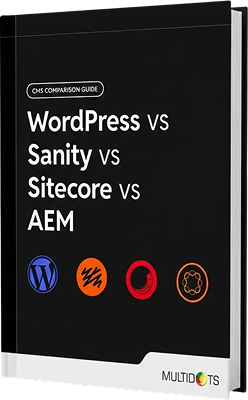
WordPress vs Sanity vs Sitecore vs AEM Explained

Making Confident CMS Decisions
Evaluating enterprise CMS platforms can get overwhelming fast. Every vendor promises transformation. Every consultant says they have the answers. Every platform swears it’s the future. Meanwhile, your team is stuck debating architecture models, your CFO is questioning seven-gure proposals, all while your legacy system keeps limping along because nobody can agree on the path forward.
This guide gives you practical frameworks to choose a CMS that still makes sense for your business six months after rollout and years into production and cost planning. Drawing on 1000+ enterprise migrations, we’ll help you zero in on what truly performs at scale, not just what looks polished in a boardroom demo. Vendor demos run on pristine data and optimal conditions. Meanwhile, your production environment runs on legacy content models, midnight hotxes, and that integration your predecessor swore would be temporary. That gap is where projects fail, budgets explode, and platforms get blamed for implementation decisions.
The problem?
Vendors optimize for the sale, consultants for the statement of work. Whereas implementation partners who stick around after launch are the ones accountable for what actually ships – and keeps working. That long-term view reshapes every decision. It’s why, in practice, the real dierentiator often isn’t the platform’s feature set – it’s the delivery model and partnership structure behind it.
If you’re running millions of page views monthly, juggling multiple sites and six-gure content libraries, you’ve probably already discovered that choosing a CMS at this scale is anything but straightforward – which is why you’re exactly who we wrote this for.
“In the end, choosing the right CMS is about stress-testing your assumptions against production realities.”
If you’re weighing WordPress, Sanity, Sitecore, or AEM, this guide will give you the real-world pros, cons, and trade-os so you can choose the CMS that’s actually the right strategic t for your business.
Who This Guide Is For: The Enterprise Profile
This guide is built for a very specic kind of organization. All cost estimates, timelines, and technical assumptions are based on this model – what we call Enterprise A.
Monthly Traffic
2–5 million page views.
Content Volume
10,000–50,000 published pages.
Media assets
100,000–500,000 images, videos, and documents.
Content Team
25–75 content creators and editors.

Web Properties
5–10 sites or microsites, including international
In the real world, this looks like mid-size to large B2B companies with a serious web footprint, publishers and media organizations, universities, healthcare systems, and nancial services rms juggling multiple products. Smaller teams can expect lower costs and faster timelines; larger, more complex enterprises should plan for the opposite.
The 4 Platforms Explained:
What They Do, and Who They’re For
Before you get lost in feature charts and pricing grids, it’s worth grasping the core architecture that drives each platform. Each one reflects a distinct worldview about how enterprise content should be built, managed, and shipped. Miss those differences, and you risk the kind of costly surprises that tend to surface about six months into rollout.
WordPress

What It Is
Open-source CMS powering 43% of all websites. Originally built for blogging, now handles enterprise publishing and digital experience platforms.

Who It’s For
Organizations needing publishing exibility and wanting to own their content infrastructure. The open-source model means no vendor lock-in, but you’re responsible for architecture decisions, security, and scaling.
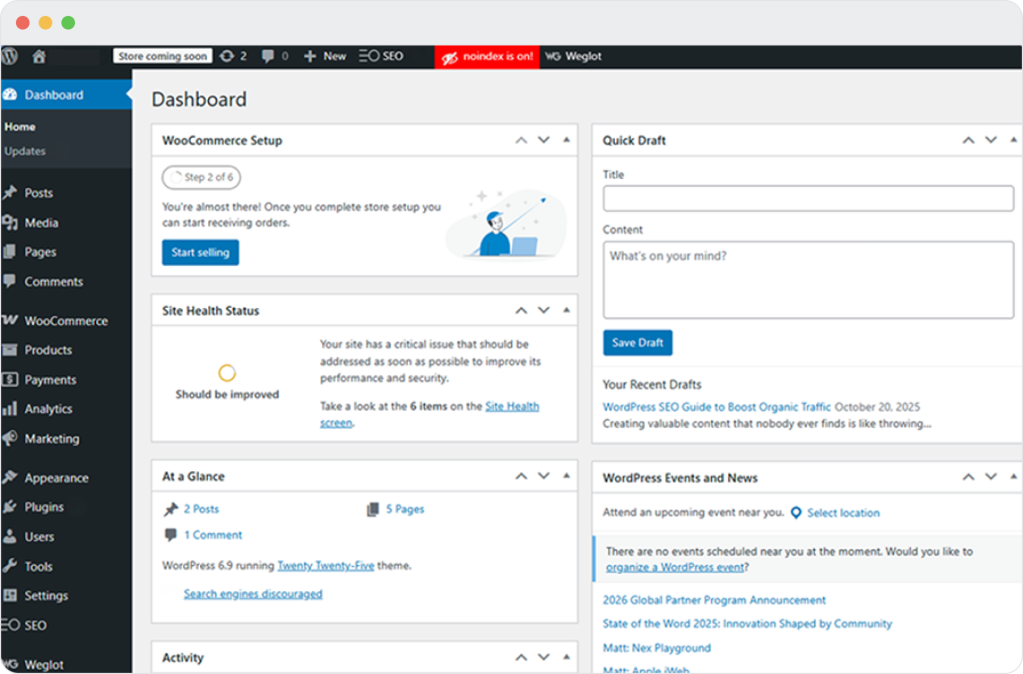
- WordPress began life as open-source blogging software – and that openness is still its superpower. You get a massive ecosystem, constant community innovation, and the freedom to extend or customize almost anything. But you do still need to handle hosting yourself, which is why, at the enterprise end of the spectrum, WordPress VIP is the most logical route.
- WordPress is monolithic by default. Content management and delivery share the same application layer, though headless setups are supported through REST and GraphQL APIs. But WordPress VIP smartly containerizes that setup, spreading it across a global CDN with layered caching, auto-scaling, and isolated environments. The result is a monolith that moves with the agility of microservices when it counts – whether trac surges, security ares up, or infrastructure stumbles.
- Performance depends entirely on hosting quality. WordPress on shared hosting performs dierently than WordPress on enterprise infrastructure. When hosted 6 on enterprise platforms like WordPress VIP, WordPress delivers 99.99% uptime, automated security and updates, global CDN and caching, and support for high-trac events.
- Marketing teams can publish without developer intervention, and they can do it quickly with minimal training. Editors work in visual interfaces that actually match front-end output. And the plugin ecosystem means most needs already have polished solutions instead of custom development sprints. For content-heavy teams chasing speed over architectural purity, that eciency fast snowballs into a competitive advantage.
Used by




Sanity
What It Is
Sanity is a content operating system, not a traditional CMS. It treats content as structured data that can power any channel: websites, apps, digital displays, voice interfaces, or AI applications.
Who It’s For
Built API-rst, Sanity is best for organizations moving toward composable architectures. Content lives in a central system, then gets delivered to any frontend through APIs. Teams can build custom editing interfaces for specic workows.
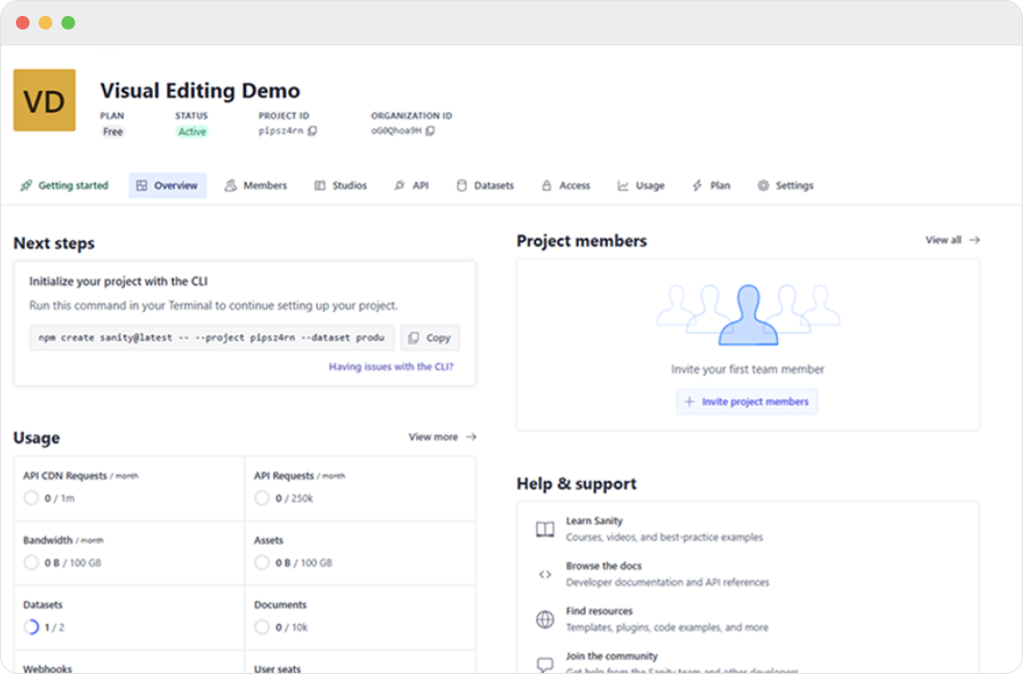
- Sanity is essentially the philosophical opposite of WordPress: a CMS built ground-up for the API era, rather than retrofitted for it. Instead of modernizing an old monolith, Sanity began with a fresh question: “What if content were just structured data?” The answer is a platform where content exists as portable JSON documents in a real-time, globally distributed “Content Lake,” ready to be queried through GraphQL or Sanity’s own GROQ language.
- Content models are defined as code. The editing tool, Sanity Studio, is a React app you customize, deploy, and host yourself. There’s no page builder, no templates, no visual preview – unless you build one. For engineers, this is liberating – complete control over every aspect of the content architecture. For marketing teams accustomed to drag-and-drop builders, Sanity can come with a noticeably steeper learning curve, simply because it offers far more flexibility than traditional CMS tools.
- Where Sanity really flexes is when your content needs to live everywhere at once – on the web, in your app, across in-store screens, even voice assistants. Its structured content model eliminates the redundancy and inconsistency that plague traditional CMS architectures, allowing you to publish once and deliver across multiple channels. The tradeoff is complexity – both technical and conceptual – that demands a total rethink of how your organization defines and manages content.
- Sanity is SOC 2 Type II certified. All content is stored in geo-distributed cloud infrastructure with 99.95% uptime SLAs. You get enterprise-grade access controls and audit logging with data encrypted at rest and in transit.
Used by





Sitecore XM Cloud
What It Is
Enterprise digital experience platform combining CMS, personalization, and marketing automation. Built for organizations that prioritize customer experience and data-driven marketing.
Who It’s For
Sitecore targets marketing-led digital teams needing tight integration between content management and customer data. The platform works best when you use multiple Sitecore products together (CMS, personalization, analytics, marketing automation).
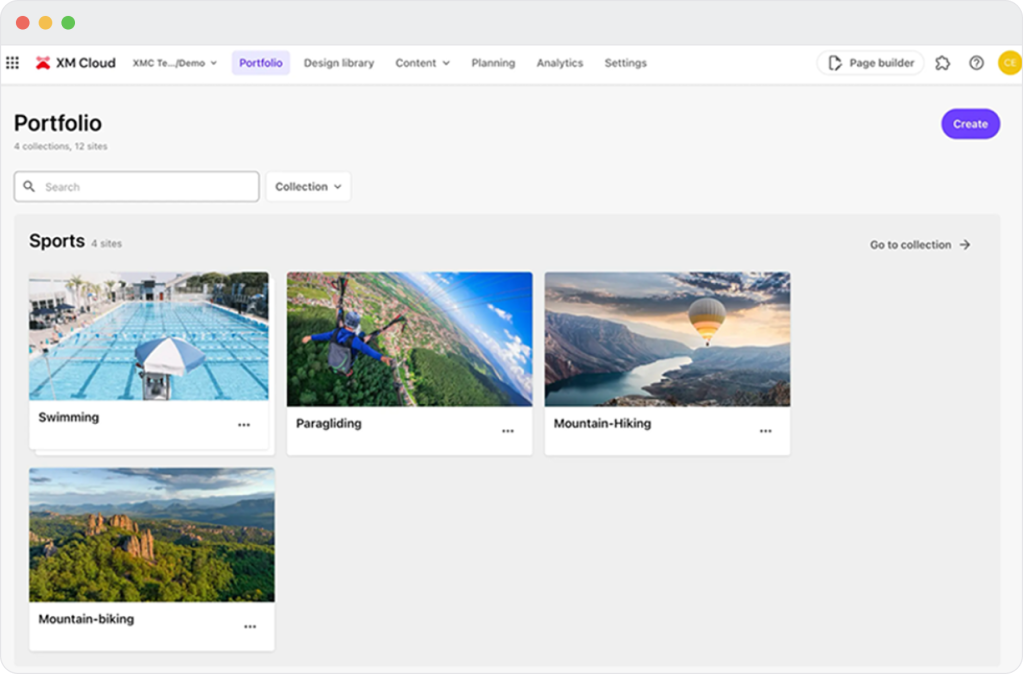
- Sitecore XM Cloud XM Cloud reects Sitecore’s move toward a composable architecture while still supporting existing implementations. Its backward compatibility creates a hybrid setup that can be highly exible for some teams, though it may introduce additional complexity for others. Unlike the traditional on-prem version of Sitecore, XM Cloud removes infrastructure management entirely, shifting teams from maintaining servers to purely building experiences. The platform can decouple content management from delivery via Experience Edge, a CDN-powered GraphQL endpoint. It also supports traditional coupled delivery and maintains a visual page builder through Pages, a browser-based tool that lets marketers assemble experiences without code. With its .NET-based architecture, it requires Windows infrastructure and specialized .NET developers.
- Although recent versions support headless implementation with decoupled frontends, XM Cloud’s built-in personalization, A/B testing, and analytics give you more out-of-the-box marketing muscle than you’d get assembling separate tools in a pure headless setup. Nonetheless the platform’s value depends on how fully your team uses these integrated features. these integrated features.
- Used by: Organizations in financial services, retail, and media sectors. Commonly deployed in enterprises with existing Microsoft technology stacks.
Adobe Experience Manager (AEM)
What It Is
Enterprise content and digital asset management platform, part of Adobe Experience Cloud. Designed for organizations needing enterprise-scale content operations and tight integration with Adobe’s marketing tools.
Who It’s For
AEM makes sense for organizations already invested in Adobe’s ecosystem (Creative Cloud, Analytics, Target, Campaign). The platform handles complex content operations, multi-site management, and digital asset management at scale.personalization, analytics, marketing automation).
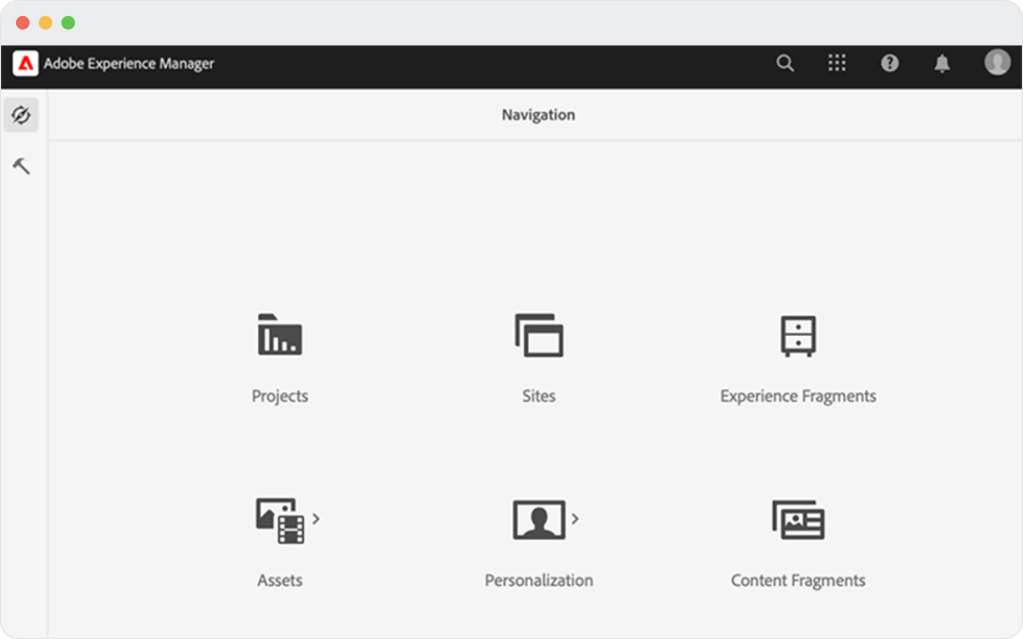
- AEM is the go-to CMS for enterprises already committed to the Adobe ecosystem. If your creative teams breathe Creative Cloud, your marketing runs on Adobe Campaign, and your data ows through Adobe Analytics, AEM becomes less a choice than a logical conclusion. The deep integration across Adobe’s suite creates eciencies that standalone platforms can’t match. Under the hood, the architecture is pure enterprise Java – Apache Sling, OSGi bundles, JCR repositories. If your team already has Java expertise and enterprise governance needs, you’ll feel right at home. If not, prepare for a steeper climb requiring specialized skillsets, premium salaries, and a setup prone to vendor dependence.
- For genuinely complex, global enterprises with stringent governance needs, AEM is in a league of its own. Multibrand management, complex personalization, regulated workows – these aren’t just features in AEM, they’re core architectural assumptions. The real question isn’t whether it’s “worth it,” but whether your organization truly operates at the scale and complexity where those strengths outweigh the rising costs and slowing velocity that prompt many teams to reconsider AEM altogether.
- Used by: Adobe is a $23B public company with major enterprise clients across technology, automotive, telecommunications, and media industries. Commonly deployed in large enterprises requiring global content operations.
A Deep Dive Comparison
Performance at Scale
WordPress
- WordPress VIP delivers sub-200ms Time to First Byte globally by layering edge caching across its worldwide network of POPs, Redis-powered object caching, and full-page caching optimized for WordPress. When BBC News pushes out a major breaking story and gets hit with 10 million simultaneous visitors, the platform’s auto-scaling doesn’t even inch.
- If you’re going headless, those same performance benets carry over. GraphQL queries are cached at the edge, and Next.js Incremental Static Regeneration keeps content fresh without needing constant rebuilds.
Ran 100,000 SKUs on WooCommerce but hit performance limits. Rather than migrate to a dierent CMS, they optimized their existing site

Sanity
- The Content Lake delivers sub-100ms global reads at any scale, syncing instantly with upstream systems like PIMs or inventory services. When trac spikes from 100 to 100,000 requests per second, the infrastructure scales automatically without capacity planning or regional complexity.
- Sanity’s query language, GROQ, oers powerful flexibility. It lets you pull in product data alongside category structure, related items, reviews, and inventory in a single request. You get just what you need with zero over-fetching. If your team prefers GraphQL, Sanity supports that too, with the same performance.
Sitecore XM Cloud
- Organizations migrating to XM Cloud can phase their transition strategically. Some business units can continue running traditional Sitecore implementations while others move to XM Cloud’s headless architecture. Trac routing tools direct users between systems during the transition. This approach accommodates different team timelines and technical readiness, though managing content across multiple platforms adds operational complexity until the migration completes.
AEM
- At the scale of 100 million+ page views a month, AEM’s infrastructure is worth it. It handles trac distribution, cache clearing, and CDN integration without breaking a sweat. Its dispatcher rules let you fine-tune performance for different types of content and audiences. Yes, it’s built on Java, and yes, that means complexity, but it also delivers consistent performance that scripting-based platforms struggle with under pressure.
Security and Compliance
WordPress
- WordPress faces more attacks than any other platform because it powers 43% of the web. This volume creates a perception problem, but the platform can be just as secure as proprietary alternatives. The White House runs on WordPress. Enterprise WordPress hosting includes automated security scans, performance testing, and code validation on every deployment. Git-based workows prevent unauthorized code from reaching production. Role-based permissions control who can edit, approve, and publish content without adding bottlenecks to the process.
- WordPress VIP adds enterprise-grade protection: DDoS mitigation, web application firewall, continuous vulnerability assessment, and 24/7 security monitoring. The platform proactively patches WordPress core vulnerabilities before official releases. WordPress VIP holds SOC 2 Type I attestation (with data centers maintaining SOC 2 Type 2 certification) and FedRAMP Moderate authorization, supporting compliance requirements for highly regulated industries and government agencies.
Sanity
- Sanity controls access through role-based permissions that extend from datasets down to individual documents. Enterprise plans get custom roles with GROQ lters that dene exactly which content types each user can create, update, or publish. SSO via SAML integrates with existing identity providers, and API tokens can be scoped to specic operations. All data is encrypted at rest and in transit. The system tracks changes through audit logs, though teams need to implement custom workow logic through code rather than using pre-built approval chains.
Sitecore XM Cloud
- Sitecore XM Cloud separates access at the organization, application, and content levels. The workow engine controls which users can edit, approve, or publish content at each stage. Workow-specific permissions (State Write, State Delete, Command Execute) prevent unauthorized changes to items in review. SSO integrates with OIDC and SAML providers, with multi-factor authentication available through connected identity systems. Data encryption covers storage and transit, and the platform includes WAF protection, CDN security, and rate limiting. Version control tracks all content changes automatically.
AEM
- AEM holds FedRAMP certification, streamlining the compliance process for government and highly regulated clients.. Every edit is tracked with detailed audit logs. User permissions make sure content creation, approval, and publishing are clearly separated. All content is encrypted both in storage and in transit.
- Its Multi-Site Manager gives global teams centralized control with structured inheritance, cascading components, and built-in localization workows tied directly to enterprise TMS platforms. For enterprises running 50+ brand sites across dozens of markets, these governance features reduce operational overhead and maintain consistency without blocking local teams.
AI Readiness and Future Capabilities
Enterprise content systems now serve as data sources for AI applications, chatbots, and automated workows – which means architecture matters more than ever. Here’s how each platform stacks up.
WordPress
- WordPress does not have built-in AI infrastructure. Most AI functionality is added through third-party plugins, which vary widely in quality, reliability, and security. Its MySQL database is designed primarily for serving pages, not for efficient structured data extraction.
- For AI-driven projects, you need to plan on custom development to structure content into machine-readable formats, create API endpoints for AI use, and integrate with external AI platforms. WordPress can support basic AI use cases via plugins, such as content recommendations and chatbots, but more advanced implementations will demand substantial custom engineering work.
Sanity
- Sanity is built for structured content. Content lives in a graph-based system where relationships and data types are explicit and queryable. Key AI advantages include the GROQ query language for precise content retrieval, structured content schemas that keep training data clean and consistent, and real-time APIs that support AI applications needing instant access to content. Sanity also oers MCP (Model Context Protocol) connectors for AI integration.
- This makes Sanity a strong t for AI-powered personalization, content generation workows, and multi-modal AI applications that combine text, images, and structured data.
Sitecore XM Cloud
- Sitecore’s Experience Platform includes AI features for personalization and analytics, with a strong emphasis on marketing automation. These include a built-in machine-learning personalization engine, content analytics and predictive insights, and marketing automation powered by AI-driven recommendations.
- The AI capabilities are largely pre-packaged around common marketing use cases. Any custom AI development has to operate within Sitecore’s closed ecosystem, and the way content is structured can make it dicult to extract and reuse for external AI applications.
AEM
- AEM integrates with Adobe Sensei, Adobe’s AI framework for content and marketing applications. It oers auto-tagging and image recognition, content recommendations, predictive analytics for content performance, and smart cropping with asset optimization.
- As with Sitecore, AEM’s AI capabilities are largely tied to Adobe’s own ecosystem. Custom AI projects are built within Adobe’s architecture, and extracting content for use with external AI tools typically requires API configuration and, in many cases, custom development.
Key Takeaway
For AI exibility, prioritize platforms with strong content APIs and structured data models. WordPress requires the most custom work. Sanity oers the most exible foundation. Sitecore and AEM provide AI features within their vendor ecosystems.
Extensibility and Integration Patterns
WordPress
- Approach: Plugin-based architecture with 60,000+ plugins and extensive developer community. Integrations are simpler than many enterprises expect. Google Analytics or Adobe Analytics can be added quickly. Workday connects via REST APIs or webhooks. Tools like OneTrust slot in using native WordPress hooks, no need for custom builds. The plugin ecosystem is mature, so the things enterprises care about have solid, battle-tested solutions, not just ideas still in beta.
- Common Enterprise Integrations: Marketing automation (HubSpot, Marketo, Pardot), CRM (Salesforce, Microsoft Dynamics), Analytics (Google Analytics, Adobe Analytics, Mixpanel), E-commerce (WooCommerce, custom implementations), CDN/hosting (Cloudare, Fastly, Akamai).
- Strengths: Massive ecosystem means someone has probably built what you need. Developer talent is widely available and affordable.
- Considerations: Plugin quality varies, and at enterprise scale that’s not something you can aord to shrug o. Once you’re juggling dozens (or hundreds) of plugins, updates and dependencies quickly become a governance issue, with security problems often traced back to third-party plugins rather than core code.
Sanity
- Approach: API-rst architecture. Everything happens through APIs and webhooks. No plugins in the traditional sense. Sanity’s API-rst design makes integration its core strength. Every piece of content is accessible via REST or GraphQL. The platform has strong pre-built support for tools like Shopify and Algolia.
- Common Enterprise Integrations: Frontend frameworks (Next.js, React, Vue, Svelte, native mobile), E-commerce (Shopify, commercetools), Search (Algolia, Elasticsearch), Translation (Smartling, Lokalise), DAM systems (Cloudinary, Bynder).
- Strengths: Clean APIs make complex integrations predictable. No plugin dependency management. Teams can build exactly what they need.
- Considerations: Requires developer work to handle integrations. Oers fewer pre-built solutions than WordPress. And because Sanity expertise is more niche, the pool of experienced developers is smaller.
Sitecore XM Cloud
- Approach: Marketplace modules and custom .NET development. Sitecore Connect provides pre-built connectors for common systems. Sitecore integrates naturally with the Microsoft stack and has native connectors for Salesforce and Marketo. The shared data model means email, web, behavioral analytics, and campaign journeys connect without ETL pipelines. Marketers can segment audiences, set up personalized journeys, run tests, and view results without leaving the system.
- Common Enterprise Integrations: Marketing automation (Marketo, Eloqua, Sitecore’s own automation), CRM (Salesforce, Microsoft Dynamics with deep integration), Commerce (Sitecore Commerce, SAP, Salesforce Commerce Cloud), DAM (Sitecore DAM, Adobe DAM), CDP (Sitecore CDP, Segment, Tealium).
- Strengths: Strong integration with Microsoft ecosystem. Pre-built connectors for major enterprise systems. Sitecore’s customer data platform integrates natively.
- Considerations: Requires .NET expertise. Custom integrations can get pricey, fast. Some modules come with extra licensing costs. And when major version upgrades land, breaking changes can throw existing integrations o balance.
AEM
- Approach: Adobe Experience Cloud integrations are first-class citizens. Third-party integrations through Adobe I/O and custom Java development. Organizations already invested in Adobe’s ecosystem see natural efficiency gains. Creative Cloud assets ow directly into AEM. Marketing campaigns connect through Adobe Campaign.
Analytics data integrates without middleware. The platform unies tools your teams already use, eliminating the friction of cross-system workows. The deep integration across Adobe’s suite creates eciencies that standalone platforms can’t match. - Common Enterprise Integrations: Adobe ecosystem (Analytics, Target, Campaign, Creative Cloud), Commerce (Magento/Adobe Commerce, SAP, Salesforce Commerce Cloud), Marketing (Marketo/Adobe, Eloqua, HubSpot), DAM (AEM Assets built-in), Translation (AEM Translation Framework, SDL, Lionbridge).
- Strengths: Deep Adobe ecosystem integration. Strong multi-site and multi-language management. Enterprise-grade asset management built in.
- Considerations: Requires solid Java expertise, which doesn’t come cheap. Custom work has to play by Adobe’s rules and patterns. And for core capabilities, you’re largely tied to whatever Adobe decides to ship, when they decide to ship it.
Support Models & Ecosystem Strength
WordPress
If your lead WordPress dev leaves, you’re hiring from a global pool of millions, not just a handful. Freelancers and contractors can jump in with almost no ramp-up time. That kind of talent availability gives your platform long-term stability that goes beyond just the tech.
- Official Support: WordPress core has no official vendor support as open-source software. Community forums and documentation provide self-service help.
- Enterprise Support Options: WordPress VIP oers 24/7 support, dedicated account team, and SLA-backed uptime. Managed hosting providers oer varying support levels. Agency partners provide ongoing maintenance contracts. Many enterprises build internal WordPress expertise.
- Ecosystem Size: 60,000+ plugins, 10,000+ themes, hundreds of thousands of developers worldwide, massive agency ecosystem at all price points, annual WordCamp conferences globally.
- Long-term Viability: WordPress has dominated web publishing for nearly 20 years, and it’s not slowing down. Ongoing investment is clear in the Gutenberg project, which keeps modernizing how the platform works and feels. Behind the scenes, governance from Automattic and the WordPress Foundation adds a steady hand and long-term stability. Net result: WordPress is a safe bet, with very little risk of the platform going anywhere.
Sanity
Sanity requires specific technical skill: React developers who understand APIs, content modeling, and distributed systems.
- Official Support: Free tier includes community Slack (active and responsive). Growth plan oers email support with 2-business-day response. Enterprise plan includes priority support, dedicated Slack channel, phone support, and SLA.
- Enterprise Support Options: Solution architects for implementation planning, quarterly business reviews, migration assistance, best practices, and beta access to new features.
- Ecosystem Size: 150+ community plugins and tools, growing agency partner network, active community (40,000+ Slack members), developer-focused documentation.
- Long-term Viability: Founded in 2017 and backed by venture funding, the company has grown quickly by staying laser-focused on content infrastructure. A roster of notable enterprise customers provides solid revenue stability, while its platform is modern and well architected. It’s still younger than many competitors, but built with today’s demands in mind.
Sitecore XM Cloud
Sitecore’s talent pool is narrow, which means developers with the right .NET and Sitecore experience are expensive and hard to replace.
- Official Support: Tiered support available (Standard, Premium, Elite). 24/7 support for Premium and Elite tiers. Dedicated technical account managers for large customers. Version-specic support lifecycles important for planning upgrades.
- Enterprise Support Options: Sitecore Marketplace with hundreds of modules and integrations, global network of Sitecore-certified partners and agencies, Sitecore Symposium annual conference, MVPs and community forums.
- Certification Program: Developer, architect, and marketer certifications required for partners to maintain status. Helps ensure baseline technical competence.
- Long-term Viability: A long-standing enterprise player, founded in 2001. Backed by private equity since 2016 (EQT), then acquired by Caravel in 2024. Strong platform lock-in, with version upgrades that can be complex, time-consuming, and costly.
AEM
AEM talent commands six-figure salaries, starting at $150,000 and climbing higher for specialists. The authoring interface takes time to learn, so training and support are ongoing needs. Even infrastructure decisions require deep platform knowledge, which means relying on consultants.
- Official Support: Enterprise support standard with licensing. 24/7 support with dened SLAs. Named support engineers for large accounts. Adobe Consulting Services available for strategic projects.
- Ecosystem: Adobe Partner program with global system integrators, AEM Gems webinar series for ongoing education, Adobe Summit annual conference, Adobe Community forums and documentation.
- Certification program: Multi-level certification (Developer, Architect, Business Practitioner) required for consulting partners. Helps maintain quality of implementation partners.
- Long-term viability: Adobe pulled in $21.5B in revenue in fiscal 2024 and is already tracking toward $23B+ in 2025. AEM sits firmly at the heart of Adobe’s enterprise strategy, backed by steady development and ongoing cloud investment that signal long-term commitment. Support from the vendor is strong, though innovation tends to flow from Adobe itself rather than a broad, community-led ecosystem.
TCO & Future-Proofing

The Complete TCO Framework

Cost Framework

5-Year Cost Drivers


Assess Your 5-Year Cost

Assessing Your Vendor Lock-In Risk
How Complex Will Your Migration Be?
Migration timelines can swing o by 50–200%, and that’s not because teams can’t plan. Migrations bring hidden issues to the surface. Old workarounds, undocumented decisions, and messy platform history all show up when you try to move. To make this clearer, we’ve built a comparison matrix covering WordPress, Sanity, Sitecore, AEM, and several other enterprise CMSs you might be evaluating. Drawing on insights from over 1000 enterprise migrations, it shows how each platform impacts complexity, helping you plan for what actually happens – not just what you’d like to happen.
How to Read the Migration Complexity Matrix
- The matrix outlines total migration eort – not just technical difficulty. A project can be “simple” and still take months if there’s a huge volume of content, or “high complexity” and still be worthwhile if the long-term strategic gains justify the rebuild. The goal is to help you set realistic expectations about scope, timelines, and where the work will concentrate.
- Each level signals how closely the old and new platforms align. Simple migrations happen when the systems share similar models and workows, so most of the eort goes into moving and lightly adapting content. Moderate migrations require translating different ways of structuring content and rebuilding custom features. High-complexity migrations are effectively new builds, where almost nothing carries over – architecture, code, and processes all change. Use these categories to understand whether you’re planning a transfer, a transformation, or a full rebuild.
Note: Timelines assume mid-sized implementations (10,000-50,000 content items, 5-10 content types, standard integrations). Add 30-50% for enterprise scale. Subtract 20-30% for small sites.
Migration Complexity Matrix
| WordPress | Sanity | Sitecore XM Cloud | AEM Cloud | |
|---|---|---|---|---|
| WordPress | Moderate (8-16 weeks) | High (16-24 weeks) | High (20-32 weeks) | |
| Drupal | Simple (4-6 weeks) | Moderate (10-16 weeks) | High (16-24 weeks) | High (20-32 weeks) |
| Contentful | Simple (6-10 weeks) | Simple (6-10 weeks) | High (12-20 weeks) | High (20-32 weeks) |
| Sanity | Moderate (8-12 weeks) | – | High (16-24 weeks) | High (20-32 weeks) |
| Sitecore (On-Prem) | Moderate (10-16 weeks) | High (20-32 weeks) | Moderate (8-12 weeks) | High (24-36 weeks) |
| Sitecore XM Cloud | High (16-24 weeks) | High (20-32 weeks) | – | High (24-36 weeks) |
| AEM (On-Prem) | High (16-24 weeks) | High (24-36 weeks) | High (24-36 weeks) | Moderate (8-12 weeks) |
| AEM Cloud | High (20-32 weeks) | High (24-36 weeks) | High (24-36 weeks) | Moderate (8-12 weeks) |
| Legacy/Custom CMS | High (20-32 weeks) | High (24-36 weeks) | High (24-36 weeks) | Moderate (8-12 weeks) |
Migrated 11 sites with 50,000+ posts in 12 weeks to meet a hard deadline.

Note: We’ve validated timelines for paths Multidots has direct experience with (Drupal → WordPress, WordPress → Sanity, Sitecore → WordPress). Estimates for other paths are based on vendor documentation and industry benchmarks.
3 Easy-to-Miss Migration Costs
These hidden costs wreck timelines and blow budgets – mostly because they don’t show up until contracts are signed and the project’s already underway. Every broken migration we’ve been brought in to x had at least one of these.
Content Modeling and Retraining
- Moving from page-based to structured content changes how editors think, not just what buttons they press.
- Requires real training, role-specic documentation, screen recordings, and team “champions.”
- Expect a temporary productivity dip (40% in month one, 20% in month two) – most budgets forget to account for it.
SEO and Redirect Mapping
- Your current setup has years of SEO value built into its URLs, metadata, and internal links. The new platform will handle all of those differently. If you don’t map it properly, your trac tanks.
- We’ve seen media companies migrate tens of thousands of articles and keep all the content, but skip the URL structure planning. Traffic collapses overnight. Recovery takes months and costs multiples more than proper redirect mapping would have at the start.
- The hard part is finding what to redirect. Old campaign pages, PDF links, forgotten microsites, odd pages still getting trac… these only show up when users start hitting 404s. Set aside 10–15% of your migration budget for proper URL discovery and redirect work.
Asset Migration and DAM Integration
We have 50,000 images” becomes “we have 50,000 images in 12 different formats, with inconsistent naming, duplicate versions, missing metadata, and hardcoded references throughout our content.” Asset migration complexity scales exponentially with volume and age.
Migration Readiness Checklist
Before signing any migration contract, verify these prerequisites. Missing any item adds 20-40% to the timeline & budget:
Organizations that go through this checklist before migrating tend to stay on track, signicantly cutting budget overruns and launching faster. Those who skip it, hoping to “gure it out as we go,” become the cautionary tales in the next version of this guide.
Choosing the Right Platform:
A Practical Side-by-Side View
This matrix packs thousands of implementation hours into quick, scannable insights. Use it to spark alignment discussions, keep vendor pitches honest, and run a quick gut check when promises start sounding suspiciously shiny. Just keep in mind – every “best” rating has its tradeoffs, all noted in the earlier
| Dimension | WordPress | Sanity | Sitecore XM Cloud | AEM Cloud |
|---|---|---|---|---|
| Deployment Models | Self-hosted or managed hosting with full exibility | Pure headless/composable SaaS | Hybrid SaaS with headless & traditional | Hybrid SaaS with headless & traditional |
| Time to First Hello World (typical set up times) | 30 minutes (instant VIP dev environment) | 30 minutes (npm create sanity@latest) | 2-4 hours (Azure DevOps setup required) | 4-8 hours (AEM SDK + Java environment) |
| Time to First Published Page | 15 minutes (Gutenberg editor, immediate) | 2-4 hours (requires Studio cong & deployment) | 1 hour (Pages visual builder) | 2-3 hours (component conguration needed) |
| Author Experience | Visual editing with Gutenberg blocks, instant preview | Structured forms, requires custom preview setup | Drag-and-drop Pages builder, inline editing | Complex UI with powerful features, steep learning |
| Governance Controls | Role-based permissions, manual code deployment, optional version control | Granular access control, custom workows via code | Enterprise-grade workows, audit trails, multi-site | Enterprise-grade workows, audit trails, multi-site |
| Common Integrations | Google Analytics, Salesforce, HubSpot, native WooCommerce, and many more | Any via API, strong Shopify/Algolia support | Native Microsoft stack, Salesforce, Marketo | Full Adobe Experience Cloud, SAP, Salesforce |
| Typical Team Requirements | 1-2 developers, 1 content manager (can scale down to solo developer for smaller projects) | 2 React developers, 1 content model strategist, 1 front-end DevOps specialist | 2-3 .NET developers, 1 Sitecore architect, 1 marketing automation specialist | 3-4 AEM developers (Java/OSGi), 1 architect, 1 infrastructure specialist |
| Implementation Timeline | 4-12 weeks typical | 6-16 weeks typical | 12-24 weeks typical | 16-52 weeks typical |
| Year One Costs | $500-$3K hosting hosting + $5K-$30K implementation | $20K-$80K hosting + $60K-$200K implementation | $40K-$200K hosting + $100K-$300K implementation | $100K-$500K hosting + $200K-$500K implementation |
| Five-Year TCO | $30K-$150K | $400K-$1.2M (usage-based scaling) | $800K-$2M (licensing + specialized talent) | $1.5M-$4M (highest licensing + talent costs) |
| Average Developer Cost | $50-$115/hr | $70–$120/hr | $90–$155/hr | $100–$180/hr |
The CMS Decision Framework
Every enterprise CMS search eventually hits the same wall: analysis paralysis. Requirement docs balloon to hundreds of pages. Vendor scorecards multiply into a tangle of conflicting metrics. Stakeholder opinions splinter in every direction. This framework boils things down to six sharp questions proven to reveal platform fit. But take note, this framework is about early direction, not
6 Screening Questions
How many people will manage content daily?
What content types do you mainly publish?
What systems must integrate?
What is your total budget for year one?
When do you need to launch?
What technical capability exists in-house?

Warning patterns that suggest misalignment:
- Selecting AEM for ve editors.
- Picking Sitecore for simple blog publishing.
- Pursuing any platform with a two-month deadline except WordPress.
These filters point to natural fits, not absolutes – teams can stretch platforms, but doing so demands strong execution, patient stakeholders, and usually a larger budget.
The next step is to pressure-test your assumptions: Run a proof of concept, align stakeholders, and confirm what your team can actually handle. This framework gives you a hypothesis. Now it’s time to test it.
The Critical Role of Delivery Partners
in CMS Success
This guide gave you the tools to compare platforms clearly and with confidence. But picking a platform is just the beginning. Choosing the right partner to implement it is where the real impact happens. Choosing a platform is about 20% of the victory. The other 80% lives in how well it’s implemented and who’s doing the work with you.
The right platform won’t get you far if you pick the wrong partner. In fact, even the best platform becomes a bad choice when paired with a poor delivery team. But too often, evaluations focus on feature checklists instead of checking who can actually deliver. That’s where things go wrong.
Beyond reviewing case studies, ask for client references you can speak to directly. Case studies tell you what an agency wants you to see; references tell you how they perform when things get difficult. Hearing from real clients gives you a clearer sense of reliability, communication style, and how they handle the inevitable complexities of a long-term CMS project.
Making the Final Decision
The right partner will be straight with you. They’ll point out the tricky parts early, give you realistic costs, and won’t agree to work they can’t do well. Choose the one who tells you what you need to hear, not what you want to hear.
The Multidots Approach
When a client says they want to migrate to WordPress, we ask why. If they push for a specifc technical setup, we ask about their business goals. If they hand over a list of features, we question whether those features are really what’s needed. That approach might not win us every client. But the ones who do work with us see bigger, longer-term results – because we focus on what the business actually needs, not just what the brief says.
Our philosophy is simple: technology serves strategy, not vice versa. We’ve seen too many enterprises ship awless technical builds that collapse on business reality. A beautifully engineered headless setup doesn’t help if marketing can’t publish without tapping a developer. A powerful personalization engine adds zero value if the content isn’t worth personalizing. We anchor everything in business outcomes and make tech decisions from there.

Our Dual-Platform Expertise

Our Migration Methodology

Discovery Phase

Proof of Concept

Phased Migration

Post-Launch Support

Managed Services
How to work With Us
If you’re ready to move past platform comparisons and start shaping your next chapter, get in touch. We’ll help assess where you’re at, pressure-test your platform direction, and map out next steps – even if we’re not part of them.