Django CMS Alternative: Top 3 Enterprise Alternatives to Django
Django is a powerful web framework, but it was never designed to be a CMS. Here are the platforms enterprises are migrating to instead.
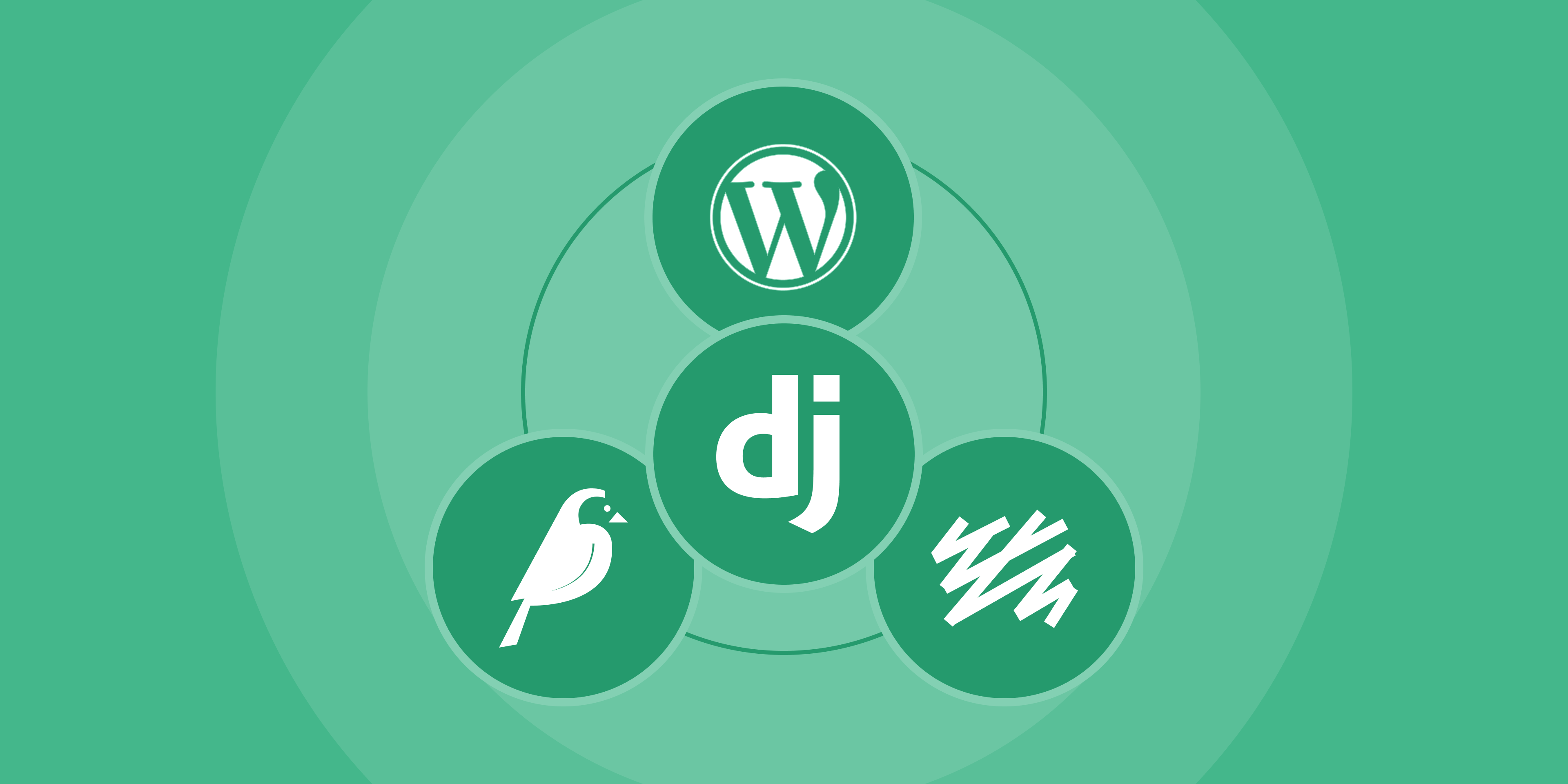
Table of Contents
Key Takeaways
- Django excels as a web framework but lacks native capabilities required for enterprise content management workflows.
- Developer dependency for routine content updates slows publishing velocity and increases operational costs.
- Purpose-built CMS platforms provide editorial autonomy, workflows, media management, and integrated SEO tooling.
- WordPress, Sanity, and Wagtail address Django’s CMS limitations with stronger editorial experiences and scalable content architectures.
- WordPress often delivers the best balance of ecosystem breadth, editorial independence, and long-term cost efficiency.
Django has earned its reputation as one of the most capable Python web frameworks available. From Instagram to Pinterest, it has powered some of the internet's most complex applications. But there is a critical distinction that gets lost in many conversations: Django is a web framework, not a content management system.
For enterprises running content-heavy websites, news platforms, marketing sites, or multi-author publishing operations, this distinction matters. When your editorial team needs to publish a blog post, update a landing page, or restructure navigation, they should not need to file a developer ticket and wait 48 hours. Yet that is exactly what happens on most Django-powered content sites.
If your organization is evaluating alternatives to Django for content management, you are not alone. Enterprises across industries are making the shift to purpose-built CMS platforms that give editorial teams autonomy while maintaining the performance and security standards IT departments require.
This guide breaks down the three strongest enterprise alternatives to Django for content-driven websites: WordPress, Sanity, and Wagtail. We will compare each on cost, features, editorial experience, and migration complexity so you can make an informed decision.
What Django Offers (And Why Companies Are Looking Elsewhere)
Django is a high-level Python web framework that encourages rapid development and clean, pragmatic design. Built by experienced developers, it handles much of the complexity of web development, letting teams focus on writing applications without reinventing the wheel.
Django's Core Strengths
Django brings a lot to the table as a framework:
- Batteries-included architecture with built-in ORM, authentication, admin panel, URL routing, and templating
- Security-first design with protections against SQL injection, XSS, CSRF, and clickjacking out of the box
- Scalability proven at companies like Instagram, Spotify, and Dropbox
- Python ecosystem access, including data science libraries, machine learning frameworks, and automation tools
- Django REST Framework for building powerful APIs
- Active community with regular releases and long-term support versions
For custom web applications, APIs, data platforms, and SaaS products, Django remains an excellent choice.
Where Django Falls Short for Content Management
The problem starts when organizations try to use Django as a CMS. Django itself has no content management layer. To manage content, teams either build custom solutions from scratch or bolt on packages like Django CMS or Wagtail. Both options introduce significant limitations:
- No built-in editorial interface. Django's admin panel is a developer tool, not an editorial workspace. It lacks visual editing, content previews, drag-and-drop layouts, and the kind of intuitive UI that non-technical users expect.
- Every content change requires a developer. Want to add a new content type, rearrange a page layout, or create a new landing page template? That is a code change, a pull request, a deployment. What takes minutes in a CMS takes hours or days in Django.
- CMS add-ons have limited adoption. Django CMS and Wagtail are capable tools, but their combined market share is under 0.1% of all websites globally, according to W3Techs. Compare that to WordPress at 43.6%. This means a smaller plugin ecosystem, fewer pre-built integrations, fewer available developers, and less community support.
- Template system constraints. Django's template language is intentionally limited for security. This is good for applications but restrictive for content teams that need flexible, component-based page building.
- No native media management. Enterprises need sophisticated digital asset management with image optimization, CDN delivery, responsive images, and media libraries. Django does not include this.
- No built-in SEO tooling. Meta tags, sitemaps, structured data, canonical URLs, and redirect management all need to be coded or added through third-party packages with varying quality and maintenance.
The Cost Problem
Python/Django developers are expensive. Senior Django developers in the US command hourly rates of $80 to $150+, with the average falling around $55-88/hour depending on experience and location. When every content update, layout change, and page creation requires developer time, those costs add up quickly.
For a content-heavy enterprise publishing 20-50 pieces per week, the ongoing developer cost to manage content through Django can easily exceed $100,000-200,000 per year, money that could be redirected to content strategy, marketing campaigns, or platform improvements.
Why Enterprises Are Migrating from Django
Here’s why enterprises, and organizations are moving away from Django.
1. Every Content Change Requires a Developer
This is the single biggest pain point. In a Django-based content site, the editorial team is entirely dependent on developers for routine tasks. Need to update a headline? Developer. Need to add a new category? Developer. Need to create a landing page for next week's campaign? Developer, designer, and probably a project manager to coordinate it all.
This creates a bottleneck that slows down content velocity, frustrates editorial teams, and burns developer time on tasks that should not require code changes. Purpose-built CMS platforms solve this by giving editors visual tools to create, edit, and publish content independently.
2. No Native Editorial Workflow
Modern content operations require approval chains, revision tracking, scheduled publishing, role-based permissions, content staging, and collaborative editing. Django provides none of this out of the box.
While Django CMS and Wagtail add some workflow capabilities, they do not match what enterprise CMS platforms offer. Features like multi-author collaboration, inline commenting, content versioning with visual diffs, and granular permission systems are either missing or require significant custom development.
For organizations with compliance requirements, multi-region publishing, or large editorial teams, the absence of native workflows is a dealbreaker.
3. Maintenance Burden and Custom Code Debt
Every feature built on Django is custom code that your team must maintain. Security patches, Python version upgrades, dependency management, Django version migrations, and infrastructure maintenance all fall on your team.
When Django releases a new major version, upgrading a custom content site is not a one-click operation. It involves testing every custom model, view, template, and third-party package for compatibility. Organizations frequently find themselves stuck on outdated Django versions because the upgrade cost is too high, which creates security vulnerabilities and technical debt.
A managed CMS platform handles core updates, security patches, and infrastructure maintenance, freeing your engineering team to focus on differentiated work rather than keeping the lights on.
4. Limited Ecosystem for Content Management
WordPress has over 60,000 plugins. Sanity has a growing marketplace of pre-built schemas and integrations. Wagtail, though smaller, provides a ready-made CMS layer with built-in editorial tools.
Django's content management ecosystem is comparatively thin. Need a form builder? Build it or find a package that may or may not be maintained. Need an SEO dashboard? Same story. Need e-commerce integration? You are looking at months of custom development versus installing WooCommerce on WordPress.
This ecosystem gap means Django-based content sites cost more to build, take longer to launch, and require more ongoing maintenance than sites built on purpose-designed CMS platforms.
The 3 Enterprise Alternatives to Django
1. WordPress
WordPress powers 43.6% of all websites and 63.5% of the CMS market, making it the most widely adopted content management platform in the world. For enterprises, WordPress VIP and enterprise-grade hosting provide the performance, security, and compliance capabilities that large organizations require. With the Gutenberg block editor, REST API, and a massive plugin ecosystem, WordPress delivers both editorial autonomy and developer flexibility.
2. Sanity
Sanity is a headless CMS built for structured content. It stores content in a cloud-hosted data lake and delivers it through APIs, making it ideal for organizations that need to push content to websites, mobile apps, digital signage, and other channels from a single source of truth. Its real-time collaboration features and customizable editing environment (Sanity Studio) appeal to development teams that want full control over the content modeling layer.
3. Wagtail
Wagtail is a CMS built on top of Django itself. It adds the editorial layer that Django lacks, including StreamField for flexible page building, a built-in media library, and configurable workflows, all while staying in the Python ecosystem. Wagtail is free and open-source under the BSD license, and is used by NASA, Google, NHS, and multiple government agencies.
The Critical Difference
All three alternatives share one thing that Django lacks: they were designed from the ground up to let non-technical users create and manage content. WordPress and Wagtail are full CMS platforms that handle both content management and delivery. Sanity is a content backend that requires a separate frontend. Your choice depends on your team's capabilities, your content delivery requirements, and whether staying in the Python ecosystem matters.
Alternative 1: WordPress (Recommended for Most Enterprises)
WordPress is the most practical Django alternative for content-heavy enterprises. It combines the editorial experience non-technical teams need with the developer extensibility that engineering teams demand.
Cost Comparison
- Licensing: Free (open-source)
- Enterprise hosting (WordPress VIP or equivalent): $100,000 to $300,000 per year
- Plugins and services: $5,000 to $20,000 per year
- Implementation and build: $50,000 to $200,000
- Ongoing operations: $30,000 to $80,000 per year
- Developer cost: $50 to $115 per hour
The cost savings come primarily from two areas: lower ongoing developer requirements (because editors can manage content independently) and a plugin ecosystem that eliminates the need for custom development of common features.
Key Features for Django Migrants
- Gutenberg Block Editor. A visual, component-based editor that lets content teams build pages without touching code. Custom blocks can be created for brand-specific components.
- 60,000+ Plugins. SEO (Yoast, Rank Math), forms (Gravity Forms), e-commerce (WooCommerce), analytics, security, and performance plugins are available and actively maintained.
- REST API and GraphQL. For teams that want to keep their frontend stack, WordPress can serve as a headless CMS with full API access to content.
- Role-Based Access. Granular permissions for administrators, editors, authors, and contributors, with plugins available for custom roles.
- Multisite. Manage multiple properties from a single WordPress installation, ideal for enterprise portfolios.
- Enterprise Hosting Options. WordPress VIP, Pantheon, and WP Engine offer enterprise-grade infrastructure with SLAs, automated scaling, and security compliance.
When WordPress Makes Sense
WordPress is the right choice when your organization needs:
- A mature editorial workflow that empowers content teams
- Rapid time-to-market for new content and landing pages
- Cost-effective scalability without heavy custom development
- SEO tooling and performance optimization out of the box
- An ecosystem of integrations with marketing tools, CRMs, and analytics platforms
- A large talent pool (WordPress developers are significantly more available and affordable than Django specialists)
Migration Complexity
Migrating from Django to WordPress is well-documented and proven. Multidots has completed this exact migration for enterprises like PerformanceIN, a global performance marketing publication that moved from Django to WordPress. The result: 24% faster average page load times and 50% faster server response times, along with a dramatically improved editorial experience.
The migration process typically involves:
- Content audit and mapping of Django models to WordPress content types
- Data migration using WP-CLI scripts to transfer posts, pages, authors, media, and metadata
- Custom block development to replicate unique Django template components
- URL structure preservation with 301 redirects to maintain SEO equity
- Plugin configuration to replace custom Django features
For a detailed look at migration approaches, see our Django to WordPress migration guide or explore why enterprises are migrating from Django to WordPress.
Alternative 2: Sanity (Best for Omnichannel Content Delivery)
Sanity is the right choice for enterprises that need to deliver content across multiple platforms and channels from a single content hub. As a headless CMS, it decouples content from presentation, giving development teams full control over how and where content appears.
Cost Comparison
- Licensing: $20,000 to $80,000 per year (usage-based)
- Add-ons and third-party services: $5,000 to $15,000 per year
- Implementation and build: $60,000 to $200,000
- Ongoing operations: $40,000 to $100,000 per year
- Developer cost: $70 to $120 per hour
Sanity's costs sit between WordPress and Wagtail. The platform itself is affordable, but you will need front-end developers to build and maintain the presentation layer since Sanity only manages content, not rendering.
Key Features for Django Migrants
- Structured Content Model. Define content schemas in code (JavaScript/TypeScript), which will feel familiar to Django developers used to defining models in Python.
- Sanity Studio. A customizable React-based editing environment that can be tailored to your team's exact workflow needs.
- Real-Time Collaboration. Multiple editors can work on the same document simultaneously with live updates, similar to Google Docs.
- GROQ Query Language. A powerful query language purpose-built for content, with more flexibility than typical REST endpoints.
- Content Lake. All content is stored in Sanity's cloud-hosted data lake with full revision history and real-time syncing.
- Portable Text. A rich text format that stores content as structured data rather than HTML, making it truly portable across platforms.
- Image Pipeline. On-the-fly image transformations, cropping, and optimization through Sanity's CDN.
When Sanity Makes Sense
Sanity is the right choice when your organization needs:
- Content delivery to multiple frontends (web, mobile app, digital kiosk, smart TV)
- Developer-first content modeling with code-defined schemas
- Real-time collaborative editing for distributed teams
- Flexible content structures that go beyond traditional pages and posts
- API-first architecture that fits into a modern composable tech stack
Migration Complexity
Migrating from Django to Sanity involves rebuilding both the content layer and the frontend:
- Schema design to map Django models to Sanity document types
- Data migration using Sanity's import APIs to transfer existing content
- Frontend rebuild using a JavaScript framework (Next.js, Nuxt, Remix, etc.)
- Studio customization to create an editorial experience that matches team workflows
- API integration for any external systems that consume content
The migration is more complex than moving to WordPress because you are replacing two layers (content management and frontend rendering) rather than one. Plan for 3-6 months for a typical enterprise migration.
Alternative 3: Wagtail (Best for Python Teams)
Wagtail is a CMS built on top of Django itself. If your team loves Python and Django's architecture but needs proper content management capabilities, Wagtail adds the editorial layer that Django lacks without abandoning your existing tech stack. It is free and open-source under the BSD license, with no licensing fees.
Cost Comparison
- Platform Licensing: Free (open source)
- Initial Build/Migration: $50,000-200,000+
- Ongoing Developer Costs: $100,000-200,000+/yr
- Content Team Independence: Low
- Plugin/Extension Costs: Custom development required
- Total 3-Year Cost (est.): $500,000-900,000+
Wagtail's cost advantage over raw Django comes from reduced custom development. The CMS layer, admin interface, and editorial tools exist out of the box. However, the ecosystem is far smaller than WordPress, so you will still be building custom solutions for many common needs.
Key Features for Django Migrants
- StreamField. Wagtail's signature feature. A flexible, block-based content editor that lets content teams build pages from predefined components without touching code. It is the closest thing to WordPress's Gutenberg in the Python world.
- Built on Django. Your existing Django knowledge, packages, and infrastructure carry over directly. Models, views, templates, and middleware all work the same way.
- Page Tree. A hierarchical content structure with built-in navigation, breadcrumbs, and URL routing. Content editors can reorganize pages by dragging and dropping in the admin.
- Image and Document Management. A built-in media library with focal point cropping, image renditions, and document management. Not as extensive as dedicated DAM solutions, but a major upgrade from Django's bare file handling.
- Search. Built-in search indexing using Elasticsearch or PostgreSQL full-text search. Content is automatically indexed as it is published.
- Workflow and Moderation. Configurable approval workflows, page locking, and revision history. Content can require editorial approval before publication.
- Adopted by Major Organizations. Mozilla, NHS (UK National Health Service), and the US and UK governments run Wagtail in production.
When Wagtail Makes Sense
Wagtail is the right choice when:
- Your team has deep Python/Django expertise and wants to stay in that ecosystem
- You need proper content management features without abandoning your existing Django codebase
- Your content management needs are moderate (not requiring 60,000+ plugins)
- You are comfortable with a smaller community and more hands-on development for integrations
- You want to reuse existing Django models, apps, and business logic alongside CMS content
Why Wagtail Has Limitations Compared to WordPress
While Wagtail is a significant upgrade from raw Django for content management, it has meaningful constraints:
- Small ecosystem. Wagtail's package library has a few hundred extensions compared to WordPress's 60,000+. Many common enterprise needs (advanced SEO, marketing automation, e-commerce) require custom development.
- Tiny market share. Wagtail powers under 0.1% of all websites. This means fewer agencies, fewer pre-built solutions, and a smaller hiring pool than WordPress.
- Still requires Python developers. While content editors get a better interface, any customization, new page types, or integration work still requires Python/Django developers, who are more expensive and less available than WordPress developers.
- No native e-commerce. Unlike WordPress (with WooCommerce), Wagtail has no mature e-commerce solution. If your roadmap includes selling products, subscriptions, or memberships, this is a significant gap.
For teams deeply committed to Python, Wagtail is the best CMS option available. But for teams open to the best CMS regardless of language, WordPress offers a dramatically larger ecosystem and lower long-term costs.
Final Comparison: Django vs WordPress vs Sanity vs Wagtail
Here’s a quick comparison of all the CMS:
| Criteria | Django (Custom) | WordPress | Sanity | Wagtail |
|---|---|---|---|---|
| Editorial Experience | Poor (developer-dependent) | Excellent (Gutenberg editor) | Good (customizable Studio) | Free (open source) |
| Developer Flexibility | Very High | High | Very High | High |
| Time to Launch | 3-6 months | 1-3 months | 2-4 months | 2-4 months |
| Plugin/Extension Ecosystem | Limited | 59,000+ plugins | Growing marketplace | Small (hundreds of packages) |
| Headless Capability | Custom build required | REST API + GraphQL | Native (API-first) | Content Delivery API, GraphQL |
| SEO Tooling | Custom build required | Excellent (plugins) | Requires frontend work | Basic (manual implementation) |
| Content Team Independence | Low | High | Medium-High | Medium-High |
| Talent Availability | Limited (Python/Django) | Very High (largest CMS community) | Growing (JS/React) | Limited (Python/Django + Wagtail) |
| Migration Complexity (from Django) | N/A | Moderate (well-documented) | Moderate-High | Low (same framework) |
Making Your Decision: Which Alternative Is Right for You?
Choose WordPress if:
You want the fastest path from Django to a platform that empowers your content team. WordPress is the right move for enterprises that publish frequently, need SEO performance, and want to reduce developer dependency for content operations. It offers the best balance of editorial experience, cost efficiency, and ecosystem breadth. This is the platform we recommend for most Django migrations.
If you are evaluating this path, read our detailed Django vs WordPress comparison or learn about our enterprise WordPress development services.
Choose Sanity if:
Your content needs to reach more than just a website. If you are delivering content to mobile apps, digital signage, IoT devices, or multiple frontend frameworks, Sanity's headless architecture and structured content model give you the flexibility to manage content once and publish everywhere. Be prepared for higher frontend development costs since Sanity does not handle rendering.
Choose Wagtail if:
Your team is committed to Python and Django, and you want to add CMS capabilities without changing your tech stack. Wagtail gives you proper content editing, workflow management, and media handling while keeping your existing Django infrastructure. Understand that you are trading ecosystem breadth (WordPress has 200x more plugins) for tech stack continuity.
Not Sure Where to Start?
For most enterprises migrating away from Django, WordPress is the starting point. It delivers 90% of what organizations need at a fraction of the cost of other platforms. Our team has completed over 300 website migrations, including Django to WordPress migrations for enterprises like PerformanceIN.
You can explore our migration case studies to see how other organizations have made the switch successfully.
Ready to Explore Your Options?
If your Django-powered website is holding back your content team, creating developer bottlenecks, or costing more to maintain than it should, it is time to evaluate your options.
Multidots is a WordPress VIP Gold Partner with 16+ years of experience in enterprise CMS implementations. We have migrated over 300 websites to WordPress, including complex Django to WordPress migrations for global enterprises.
Here is what we can help with:
- Migration assessment: we will audit your current Django setup and recommend the most efficient migration path.
- Content and data migration: our engineers build custom migration scripts to transfer your content, users, media, and metadata with zero data loss.
- Custom WordPress development: we build enterprise-grade WordPress sites with custom blocks, plugins, and integrations tailored to your requirements.
- Performance optimization: we ensure your new platform matches or exceeds your Django site's performance. Our PerformanceIN migration delivered 24% faster page loads and 50% faster server response times.
Get in touch with our migration team to discuss your Django alternative options. We will help you find the right platform for your content, your team, and your budget.
Feel free to schedule a quick call with our migration expert.
Contact Us