

How Developers Build High Performance Headless WordPress Architectures
Thinking about going headless with WordPress? Here’s a clear, no-fluff breakdown of the architecture, trade-offs, SEO realities, performance tactics, and when it’s actually worth the investment.
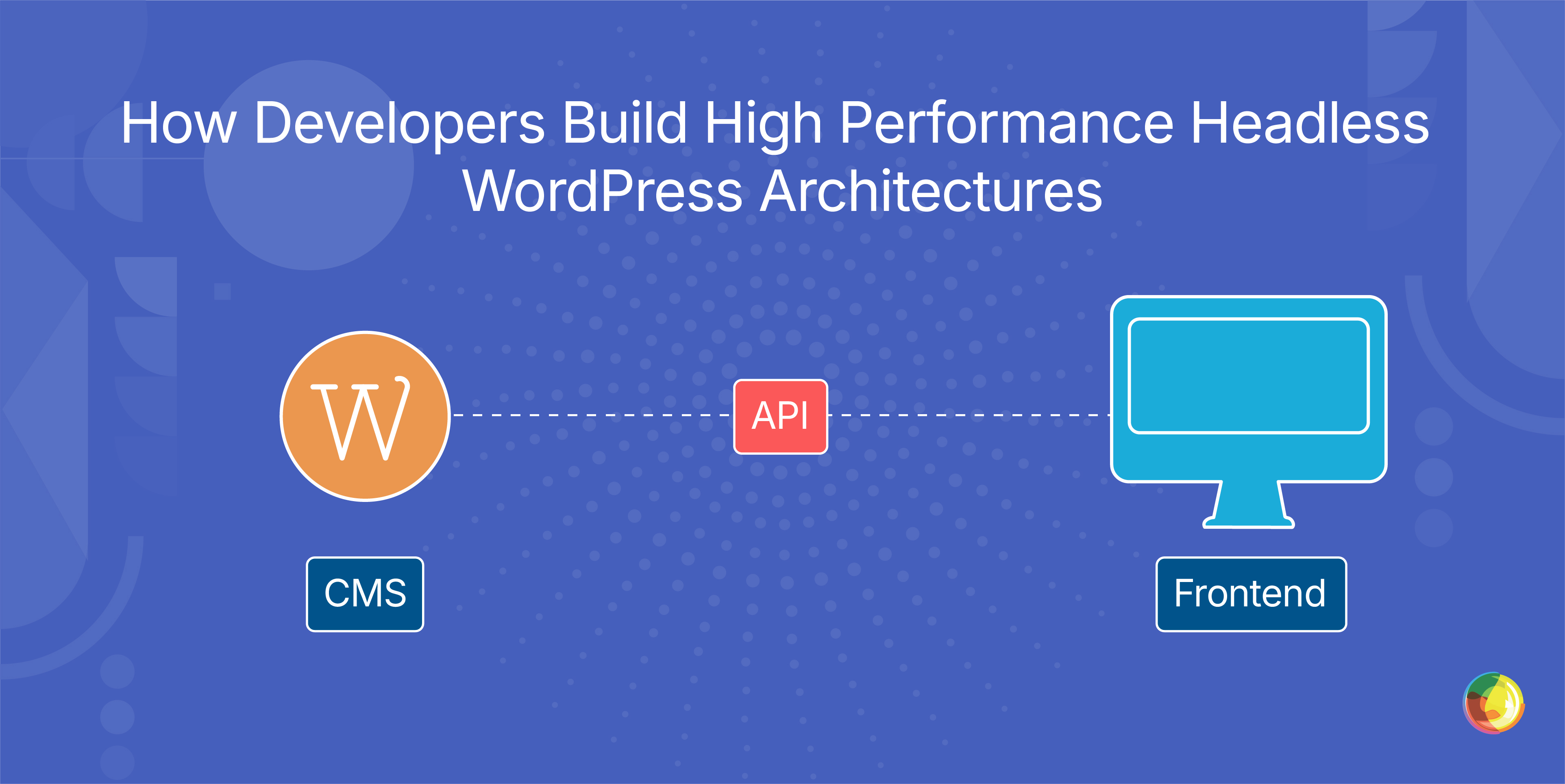
Table of Contents
Key Takeaways
- Only go headless if you truly need omnichannel delivery – otherwise, traditional WordPress will be simpler and cheaper.
- Choose SSG, SSR, or ISR based on how often content changes – performance comes from matching the rendering model to reality.
- Build SEO into the frontend from day one – plugins won’t handle meta, schema, or sitemaps in a headless setup.
- Assume ongoing developer dependency – even minor layout changes require code rather than theme tweaks.
- Cache aggressively at every layer – APIs, pages, images – because WordPress won’t optimize headless performance for you by default.
So, you’re considering headless WordPress. The first question most teams ask is: how does the architecture actually work in practice?
What actually gets separated? How does the data move? Where do APIs sit? And at what point does this all stop being a tidy diagram and start becoming your engineering team’s problem?
At its core, headless CMS separates the content backend (where you create and manage content) from the presentation frontend (how that content displays to users). Instead of one tightly coupled system trying to do everything, headless architecture uses APIs to deliver content wherever it’s needed – websites, mobile apps, digital signage, and beyond.
If you’ve ever hunted down architecture diagrams, you’ll know why this matters. You need to see the flow. How does data travel from the content repository, through APIs, into presentation layers? Where do authentication, caching, and preview workflows fit? Until you can trace that path end to end, it’s all just theory.
Importantly, whereas purpose-built headless platforms start life decoupled; WordPress bolts those capabilities onto a traditionally coupled core, bringing tradeoffs. You keep the editorial workflows teams know and trust, but engineering ownership typically increases.
In this guide, we’ll break down two proven WordPress headless patterns: WordPress as a content source feeding modern frameworks, and WordPress as a presentation layer pulling from external systems. We’ll also unpack the architectural decisions that influence performance.
What Headless Architecture Looks Like and How Data Flows
Quick Architecture Summary
- WordPress manages content only (no frontend rendering)
- APIs deliver structured data to frontend applications
- Frontend frameworks handle UI, routing, and SEO
- CDN serves pre-rendered or server-rendered pages globally
- Performance depends on rendering strategy + caching
This separation is what makes headless powerful – and complex.
Headless architecture breaks content management into four distinct parts: content storage (the database), the authoring interface (where editors work), the API layer (which exposes content), and frontend applications (which display it to users). Each piece has a clear job, which also shapes how the data moves.
Editors create content in the CMS, it’s stored in the database, the API layer exposes it as structured data, and frontend applications fetch and render it. Crucially, this all happens independently. The CMS doesn’t dictate how the frontend presents content, and the frontend doesn’t need to know which CMS produced it.
Now compare that to traditional CMS architecture, where everything lives under one roof. In standard WordPress, the content database, authoring tools, and presentation layer are tightly coupled. When an editor hits publish, that same WordPress instance stores the content and renders the page. Headless separates those responsibilities, allowing a single content source to power multiple channels at once.
On the frontend side, teams typically use modern JavaScript frameworks such as React, Next.js, Vue, or Angular to pull in API content and shape the user experience.
Simplified Data Flow
Editor → WordPress CMS → Database → API Layer → Frontend → CDN → User
At each step, caching and optimization layers can be introduced to improve performance and reliability.
Two Ways WordPress Fits Into Headless Architecture
Headless doesn’t mean ripping everything up and starting again. WordPress can slot in neatly, if you use it intentionally. Here are two proven patterns.
Pattern 1: WordPress as your content hub.
WordPress focuses purely on content management, while custom frontends handle presentation. Editors stick with the familiar WordPress interface. Content flows out via REST API or WPGraphQL to React, Next.js, or Vue frontends, which render it across multiple channels – your main site, mobile apps, digital displays, partner platforms. You get editorial simplicity plus serious presentation flexibility. Multidots uses this model for publishers who need omnichannel distribution without retraining their teams.
Pattern 2: WordPress as your experience layer.
Here, content lives elsewhere – Contentful, Strapi, or bespoke enterprise systems. Those platforms manage creation and governance. WordPress pulls content in and handles how it’s displayed, tapping into its mature ecosystem of themes, plugins, and performance tooling. It’s a strong fit when specialized content systems are already embedded, but you still want WordPress driving the front-end experience. Multidots implements this for enterprise teams with established workflows they can’t realistically replace.
There’s also a hybrid route. Not every channel needs to go headless overnight. Some properties can remain traditional WordPress while others run on headless frontends. For organizations with mixed technical capabilities – or those testing headless before committing – that middle ground is often the smart move.
How Headless CMS Fits Into JAMstack Architecture
JAMstack – JavaScript, APIs, Markup – is a modern architecture pattern where pages are pre-rendered at build time rather than generated on every request. A headless CMS supplies the "A": APIs that deliver structured content to build processes.
The flow is straightforward: The CMS stores content, APIs expose it, JavaScript frameworks consume it, static markup is generated during the build, and a CDN serves those pages globally. Because rendering happens at build time instead of per request, sites load fast and handle traffic spikes without wobbling.
WordPress fits neatly into JAMstack as the content API layer. Frameworks like Next.js or Gatsby manage the JavaScript and Markup – pulling content from WordPress during builds, generating optimized static pages, and deploying them to global CDNs. Editors keep working inside WordPress, often unaware that the underlying architecture has shifted.
Why Teams Choose Headless and What It Costs
Headless gets attention for good reason. Faster frontend performance thanks to pre-rendering, global CDNs, and optimized delivery – sites load in under a second instead of three or four. Content reuse finally becomes practical: Create once, publish everywhere across web, mobile apps, kiosks, and digital displays without endless reformatting. Developers get real flexibility, choosing frameworks like Next.js or SvelteKit and scaling the frontend independently from the CMS. Security tightens up by isolating the WordPress admin from the public internet, shrinking the attack surface. And editorial and development teams can move in parallel – editors hit publish while developers rebuild the frontend.
But the bill doesn’t stop at launch.
Upfront investment lands fast. Custom frontends demand serious development time, and work that takes 1–2 days in traditional WordPress can stretch to 1–2 weeks in a headless build. Most teams manage this by limiting headless to high-impact surfaces – such as the marketing site or product frontend – while keeping standard CMS-driven pages for lower-priority sections to control build scope and cost.
Ongoing developer reliance becomes the norm: every layout tweak, new content type, or frontend adjustment requires code rather than a theme setting. To reduce that bottleneck, it can help to introduce component libraries and design systems so editors can assemble pages from predefined blocks without needing constant developer involvement.
The plugin ecosystem thins out dramatically, too – plugins that control frontend presentation no longer function, so features mean custom development. In practice, this can be offset by leaning on API-first services (search, forms, analytics, personalization) that plug into the frontend via integrations rather than traditional WordPress plugins.
Preview and editorial autonomy can take a hit. WYSIWYG previews disappear, replaced by developer-built preview systems that can break when environments shift. Content teams lose the ability to adjust layouts or add templates on their own. And the total cost of ownership climbs beyond traditional WordPress, because you’re maintaining backend and frontend separately, effectively doubling the infrastructure complexity. To counter these issues, many organizations adopt modular "slice" or component-based content models that let editors compose pages visually from approved building blocks. Then consolidate hosting, CI/CD pipelines, and monitoring across both layers using platforms like Vercel, Netlify, or unified DevOps tooling.
How Headless WordPress Differs From Traditional and Purpose-Built Options
Understanding where each approach fits helps you choose the right architecture for your needs.
Here’s how headless WordPress compares with traditional setups and purpose-built headless platforms:
| Traditional WordPress | Headless WordPress | Purpose-Built Headless Platforms |
|---|---|---|
| Backend and frontend bundled together | Backend separated from frontend | Contentful, Sanity, or Strapi. Designed headless from day one |
| Plugins handle everything from forms to SEO automatically | Keeps familiar WordPress editing experience | Native GraphQL, better content modeling, real-time collaboration |
| Content teams work independently without developer help | Requires custom frontend development | Require migration from WordPress, team retraining, and new workflows |
| Best for single-channel publishing with standard needs | APIs (REST or WPGraphQL) were retrofitted onto WordPress, not built in from the start | Trade WordPress familiarity for superior headless-native features |
| Works when you want to extend your existing WordPress investment into omnichannel | Contentful, Sanity, or Strapi |
Making Your Decision
So, where do you land?
Choose headless WordPress when: You’ve already invested heavily in WordPress, your editorial team knows the workflows inside out, and omnichannel delivery matters more than maintaining tightly coupled backend and frontend systems. If the content engine is humming and distribution is the priority, extending what you have can make sense.
Choose purpose-built platforms when: You’re starting from scratch (or migrating regardless), and stronger native headless capabilities justify the lift. If migration effort and retraining costs are outweighed by long-term flexibility and performance, this route deserves serious consideration.
Key Factors to Weigh Up:
- Content library size and editorial comfort: Large WordPress estates with established workflows tend to favour a headless WordPress evolution.
- Developer preference: Does your team lean toward the WordPress ecosystem, or are they more at home in modern headless environments?
- Hosting complexity: Headless WordPress requires PHP hosting (for WordPress) plus Node.js hosting (for the frontend). Purpose-built platforms bundle hosting into the platform itself.
- Budget analysis: Stack up WordPress extension costs against full migration spend, including editorial retraining and time-to-productivity.
In the end, diving deeper to compare headless CMS platforms like Contentful, Sanity, Strapi is critical to landing on the solution that best fits your needs.
Performance Strategies That Make Headless WordPress Fast
Rendering Strategy Cheat Sheet
- SSG → Best for static content (marketing sites)
- SSR → Best for dynamic content (news, personalization)
- ISR → Best for balance (eCommerce, large sites)
Choosing the wrong rendering model is one of the most common performance mistakes.
Headless WordPress can be lightning fast. It can also be… not. The difference comes down to the decisions you make early on, especially around rendering and caching.
Start with rendering, because this is where speed and freshness wrestle for control. Static Site Generation (SSG) builds pages at deploy time and serves them instantly via CDNs. Ideal for content that barely changes. Server-Side Rendering (SSR) builds pages on every request – always fresh, slightly slower. Incremental Static Regeneration (ISR) sits neatly in the middle, serving static pages while quietly rebuilding them in the background after updates. The right choice depends on your update cadence: news sites lean on SSR, marketing sites thrive on SSG, and e-commerce often lands on ISR.
Then layer in caching. Performance gains compound here. CDNs deliver content from edge locations closest to users. Server-level caching stores API responses and rendered pages. Webhook-driven cache invalidation triggers rebuilds the moment WordPress content changes. And a WordPress nuance worth noting: WPGraphQL and REST API responses require their own caching strategies, because WordPress doesn’t cache API calls by default.
Next up, global delivery. A properly configured CDN distributes assets worldwide. Image optimization should cover automatic resizing, next-gen formats like WebP and AVIF, and lazy loading. In traditional WordPress, much of this happens behind the scenes. In headless setups, your media library needs a deliberate optimization pipeline to achieve the same result.
Finally, the WordPress-specific calls that quietly shape performance.
WPGraphQL offers tighter query control than REST for complex content structures. Preview systems demand staging environments with authentication in place. Hosting splits add another layer: the frontend requires Node.js hosting (Vercel, Netlify), while WordPress runs on PHP hosting (WordPress VIP or standard providers). Some platforms, such as WP Engine’s Headless Platform, bundle both. Others require separate arrangements. Multidots handles these hosting splits and builds optimization pipelines as part of implementation.
Headless CMS Structure Impact on SEO
Going headless sounds liberating. Decoupled frontend. Modern frameworks. Total flexibility. Then someone asks: "So where’s Yoast?"
And that’s the catch. WordPress SEO plugins don’t work on custom frontends. Yoast, RankMath, and All in One SEO can’t wire themselves into React or Next.js builds because they’re built to inject SEO elements into traditional WordPress themes. In a headless setup, SEO shifts from plugin toggles to frontend engineering – a detail that catches teams off guard when they discover it after launch.
Everything plugins used to handle you are now via built in code:
- Server-side rendering or static generation so search engines can crawl content, Meta tags (title, description, Open Graph, Twitter Cards) coded into templates.
- Structured data (Schema.org JSON-LD) implemented manually.
- Sitemaps are generated from WordPress data or during frontend builds.
- Canonical tags, hreflang attributes, and robots directives are explicitly defined.
And performance isn’t a side note. Core Web Vitals directly influence rankings, which means image optimization, lazy loading, and resource budgeting need deliberate frontend work. Frameworks like Next.js and SvelteKit offer metadata helpers and image tooling, but they’re scaffolding, not full SEO coverage. The implementation still sits with you.
So plan SEO from day one. Architecture decisions made during the initial build shape your search performance, and fixing issues later means developer time rather than a quick plugin tweak. Your WordPress structure (categories, tags, taxonomies) still underpins strategy, and editorial optimization continues as usual. But the presentation layer carries its own SEO responsibilities in frontend code. Leave it as an afterthought, and you’ll pay for it later.
When Headless Makes Sense and When to Avoid It
Understanding fit prevents expensive mistakes.
| Where Headless Shines | When to Avoid Headless |
|---|---|
| Omnichannel publishing: content feeds websites, mobile apps, IoT devices, and digital signage from one source | Simple websites without custom frontend requirements |
| High-traffic sites needing maximum performance and scalability | Teams lacking frontend developers comfortable with React/Next.js/Vue |
| Teams with strong frontend development capabilities | Tight budgets requiring quick launches |
| Organizations wanting framework flexibility for different properties | Single-channel publishing where traditional WordPress suffices |
| Complex commerce integrations or personalization engines | Organizations where SEO plugins handle optimization adequately |
| Content that updates infrequently | |
| Small editorial teams needing maximum autonomy |
Common Mistakes that Doom Projects
- Adopting headless for the sake of "modern tech" without a real omnichannel requirement.
- Underestimating the ongoing development resources it demands.
- Realizing too late that the plugin ecosystem safety net is gone.
- Treating SEO as an afterthought instead of baking it in from day one.
- Overengineering the architecture before validating business needs.
Individually, these look manageable. Combined, they will quickly drain your budget and momentum.
There’s a smarter middle ground. Hybrid models let you keep some properties on traditional WordPress while others run headless frontends. Not every channel needs the same architecture at the same time.
Multidots works with clients to assess which channels genuinely require headless performance and omnichannel distribution – and which are better staying coupled.
The result: no over-engineering, no unnecessary complexity, and no budget burned chasing architecture you didn’t actually need.
How Multidots Approaches Headless WordPress Implementation
When headless WordPress moves from whiteboard ambition to real-world execution, technical complexity can increase rapidly. Architecture choices. API strategy. Frontend frameworks. Performance trade-offs. It’s not the sort of project you wing.
Multidots is a WordPress VIP Gold Partner focused on enterprise-scale WordPress implementations for publishers, media companies, and enterprise brands serving millions of monthly visitors. Our specialty is headless architecture built for high-traffic, omnichannel publishing environments where performance and content distribution directly impact revenue.
Our remit spans the full implementation stack:
- Architecting both WordPress-as-content-hub and WordPress-as-presentation-layer patterns.
- API development and optimization using REST or WPGraphQL.
- Custom frontend builds in React, Next.js, Vue, or Angular.
- Preview systems with secure authentication between WordPress and the frontend.
- SEO handled directly in frontend code (not plugins).
- Integration with CDNs, caching layers, CRMs, e-commerce platforms, and other third-party services.
The Sneaker News case study shows what that looks like at scale. Load time dropped from 5 seconds to 1.2 seconds. Organic traffic rose 30%, contributing to 4x business growth. A single content source now feeds multiple properties and mobile apps. Integrations with eBay and Twitter unlocked new revenue streams that traditional WordPress architecture couldn’t support.
Organizations choose Multidots because we navigate complex architectural decisions and technical integrations that many internal teams haven’t tackled before. Our seven-step process from discovery to launch prioritizes planning before development begins. Projects typically start at $10,000+, reflecting custom build requirements, with ongoing support available for maintenance, optimization, and long-term evolution.
Planning Your Headless WordPress Architecture
So, if you’re eyeing headless WordPress – faster frontends, omnichannel reach, a setup that feels built for where digital is heading – you’re making a sensible move.
Headless WordPress separates content management from presentation via APIs, letting you publish across websites, mobile apps, and other channels from a single content source. But in practice, two proven models dominate: WordPress as a central content hub feeding custom frontends, or WordPress as the presentation layer pulling content from external systems.
The benefits are clear – performance gains and true multi-channel flexibility. So are the trade-offs: higher costs, ongoing developer reliance for frontend changes, and manual SEO implementation in place of plugin automation. That’s why headless only makes sense when you have real omnichannel requirements supported by frontend development capacity. For simpler sites or single-channel publishing, traditional WordPress typically delivers stronger ROI with less complexity.
For organizations evaluating headless WordPress implementations, Multidots offers discovery consultations to assess architectural fit, estimate realistic costs, and plan implementation roadmaps aligned with your business goals. Get in touch with us today.
Schedule a consultation call and discuss your migration requirements.
Contact Us


