
Key Takeaways
- Headless CMS developers build the systems that connect structured content to websites, apps, and other digital channels.
- The role combines frontend development, APIs, content modeling, and deployment workflows.
- Strong collaboration with editors, marketers, and designers is just as important as coding skills.
- Headless architecture offers flexibility and scale, but usually requires more planning and technical ownership.
- Demand is growing as enterprise teams look for faster publishing, better performance, and multi-channel delivery.
Headless CMS development is everywhere right now, but the role itself remains loosely defined. You’ll hear about APIs, content models, and omnichannel delivery, without much clarity on what you actually do day to day. That lack of clarity often makes the role seem more complex than it actually is.
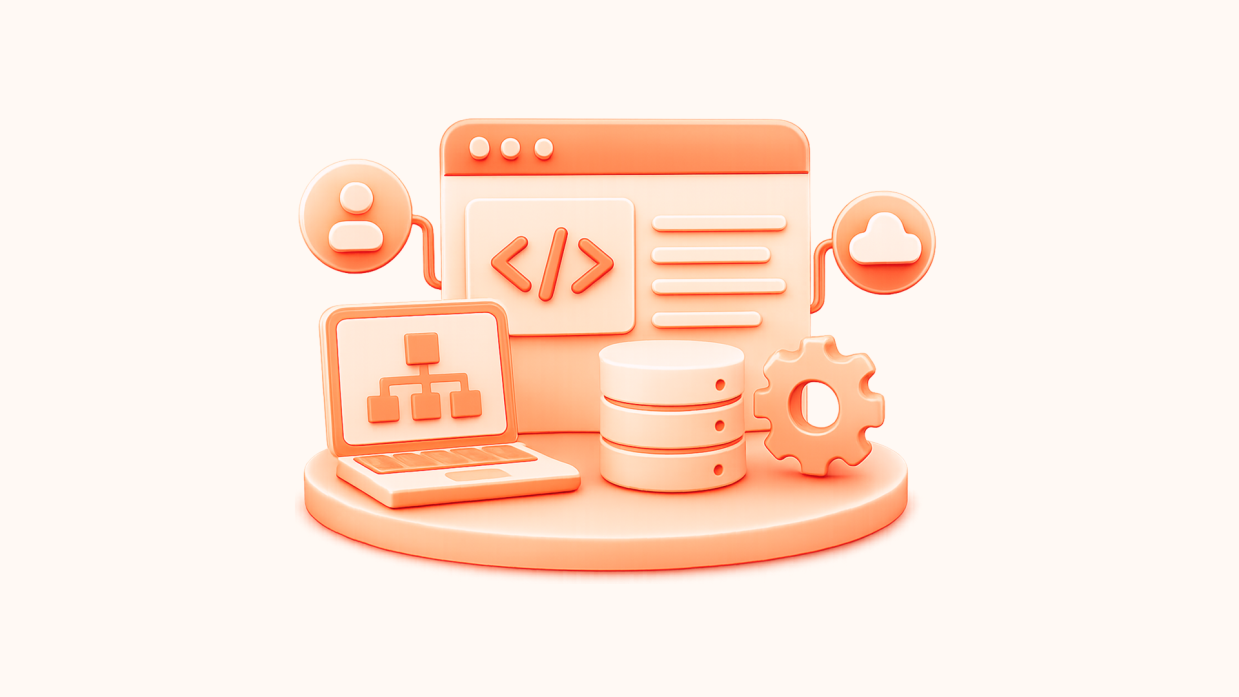
Put simply, a headless CMS separates content from how it’s presented. Content is managed in one place and delivered via APIs (Application Programming Interfaces) to websites, apps, and other platforms. This changes the developer’s role.
Instead of building everything inside a single CMS, you’re working across the stack. Structuring content, building frontend experiences, and setting up the pipelines that deliver content wherever it needs to go.
For enterprise teams, this supports scale, flexibility, and faster publishing across channels. That is exactly why headless development is becoming a serious career path.
Core Developer Responsibilities in Headless Projects
The role is less about a single skill and more about connecting multiple layers. A headless CMS developer role sits across content structure, API delivery, frontend implementation, and the systems that keep publishing fast and reliable. In practice, that means building the technical foundation that lets content teams manage content in one place while publishing it across websites, apps, and other digital touchpoints.
Building Content Models and API Integrations
One of the first responsibilities is content modeling. That means defining the structure of the content itself:
- Field types.
- Relationships.
- Validation rules.
- How different content types connect.
A product entry, for example, might include a title, price, images, description, and category data that need to work consistently across a website, mobile app, and in-store display.
This part of the job matters because headless content has to behave like structured data, not like a page built for one template. Developers need to think ahead about reuse, localization, and how content will be queried later. Poor content modeling is one of the most common causes of project issues.
From there, the next step is making that content available through APIs, usually REST or GraphQL. A headless CMS developer configures or consumes those APIs so frontend applications can request exactly the content they need across multiple platforms. They also map CMS fields to frontend components, so a promo banner, author bio, or product card renders consistently across devices and channels.
Frontend Development and Component Architecture
Once the content layer is in place, the work moves into the frontend. Headless developers build interfaces using frameworks like React, Next.js, Vue, or Nuxt, depending on the stack and the project’s needs.
This is not only about displaying content. It also includes handling loading states, empty states, API errors, and the interactions that shape the user experience. Since the frontend is fully decoupled from the CMS, developers are responsible for making sure content arrives cleanly and displays correctly without relying on built-in theme logic. Nothing is handled for you by default.
Reusable components are a big part of that work. Instead of building one-off templates, developers create component systems that can support different content types and channels with less duplication. That is what makes headless builds easier to scale over time.
Deployment Pipelines and Performance Optimization
A headless setup also brings infrastructure responsibilities. Developers often configure CI/CD (Continuous Integration/Continuous Deployment) pipelines that trigger builds when content is published or updated. This tight coupling between content and deployment is a key difference from traditional CMS workflows. Webhooks tell the frontend when something has changed, and the system rebuilds or refreshes the affected pages automatically.
For SEO and performance, this usually means implementing Static Site Generation (SSG) or Server-Side Rendering (SSR), rather than relying on client-side rendering alone. Pre-rendered pages are easier for search engines to crawl and usually faster for users to load.
Performance work is part of the role too. That includes code splitting, image optimization, CDN (Content Delivery Network) caching, and monitoring metrics like Largest Contentful Paint, interactivity, and layout stability. Headless can absolutely support strong Core Web Vitals, but developers have to build for it.
Supporting Editorial Teams and Preview Systems
A strong headless build also has to work well for editors. That usually means creating preview systems so content teams can see draft changes before publishing, even when the live frontend is completely separate from the CMS.
Developers often build custom preview APIs, staging environments, and field validation rules that help editors work confidently without breaking content structure. This is where the job becomes less about code in isolation and more about designing a workflow that works for both technical and editorial teams.
That matters because headless can feel like a step backward for marketing teams if preview and editing experiences are poorly handled. A good headless CMS developer closes that gap. They do not only ship a frontend. They build the handshake between structured content and the people responsible for publishing it.
How Headless Development Differs from Traditional CMS
Now that the core responsibilities are clear, the next question is how this work differs from traditional CMS development.
Moving from a traditional CMS to a headless setup reshapes how developers think about content, how they build interfaces, and how much responsibility they take on across the stack. The biggest thing here is control. You gain more of it, but you’re also expected to manage more.
Separation of Content Management and Presentation
In a traditional CMS, content, business logic, and presentation are tightly coupled. Templates control how content is stored and displayed, all within the same system.
Headless breaks that apart. The CMS becomes a content repository, and the frontend becomes a separate application connected via APIs. Content is no longer tied to a single layout or page. It’s structured data that can be reused across multiple platforms.
For developers, that means full control over the presentation layer. You’re not limited by theme systems or template constraints. At the same time, you’re responsible for deciding how content should actually appear and behave across different devices and channels.
API-Driven Development vs Template-Based Systems
Traditional CMS development often revolves around templates. WordPress uses PHP, Shopify uses Liquid, and Drupal uses Twig. Much of the data fetching and rendering logic is handled within those systems.
Headless flips that model. You’re building frontend applications using frameworks like React, Next.js, or Vue, and pulling content in via REST or GraphQL APIs. Nothing is implicitly handled for you. This gives flexibility, but increases responsibility.
That means data fetching, state management, and rendering logic all sit in your codebase. It also means API design and content modeling become core skills, not something abstracted away by the CMS.
Framework Freedom vs Platform Lock-in
One of the biggest advantages of headless development is flexibility. You can choose the frontend framework that fits the project, rather than adapting to what the CMS supports.
You can also evolve that frontend over time without migrating the CMS. That separation is valuable for enterprise teams that need to iterate quickly or support multiple platforms.
The trade-off is speed at the start. There are no pre-built themes or templates to rely on. Everything is built from scratch, which increases initial development effort but leads to more flexible and maintainable systems long term.
Infrastructure Responsibilities and Deployment Changes
Headless development comes with more responsibility for infrastructure. In a traditional CMS, much of the deployment and hosting setup is handled within the platform.
In a headless setup, developers configure CI/CD pipelines, manage hosting environments, and integrate CDNs to deliver content efficiently. Builds are often triggered by webhooks when content changes, and pages are pre-rendered or server-rendered for performance and search visibility.
Performance becomes a direct responsibility. There is no platform layer optimizing things for you. That includes optimizing loading speed, interactivity, and visual stability, all of which feed into Core Web Vitals and overall user experience.
Security also changes. Removing the CMS from the public frontend reduces some risks, but API security, authentication, and access control now sit with the development team. You’re responsible for making sure each layer of the system is secure, maintained, and working together reliably.
That broader ownership is what sets headless development apart. You’re not just building features inside a CMS. You’re building and maintaining the system around it.
Technical Skills for Headless CMS Development
Getting into headless CMS work isn’t about learning one tool. It’s about being comfortable across a few key areas that all connect – frontend development, APIs, and the infrastructure that ties everything together.
JavaScript and Modern Framework Proficiency
A strong grasp of JavaScript is essential. This includes comfort with modern features such as async/await, modules, and integrating with APIs within a practical application environment.
From there, most headless projects rely on frameworks like React or Vue. These let you build reusable components that map cleanly to structured content from a CMS. You’ll also see a lot of Next.js or Nuxt, especially on projects that care about performance and search visibility, since they handle server-side rendering and static generation out of the box.
In a team setting, TypeScript is widely used because it catches errors early and makes larger codebases easier to maintain.
If you’re wondering what languages actually matter here, it’s mostly JavaScript and TypeScript, plus whichever framework the project is built on.
API Design and Data Fetching Patterns
Headless development revolves around APIs, so you need to be comfortable working with them directly.
That usually means consuming REST APIs or querying data with GraphQL. The difference is how precise you want to be. REST is straightforward, while GraphQL lets you request exactly the fields you need, which can make a big difference for performance across multiple platforms.
You also need to handle the practical side of API usage. Authentication, rate limits, and error handling all come into play quickly, especially on larger projects.
On top of that, there’s the question of how and when you fetch data. Poor data fetching can slow down builds or create unnecessary load at runtime, so thinking about efficiency early makes a big difference.
DevOps and Infrastructure Knowledge
This is where headless starts to feel different from traditional CMS work.
You’re often responsible for how the project is built and deployed. That includes setting up CI/CD pipelines, managing environments, and choosing where the frontend runs, whether that’s Vercel, Netlify, or a cloud setup like AWS.
Caching is another big part of this. Content might be cached at the CDN level, the API layer, or inside the application itself. Getting this right is key to keeping things fast and stable.
Scaling also brings a cost factor to consider, as build times, API usage, and hosting expenses will accumulate.
Version Control and Team Collaboration
Most headless projects are built by teams, so Git is a given. You’ll be working with branches, pull requests, and code reviews as part of the day-to-day workflow.
What matters just as much is how you communicate. Headless projects sit between developers, designers, and content teams. You need to explain how content models work, why certain structures are needed, and how changes will affect what gets published.
Understanding editorial workflows helps. The better you understand how content is created and managed, the easier it is to build systems that actually work for the people using them.
Download a Free Actionable Guide: 45+ Actionable Tips to Boost WordPress Speed for High-Traffic Sites (Includes Impact Score)
Major Headless CMS Platforms Developers Work With
Platform choice depends more on use case than popularity. There’s no single “default” headless CMS. The right choice depends on the project, the team, and how complex the content setup needs to be. Most developers end up working across a few of these rather than sticking to one.
API-First Enterprise Platforms
Platforms like Contentful, Sanity, and Hygraph are built for teams managing large amounts of structured content across regions and channels.
Contentful is often used in enterprise environments where localization, governance, and structured workflows matter. Sanity leans more developer-friendly, with flexible content modeling and real-time collaboration built in. Hygraph stands out for its GraphQL-first approach, which works well for projects with complex data relationships or multiple data sources.
These platforms tend to come with the compliance and security standards larger organizations expect, including SOC 2 certification and detailed access controls.
Open-Source and Self-Hosted Options
If you need more control, open-source platforms like Strapi and Directus are common choices.
Strapi is popular for its flexibility. It’s JavaScript-based and lets you shape both the API and the admin experience around your project. Directus takes a different approach by sitting on top of an existing database and exposing it as a CMS with REST or GraphQL.
This gives you full control over your data and costs, but it also means you’re responsible for hosting, scaling, and maintenance.
WordPress as a Headless Content Source
WordPress still shows up a lot in headless setups, especially for teams that don’t want to move away from its editing experience.
The REST API makes it possible to use WordPress purely as a content backend, while tools like WPGraphQL give you a more flexible way to query content. This lets developers build modern frontends with frameworks like Next.js, while content teams keep the interface they already know.
It’s worth being realistic about the effort involved. Headless WordPress projects are usually more expensive than traditional builds because you’re effectively running two systems: the CMS and a custom frontend.
Evaluating Platform Types for Your Projects
Choosing a platform is about how it fits the way your team works.
Early on, high-quality API documentation and ease of use are important. The overall developer experience is especially important for rapid development or idea testing. Along with this, a strong community can provide valuable support and save time when encountering issues.
It’s also important to think about the people managing the content. A flexible content model is useful, but only if editors can actually use it without friction.
In most cases, the best way to decide is to try the platform. Build something small, see how it feels, and then decide if it’s the right fit for the scale you’re aiming for.
Why Developers Choose Headless CMS Specialization
For many developers, the shift to headless CMS represents more than just an alternative website architecture. It’s an embrace of modern tooling, more engaging projects, and work that aligns better with the current evolution of the web.
Modern Technology Stack and Framework Freedom
A major attraction is the modern tech stack. You’ll work with frameworks such as React, Vue, or Next.js, moving beyond the constraints of a CMS’s internal templating system.
You’re not locked into PHP, Liquid, or Twig, and your skills carry across projects and companies much more easily. It also means you’re building with tools that are actively evolving, rather than maintaining older systems.
Over time, that shows up in your portfolio. Headless projects tend to reflect modern patterns and architectures, which makes a difference when you’re applying for roles or moving into more senior positions.
Higher Performance and Better User Experiences
Headless setups are often built with performance in mind from the start.
Static generation and CDN delivery can get pages loading almost instantly, and you have full control over how the frontend behaves. That makes it easier to improve Core Web Vitals and build smoother, faster experiences.
It also opens the door to things that are harder to achieve in traditional CMS setups. Progressive web apps, app-like interfaces, and more interactive designs become much easier to implement when you’re not working within predefined templates.
Enhanced Security Posture
Separating the CMS from the frontend changes how security is handled.
The content management system isn’t exposed directly to users, which reduces common attack surfaces. But it does not eliminate the need for proper security practices. Instead, content is delivered through APIs, and only what’s needed is exposed.
You still need to think about authentication and API security, but the architecture itself gives you a cleaner separation between content, users, and the public-facing application.
Omnichannel Development and Growing Demand
Headless really comes into its own when content needs to go beyond a single website.
The same content can be used across multiple platforms, whether that’s a web app, a mobile app, or something like in-store displays. That kind of setup is becoming more common, especially for larger organizations.
As more companies move in this direction, demand for developers who understand this way of working keeps growing. It’s not just about building pages anymore. It’s about designing systems that support content across different channels, and that’s where the longer-term opportunities tend to be.
Starting Your Headless Development Journey
Getting into headless development doesn’t need a complicated plan. It’s mostly about building the right foundations, then learning by doing.
Learning Path and Portfolio Projects
Start with JavaScript and get comfortable in one modern framework, usually React or Vue. That gives you everything you need to build a frontend that can actually consume content from a CMS.
From there, pick a headless platform with a solid free tier like Sanity, Strapi, or Contentful and build something simple. A blog or portfolio site is enough, as long as it shows how you structure content, fetch it via APIs, and deploy the frontend.
What matters isn’t the idea itself, but how you approach it. If you can explain why you modeled content a certain way or how you handled data fetching, that carries more weight than a polished UI.
Platform Communities and Developer Resources
Most of what you’ll learn comes from documentation and real examples.
Each platform has its own community, whether that’s Discord, forums, or GitHub discussions. These are useful when you get stuck, but also for seeing how other developers are solving similar problems.
Looking at open-source projects helps as well. You start to notice patterns in how content is structured and how frontends are connected.
Over time, that mix of hands-on projects and community learning is what builds confidence. That’s usually the point where headless stops feeling abstract and starts feeling like a natural way to build.
Take Your Next Step in Headless Development
Headless development starts to make sense once you see how the pieces fit together – content modeling, APIs, frontend frameworks, and the infrastructure behind it all. From there, it becomes a matter of practice.
To gain authentic experience, go beyond theory: build a small project, test a platform, and become comfortable working across the full stack.
If you want to see how this works at scale, Multidots shares practical resources and migration insights based on real enterprise projects. It’s a good way to understand how these systems are built in production.
And if you’re looking to take this further, you can also get in touch with the team about career opportunities in headless development.