
What Makes the Team Extension Model Different from Outsourcing
Team extension, outsourcing, or dedicated teams? Learn who really controls delivery, where knowledge sticks, and how to choose the right model without slowing your roadmap or blowing your budget.
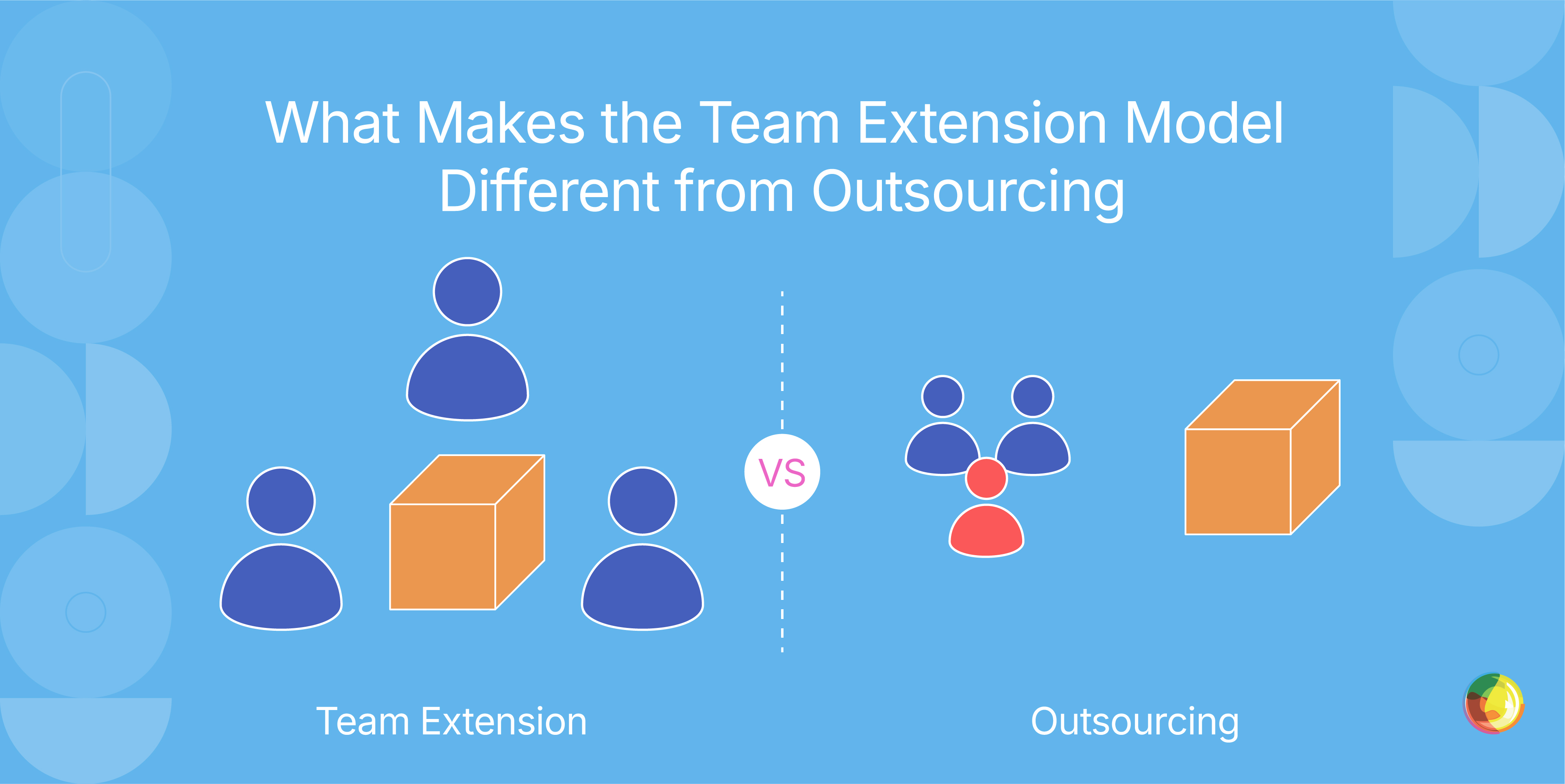
Table of Contents
Key Takeaways
- Don’t bring in extended developers until your own processes are solid; distributed teams don’t fix messy workflows, they amplify them.
- Treat overlap hours like gold: 3–4 shared hours with clear decision rights will save you days of async back-and-forth and stalled progress.
- Build slack into capacity on purpose – when extended teams are run flat out, the first casualties are documentation and knowledge transfer, and you’ll feel that debt later.
- Lock in people rather than scope: flexible resourcing with clear ownership lets you adapt as priorities shift without renegotiating your entire contract every sprint.
So, you’re bringing in extra developers. Simple, right? Not quite. The model you choose quietly dictates who’s in charge, how work actually gets done, and what you’re left with once the sprint dust settles.
With team extension, external developers plug directly into your team. They use your tools, follow your processes, and work inside your workflows while you manage their output day to day. Outsourcing, on the other hand, hands delivery over to a vendor who owns the methods and most daily decisions. That difference in control shapes everything that follows: how quickly features ship, where knowledge lives, and whether you’re building internal capability or temporarily borrowing it.
If you’re a tech lead weighing up how to add capacity or niche expertise without losing control of delivery, budget, or technical ownership, this guide breaks down what team extension really means (also known as staff augmentation or extended teams), how it compares to outsourcing and dedicated team setups, and when each model actually makes sense for your situation.
You’ll come away clear on:
- Operational distinctions between team extension, outsourcing, and dedicated teams.
- Day-to-day workflow realities when external developers join your sprints.
- Integration best practices that prevent coordination chaos.
- Fit scenarios showing which model solves your specific constraints.
- Common challenges teams hit when scaling with external capacity.
- Cost frameworks that go beyond hourly rates to reveal the true economics.
What Team Extension Means
So, let’s imagine a developer joins your daily standups, pushes code to your repos, sticks to your coding standards, and takes direction from your engineering lead. They’re not on payroll, but day to day, they’re embedded like they are. That’s team extension.
Here’s how it works in practice:
- They’re in your sprints, planning sessions, code reviews, and retrospectives.
- They work inside your GitHub, Jira, Slack, and dev environments.
- They follow your docs, testing standards, and deployment processes.
- Your technical leads assign tasks, set priorities, and review output.
- Feedback runs through your existing management structure.
What Team Extension is NOT:
This isn’t hiring freelancers who disappear and reappear with finished features. It’s not a vendor-run team working off to the side and emailing status updates. And it’s not full-time hires with benefits and permanent contracts.
The distinction matters. With team extension, developers sit under your management, whereas a dedicated team is managed by the provider but focused on your work. Outsourcing means the vendor owns delivery end-to-end.
Most engagements run on monthly retainers or flexible hourly models, so you can scale capacity as demand shifts. We’ll dig into the economics later in the guide.
Is Team Extension the Same as Staff Augmentation?
Not quite. Staff augmentation typically means plugging individual contractors into specific roles under your direction, often short term and task-focused. Team extension, by contrast, embeds a cohesive group (or long-term contributors) into your workflows, rituals, and tooling, operating as a true extension of your in-house team with shared accountability and deeper strategic context. The difference isn’t just semantic – it’s about integration, continuity, and ownership.
How Control and Accountability Differ Across Models
So let’s clear the fog. The real question is who’s actually running the work day to day. With team extension, you’re in the driver’s seat: you assign tasks, set priorities, and review output directly.
With outsourcing, the vendor owns delivery and makes most tactical calls within the agreed scope. Dedicated teams sit in the middle: the provider’s project manager runs daily operations, while you steer the strategy.
Here’s how that plays out in practice:
| Decision Area | Team Extension | Dedicated Team | Outsourcing |
|---|---|---|---|
| Work assignment | Your leads assign | Provider's PM assigns | Vendor manages internally |
| Sprint planning | Your PM runs it | Provider's PM facilitates | Vendor handles independently |
| Architecture calls | Your architects decide | Provider's tech lead proposes | Vendor designs and presents |
| Code access | Your repo, day one | Your repo, provider manages commits | Vendor-controlled repo, shared on agreed terms |
| Delivery cadence | Continuous integration into your sprint rhythm | Agreed sprint cycles with regular releases | Delivery at milestones or phase sign-off |
The trade-offs matter. Team extension builds deep partnership – faster decisions, continuity, and developers who really understand your technical debt and architectural choices. The downside? Switching costs if priorities change. Outsourcing keeps operational distance, making vendor swaps cleaner, but you give up that embedded expertise and institutional memory.
A reality that often gets glossed over is just how much handoffs and time zone gaps can slow everything down. To transition well, you need to define overlap windows and ownership with precision. A developer in Bangalore can’t unblock themselves if architectural calls need your CTO, and your CTO is asleep.
Control also drives integration overhead. Team extension means bringing external developers into roadmap discussions, architecture reviews, and technical strategy. Dedicated teams and outsourcing absorb more coordination internally, which lowers your management load but also your influence.
Contracts follow the same logic. Team extension agreements lock in resources (e.g., three senior WordPress developers) while keeping scope flexible. Outsourcing contracts lock in outcomes (e.g., migration complete by Q2), tightly bounding scope to manage vendor risk.
The teams that get the best out of their chosen arrangement dive deep into how team extension and outsourcing differ operationally.
How Team Extension Works Day-to-Day
So, what does this actually look like in practice? External developers plug straight into your team. They join your meetings, push code to your repos, open pull requests, and work inside your project management tools, moving at your pace and within your existing development rhythm.
A typical sprint cycle looks like this:
- Planning: Extended team members estimate story points and commit to capacity alongside internal developers.
- Standups: Updates shared during core overlap hours or via async Slack summaries.
- Development: Work happens in your repos, following your branching strategy and coding standards.
- Code review: PRs flow through your usual review process.
- Demo/retro: Completed work is presented and improvements discussed together.
Five practices that make integration work:
- Establish core overlap hours: 3–4 hours daily when everyone’s online for real-time collaboration.
- Include strategically: Bring extended developers into roadmap and architecture discussions, not just ticket delivery. Access without context creates misunderstandings, and that never ends well.
- Apply consistent standards: Same rituals and practices, same expectations.
- Document decisions: Capture the "why" in writing so knowledge isn’t trapped in meetings.
- Build in knowledge transfer: Technical docs, milestone demos, and pair programming stop expertise from staying locked in the extended team
Tool access follows least privilege: that means permissions for Git, continuous integration and continuous delivery (CI/CD) pipelines that automatically build, test, and deploy code changes, staging, and communication tools – but not production databases. Security-focused setups use VPNs and role-based controls, while regulated industries working under Zero Trust Architecture should expect 1–2 weeks for onboarding.
To deliver the best onboarding timelines and team scaling strategies for your business, you’ll need to understand the complete staff augmentation process.
When Each Model Fits Your Situation
So, which delivery model actually makes sense for your setup? It depends on how much control you want, how clear the work is, and how much day-to-day management you can realistically take on.
Team extension works when you need extra capacity or niche skills without handing over the keys. If institutional knowledge matters, workloads rise and fall, and you’ve got the bandwidth to integrate external developers into your workflows, it may be your best bet.
Choose team extension when:
- You already have solid processes that remote developers can slot into. Messy internals plus distributed teams are a fast way to multiply chaos.
- You need specialist skills (WordPress VIP, specific frameworks) for long stretches, but not long enough to justify permanent hires.
- Your workload spikes and dips – big upgrades, seasonal traffic surges, or project bursts. Flexibility beats carrying idle headcount.
- You want control over technical direction and know how to manage distributed teams well.
Outsourcing makes more sense when:
- The scope is tight, deliverables are clear, and outcomes matter more than process control.
- You don’t have the internal expertise to steer technical decisions and want the vendor to own that responsibility. If you’re after strategic input as well as execution, it’s worth exploring the differences between staff augmentation and consulting.
- Your management bandwidth is thin – you want milestone check-ins rather than daily standups and sprint planning.
Dedicated teams fit when:
- You want an autonomous unit with less hands-on involvement than extension, but more control than pure outsourcing.
- You need scale across multiple technology stacks through a single vendor relationship.
- Your internal team is lean, and you want the provider handling technical leadership.
Real-World Examples
Media publisher with volatile priorities: Ask Media Group migrated 11 sites serving 10M+ monthly visitors in just 12 weeks. Developers joined daily standups and pivoted mid-sprint as editorial needs shifted. Team extension delivered the flexibility that fixed-scope outsourcing couldn’t.
E-commerce seasonal scaling: RHR Swag scaled a WordPress platform to support 100,000+ WooCommerce SKUs during peak seasons. The extended team drove a 145% conversion boost while scaling capacity up and down with demand – something permanent hires or rigid outsourcing contracts wouldn’t allow.
The pattern? Team extension wins when flexibility and control matter. Outsourcing suits a bounded scope and defined outcomes. Dedicated teams offer autonomous scale. Many organizations mix models across different workstreams.
When team extension is not right: Immature dev processes, unclear requirements, zero experience with remote teams, or situations where the lowest cost outweighs quality and integration. In those cases, full-time hires or traditional outsourcing are usually a better fit.
WordPress-specific advantage: Specialists like Multidots cut out the 2–3 week learning curve through deep WordPress VIP expertise, reducing ramp time and execution risk on enterprise migrations and complex builds.
Common Challenges and What to Expect
So, you’ve gone distributed. Great. Now come the realities: time zones slow decisions, quality needs closer oversight, and the line between "building" and "advising" can get fuzzy, fast. Weak remote practices don’t help; they magnify every small snag. Making this work means clear rules, explicit processes, and firm boundaries.
Time zones are the first friction point. Questions that take 10 minutes in a room can drag on for days across continents. The fix is 3–4 hour overlap windows, decisions written down immediately, and clear decision rights so progress doesn’t stall waiting for approval.
Utilization matters more than it looks. When extended developers run flat out with no slack, quality slips. The first things to go are documentation, knowledge transfer, and collaboration – exactly what prevents long-term technical debt. Build in buffer time so quality and institutional knowledge don’t quietly erode.
Quality also varies by provider and by individual. Not every developer brings the same depth. Be explicit about required skill levels, and don’t be shy about requesting rotation if expectations aren’t being met.
Scope creep is almost guaranteed. Developers will surface architectural issues – that’s useful. But set the line clearly: they raise concerns, you decide what to pursue. Anything beyond implementation belongs in a separate consulting scope.
Expect more meetings, too. Distributed teams add coordination overhead. Keep attendance tight, align meetings to real decision needs, and default to async updates wherever live discussion isn’t essential.
Cultural integration needs deliberate effort from day one. Hierarchy, feedback styles, and decision authority don’t translate automatically. For offshore staff augmentation, time zones, culture, and communication protocols become mission-critical, not "nice to have."
Finally, measure what actually matters: steady velocity, healthy utilization, pull request (PR) merge times, and, most importantly, the business outcomes the extended team was hired to improve.
Cost Structure Basics
Team extension typically runs on monthly retainers or hourly rates, and what you pay depends on developer seniority, technical specialism, and how deep the engagement goes. Provider margins cover recruiting, HR, ongoing management, and business infrastructure – the same overhead you’d otherwise be carrying in-house.
Pricing usually comes down to four things: seniority, technical specialization (WordPress VIP optimization commands a premium over generalist dev work), engagement terms (longer commitments unlock better rates), and provider positioning. Enterprise-focused firms with compliance certifications simply cost more than talent marketplaces.
Here’s what you’re not paying for: benefits packages, recruitment costs and time-to-hire, office space and equipment, downtime between projects, training programmes, or HR, legal, and management infrastructure.
Here’s what you are paying for: the provider’s recruiting and vetting, ongoing management to keep developers engaged, business continuity when individuals leave, administrative overhead, and enterprise-grade tools and infrastructure.
Team extension tends to make economic sense when:
- Workloads fluctuate, and permanent staff would sit underused.
- You need senior-level specialists, but not full-time.
- Rapid scaling matters, and hiring timelines would miss deadlines.
- You’re testing capacity before committing to permanent headcount.
If your needs are consistent over multiple years, permanent hiring often works out cheaper. That said, the ability to scale without layoffs can justify the premium. You’ll want to explore the full comparison of staff augmentation vs traditional staffing to weigh those trade-offs.
For a proper cost picture, you’ll need clarity on technical requirements, expertise levels, and compliance needs. Companies like Multidots provide estimates based on real project scope rather than industry averages.
What to Consider Before Moving Forward
Before bringing extended team members into the mix, pause for a quick readiness check to surface friction early.
Start with five simple questions:
- Process maturity: Do you have documented workflows external developers can follow, or does everything live in people’s heads?
- Management bandwidth: Can leads consistently review work, add context, and unblock issues, or are they already at capacity?
- Remote experience: Have you worked successfully with distributed teams before? If not, begin with a pilot.
- Technical clarity: Can you clearly explain your architecture and priorities?
- Security posture: In regulated environments, do you have proper onboarding and access controls in place? Budget 1–2 weeks for basic setup.
Scope and duration matter. Team extension works best for longer engagements (six months or more), where the upfront integration pays off. Short projects – under three months – are often better handled as straight outsourcing.
Then there’s the specialist vs. generalist call. Platform-specific needs, like WordPress VIP optimization, usually benefit from specialists who skip ramp-up time. Broader, multi-stack projects may suit generalists to keep coordination lighter. Match the provider to your biggest constraint.
Start small to test the waters. One or two developers, 2–3 months, clearly defined scope. It’s a low-risk way to assess communication, quality, and cultural fit before scaling up.
If you’re considering a hybrid model that blends team extension with managed services, it’s worth reviewing precisely how staff augmentation and managed services compare to see where each fits best.
If, on the other hand, you’re ready to explore next steps, speak with providers about your needs, relevant experience, and engagement approach. For enterprise-scale WordPress platforms, it’s worth talking to specialists like Multidots about technical fit and delivery models.
Make Your Team Extension Work
So, which model actually fits – team extension, outsourcing, or a dedicated team? It comes down to three things: how much control you need day to day, how much management time you can realistically give, and whether your workload justifies deeper integration.
Team extension shines when your processes are solid, you have the bandwidth to manage, and the work isn’t going away anytime soon. You steer the ship, developers slot into your workflows, and hard-won knowledge stays in-house.
Outsourcing works best when you want to stay hands-off, the scope is clear, and check-ins at key milestones beat daily involvement.
Dedicated teams suit cases where you need to scale fast without the overhead of integration, and you’re happy for the vendor to lead the technical direction on a defined initiative.
The key is to be realistic. Choose what matches how you actually operate today, not how you hope to one day. Start small, test the fit, then scale with confidence.Evaluating team extension for WordPress? Contact Multidots to discuss how our VIP expertise and enterprise migration experience align with your platform needs.
Feel free to schedule a quick call with our team.
Contact Us