
Django vs WordPress: Which Platform is Right for Your Business?
A comprehensive comparison of Django’s Python-powered framework and WordPress’s dominant CMS ecosystem to help you choose the right platform.
Table of Contents
Choosing the right platform for your website or web application is one of the most consequential technology decisions a business can make. The platform you select will shape your development timeline, operational costs, content workflows, and long-term scalability. Two options that frequently appear in enterprise discussions are Django and WordPress, each representing a fundamentally different approach to building for the web.
Django is a high-level Python web framework designed for developers who need full control over application architecture. WordPress is the world's most widely adopted content management system, powering over 43% of all websites on the internet. While both can technically be used to build websites, they serve distinctly different purposes and audiences.
This comparison breaks down Django and WordPress across every dimension that matters for business decision-makers: ease of use, customization, security, cost, SEO, and more. Whether you are building a custom web application, launching a content-heavy publication, or evaluating a platform migration, this guide will help you make an informed choice.

What is Django?
Django is an open-source, high-level web framework built on Python. Originally developed in 2003 at the Lawrence Journal-World newspaper and publicly released in 2005, Django follows the model-view-template (MVT) architectural pattern. It was designed to help developers build complex, data-driven web applications quickly and with clean, pragmatic code. Django's philosophy of "batteries included" means it ships with built-in tools for authentication, URL routing, database ORM, form handling, and an admin interface. Where Django truly excels is in building bespoke web applications that require complex business logic, custom data models, and API-driven architectures. It is not a CMS out of the box, though projects like Django CMS and Wagtail add CMS capabilities on top of the framework. This distinction is critical: Django gives you the building blocks, but you need experienced Python developers to assemble them.

What is WordPress?
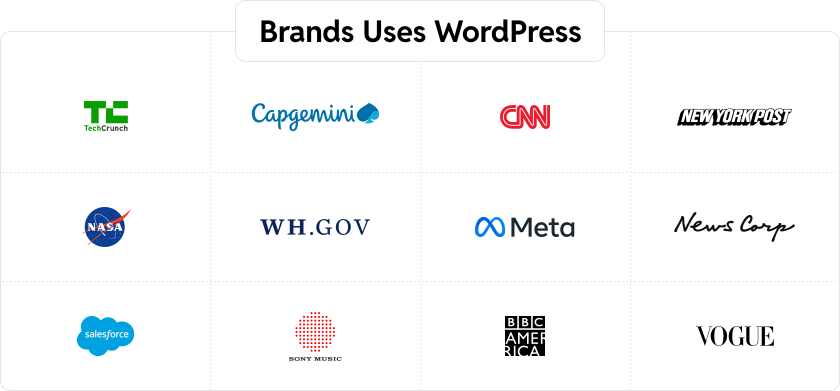
WordPress is an open-source content management system built on PHP and MySQL. Launched in 2003 as a blogging platform, it has evolved into a full-featured CMS and application framework used by enterprises, publishers, eCommerce brands, and small businesses alike. WordPress provides a visual admin interface, a block-based editor (Gutenberg), and a massive ecosystem of themes and plugins that allow users to build and manage websites without writing code. The numbers speak for themselves. As of 2026, WordPress powers 43.4% of all websites on the internet and holds a 64.3% share of the CMS market. Enterprise adopters include TechCrunch, CNN, Sony Music, The Walt Disney Company, BBC America, and Microsoft News. Through WordPress VIP, the platform offers enterprise-grade hosting with dedicated security, performance, and support for organizations with the most demanding requirements.
Django vs WordPress: Understanding the Differences
The most important thing to understand about this comparison is that Django and WordPress represent fundamentally different categories of technology. Django is a web framework, a toolkit for building web applications from scratch. WordPress is a content management system, a ready-made platform for creating and managing websites. Comparing them is a bit like comparing a set of professional construction tools to a prefabricated building system. Both can produce excellent results, but they are designed for different workflows and different teams.
Django follows a developer-first philosophy. Everything is built through code, giving developers granular control over every aspect of the application. WordPress follows a user-first philosophy. Its visual admin interface, plugin ecosystem, and theme system are designed to empower non-technical users while still offering deep customization options for developers.
This philosophical difference shapes every aspect of how these platforms perform in practice. The table below provides a quick overview before we dive into the detailed comparison.
| Criteria | Django | WordPress |
|---|---|---|
| Type | Python web framework | Content management system (CMS) |
| Licensing | Open source (BSD License) | Open source (GPLv2) |
| Ease of Use | Requires Python expertise; developer-dependent | User-friendly admin; non-technical users can manage content |
| Customization | Unlimited flexibility through custom code | Extensive via 60,000+ plugins and thousands of themes |
| Performance | High performance for custom applications | Optimized with caching, CDN, and performance plugins |
| Security | Strong built-in protections (CSRF, SQL injection, XSS) | Secure core with regular updates; plugins add layers |
| Developer Experience | Full control, clean architecture, Python ecosystem | Large talent pool, well-documented APIs, rapid development |
| Cost | Higher development costs, lower licensing fees | Lower development costs, flexible hosting options |
| SEO | Manual implementation required | Built-in SEO tools plus powerful plugins (Yoast, Rank Math) |
| Support | Community-driven, paid consultants | Massive community, extensive documentation, commercial support |
| E-commerce | Custom-built solutions or Django Oscar | WooCommerce available |
Django vs WordPress: Full Comparison
1. Ease of Use and Setup Process
Django requires a local development environment with Python installed, along with familiarity with the command line, virtual environments, pip package management, and database configuration. Setting up a basic Django project involves creating a project structure, configuring settings files, defining URL patterns, writing views, and creating templates. For developers experienced with Python, this process is straightforward. For anyone else, it presents a significant barrier to entry. Even simple content updates typically require developer involvement unless a CMS layer like Wagtail is added on top.
WordPress can be installed in under five minutes on most hosting providers, many of which offer one-click installation. Once installed, users are greeted with an intuitive admin dashboard where they can select themes, install plugins, create pages, and publish content immediately. The Gutenberg block editor provides a visual, drag-and-drop content creation experience that non-technical team members can use without training. Content editors, marketers, and business stakeholders can manage day-to-day website operations independently.
Verdict: WordPress wins decisively on ease of use. Its visual interface and minimal setup requirements make it accessible to teams of all technical levels. Django is powerful but requires dedicated Python developers for setup, maintenance, and even basic content changes.
2. Customization and Flexibility
Django offers virtually unlimited customization. Because you are building from a blank canvas, every data model, URL structure, business logic component, and front-end element can be tailored exactly to your specifications. Need a custom recommendation engine, a multi-tenant SaaS application, or a complex API-driven platform? Django can handle it. The trade-off is that every custom feature must be designed, coded, tested, and maintained by your development team.
WordPress provides extensive customization through its ecosystem of over 60,000 free plugins and thousands of premium themes. For most standard business requirements, from contact forms and SEO optimization to eCommerce and membership systems, a well-maintained plugin already exists. When off-the-shelf solutions are not enough, WordPress supports custom theme development, custom plugins, custom post types, and the REST API for building entirely bespoke functionality. Enterprise WordPress development can deliver highly customized solutions while still leveraging the platform's core strengths.
Verdict: Django offers deeper architectural flexibility for complex, custom applications. WordPress provides faster, more cost-effective customization for content-driven websites and standard business needs. The right choice depends on whether your project demands a fully bespoke application or a content platform with targeted customizations.
3. Content Management and Editorial Experience
Django does not include a content management interface by default. To give editors and content teams the ability to create and manage content, you need to either build a custom admin interface or integrate a Django-based CMS like Wagtail or Django CMS. Even with these additions, the editorial experience is functional rather than polished. Most Django-based content workflows require some level of technical familiarity, and features like revision history, editorial workflows, inline media management, and content scheduling must be configured or built from scratch.
WordPress was purpose-built for content management. The Gutenberg editor offers a modern block-based editing experience with reusable blocks, media embedding, layout control, and real-time previews. WordPress supports revision history, scheduled publishing, multi-author workflows, custom taxonomies, and granular user role management out of the box. Plugins like Multicollab bring Google Docs-style inline commenting directly into the WordPress editor, further enhancing collaboration for editorial teams. For publishers and content-heavy organizations, WordPress delivers an unmatched editorial experience.
Verdict: WordPress is the clear winner for content management. It is built specifically for this purpose, while Django requires significant additional development to match even WordPress's baseline editorial capabilities.
4. Plugins, Extensions, and Integrations
Django's ecosystem of third-party packages is robust and developer-oriented. The Django Packages repository lists thousands of reusable apps covering authentication, REST APIs (Django REST Framework), task queues (Celery), search (Elasticsearch integration), and more. The Python Package Index (PyPI) adds even more options. However, most Django packages are libraries and tools designed for developers to integrate into code, not plug-and-play solutions that non-technical users can activate through an interface.
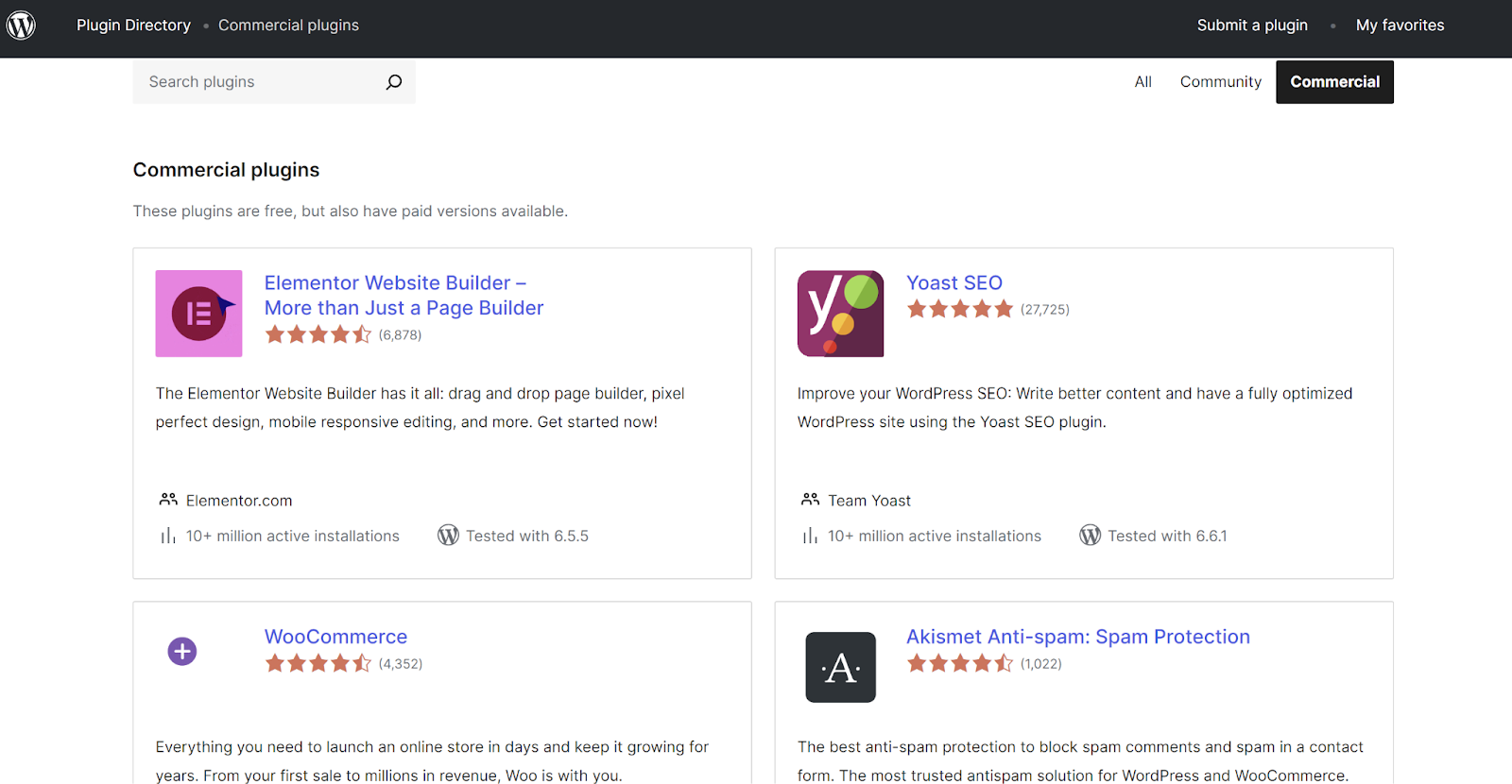
WordPress's plugin ecosystem is the largest of any CMS platform, with over 60,000 free plugins in the official repository and thousands more premium options. Popular plugins like Yoast SEO, WooCommerce, Gravity Forms, and Advanced Custom Fields extend WordPress functionality dramatically. Most plugins can be installed, configured, and managed entirely through the WordPress admin interface without touching code. For eCommerce specifically, WooCommerce powers over 36% of online stores, making it the most widely used eCommerce platform in the world.
Verdict: WordPress wins on breadth, accessibility, and ease of integration. Django's package ecosystem is strong for developers, but WordPress's plugin ecosystem is unmatched for rapidly extending website functionality without custom development.
5. Security Features
Django includes strong security protections at the framework level. Built-in defenses cover cross-site request forgery (CSRF), SQL injection, cross-site scripting (XSS), and clickjacking. Django's ORM uses parameterized queries by default, its template engine auto-escapes output, and its middleware stack includes security headers and HTTPS enforcement. The framework's security team actively monitors for vulnerabilities and releases patches promptly. For developers who follow Django's security best practices, the framework provides a solid foundation.
WordPress's core software is regularly audited and updated by a dedicated security team. The platform supports automatic background updates for minor releases, and major releases include security improvements. WordPress's large attack surface (due to its market share) means it is a frequent target, but the core itself is well-maintained. Additional security layers come through plugins like Wordfence and Sucuri, and enterprise hosting solutions like WordPress VIP provide managed security with automated patching, code scanning, and DDoS protection. Following best practices, such as keeping plugins updated, using strong passwords, and selecting reputable hosting, ensures a secure WordPress deployment.
Verdict: Django has a slight edge in default security posture thanks to its framework-level protections and smaller attack surface. WordPress is highly secure when properly maintained and hosted on enterprise-grade infrastructure, but it requires more active security management due to its plugin ecosystem and market prevalence.
6. Performance and Scalability
Django applications can be optimized for exceptional performance. Python's efficiency, combined with Django's support for database query optimization, caching frameworks (Memcached, Redis), and asynchronous task processing, allows Django applications to handle high traffic loads. Companies like Instagram serve hundreds of millions of users on Django-based infrastructure. However, achieving this level of performance requires expert optimization. Poorly built Django applications can suffer from slow database queries, memory issues, and scalability bottlenecks just as easily as any other platform.
WordPress performance depends heavily on hosting infrastructure, theme quality, and plugin selection. Out of the box, WordPress performs well for most use cases. With proper optimization, including caching plugins, CDN integration, image optimization, and performance tuning, WordPress can handle millions of monthly visitors. Enterprise hosting platforms like WordPress VIP are engineered for high-traffic, mission-critical sites. The PerformanceIN migration from Django to WordPress, for example, resulted in a 24% faster average page load time and 50% faster server response time on the WordPress implementation.
Here at Multidots, we use WordPress for our website, and you can see the Core Web Vitals performance of our website below.
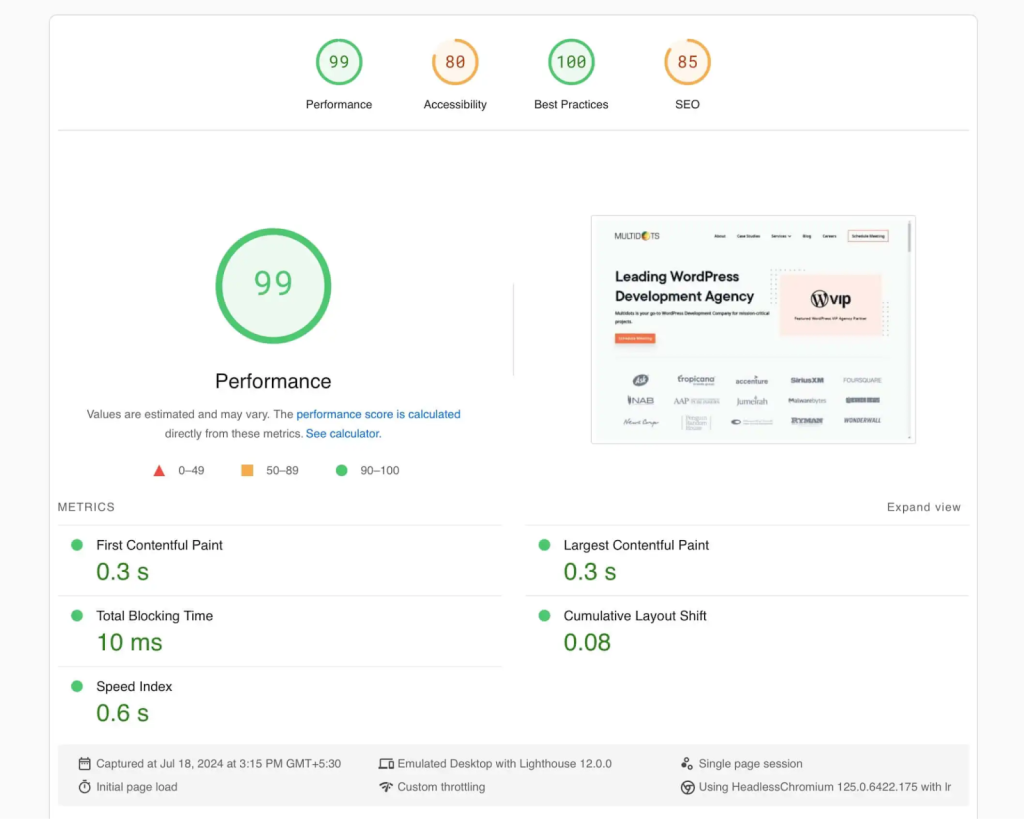
Verdict: Both platforms can deliver excellent performance when properly optimized. Django offers more granular control for complex, computation-heavy applications. WordPress, especially on enterprise hosting, delivers strong performance for content-driven sites and has a lower barrier to optimization through its plugin and hosting ecosystem.
7. Ownership Costs and Total Cost of Ownership
Cost is one of the most significant differentiators between Django and WordPress. While both platforms are open-source and free to license, the total cost of ownership differs substantially.
Django projects require experienced Python developers for everything from initial build to ongoing maintenance. With Django developer rates averaging $80-150/hour for experienced professionals, custom development costs add up quickly. Every feature, from basic content editing to SEO tools to analytics integration, must be custom-built or integrated by developers. Hosting costs vary widely depending on infrastructure choices, but managing Django deployments typically requires DevOps expertise as well.
WordPress's large talent pool and plugin ecosystem drive costs down significantly. WordPress developer rates range from $50-115/hour, and many features that would require custom development in Django are available as ready-made plugins. Hosting ranges from affordable shared hosting for small sites to enterprise WordPress VIP plans starting at $25,000/year for mission-critical deployments.
| Cost Category | Django (Estimated) | WordPress (Estimated) |
|---|---|---|
| License | Free (BSD) | Free (GPLv2) |
| Design and Build | $50,000 - $250,000+ | $15,000 - $100,000+ |
| Hosting (Annual) | $5,000 - $60,000+ | $500 - $25,000+ (VIP from $25K) |
| Premium Add-ons/Plugins | Custom-built (included in dev costs) | $500 - $5,000/year |
| Support and Maintenance | $20,000 - $80,000/year | $5,000 - $30,000/year |
| Total First Year | $75,000 - $390,000+ | $21,000 - $160,000+ |
| Total Over 3 Years | $115,000 - $530,000+ | $31,000 - $230,000+ |
These are estimates and vary by project complexity, team location, and specific requirements. However, the pattern is consistent: WordPress delivers a significantly lower total cost of ownership for content-driven websites and standard business applications.
Verdict: WordPress offers a substantially lower total cost of ownership for most business websites. Django's costs are justified when building highly custom web applications, but for content management, marketing sites, and eCommerce, WordPress delivers more value per dollar spent.
8. SEO and Marketing Capabilities
Django does not include built-in SEO tools. Implementing SEO fundamentals, such as meta tags, XML sitemaps, canonical URLs, structured data, and Open Graph tags, requires custom development. While Django's clean URL routing and fast page rendering provide a solid technical foundation for SEO, every optimization must be manually coded and maintained. Marketing integrations like analytics tracking, A/B testing, and marketing automation also require custom implementation.
WordPress offers strong SEO capabilities both natively and through its plugin ecosystem. Clean permalink structures, image alt text management, and responsive themes are built in. Plugins like Yoast SEO and Rank Math provide comprehensive SEO optimization including keyword analysis, readability scoring, schema markup, XML sitemaps, and social media optimization. WordPress also integrates seamlessly with Google Analytics, Google Tag Manager, marketing automation platforms, and virtually every major marketing tool through plugins or simple code snippets.
Verdict: WordPress wins for SEO and marketing. Its plugin ecosystem provides enterprise-grade SEO tools that would cost tens of thousands of dollars to replicate in Django. For marketing teams that need to move fast, WordPress enables SEO and campaign execution without developer dependencies.
9. Support and Community
Django has an active and dedicated community, particularly within the Python ecosystem. The Django Software Foundation oversees the framework's development, and the community contributes through Django Packages, Stack Overflow discussions, DjangoCon conferences, and extensive official documentation. However, Django's community is smaller and more developer-focused compared to WordPress. Finding Django specialists, particularly those with experience in your specific use case, can take longer and cost more.
WordPress has the largest community of any CMS or web platform in the world. Thousands of contributors maintain the core software, and millions of developers, designers, and content creators participate in the ecosystem. WordCamp conferences happen globally, and resources like the WordPress Codex, developer handbooks, and community forums provide extensive support. The commercial ecosystem includes thousands of agencies, freelancers, and support providers. Finding WordPress talent is significantly easier and more cost-effective than finding Django specialists. For enterprise support, WordPress VIP and specialized agencies like Multidots provide dedicated, high-touch support.
Verdict: WordPress wins on community size, talent availability, and breadth of support options. Django's community is excellent for developers within the Python ecosystem, but WordPress's global community is unmatched in scale and accessibility.
Django vs WordPress: Which Platform is Right for Your Business?
The right choice depends on what you are building and who will be managing it day to day.
Choose Django if:
- You are building a custom web application with complex business logic (SaaS platform, data analytics tool, machine learning application)
- Your project requires bespoke data models and API architectures that no CMS can accommodate
- You have an in-house team of experienced Python developers or the budget to hire and retain them
- Content management is a minor or secondary requirement
- You need to integrate deeply with Python-specific libraries for data science, AI, or automation
Choose WordPress if:
- Your primary need is content management, publishing, or marketing
- You want editorial teams to manage content independently without developer involvement
- You need to launch quickly with a lower upfront investment
- eCommerce is a core or growing part of your business
- SEO and digital marketing are central to your growth strategy
- You want access to the largest ecosystem of themes, plugins, and integrations
- You need enterprise-grade hosting and support through WordPress VIP
- You want to reduce long-term maintenance and development costs
For the majority of businesses, particularly those focused on content, marketing, and digital commerce, WordPress is the more practical and cost-effective choice. Django is the better option when you are building something that goes beyond what a CMS is designed to do.
Why Companies Migrate from Django to WordPress
Organizations that initially chose Django for their websites often find themselves reconsidering as their content and marketing needs grow. Several common patterns drive Django to WordPress migration:
- Editorial independence. Content teams grow frustrated with their dependence on developers for routine updates, page creation, and content publishing. WordPress gives editors full control over content workflows without writing a single line of code.
- Faster time to market. Adding new features, landing pages, or content types in Django requires development sprints. In WordPress, many of these changes can be made in hours using existing plugins and the block editor. Businesses that need to move at the speed of modern marketing find WordPress dramatically more agile.
- Cost reduction. Maintaining a Django-based website requires ongoing investment in Python developers for routine tasks that WordPress handles natively. Companies regularly report 40-60% reductions in ongoing website management costs after migrating to WordPress.
- Larger talent pool. Finding and hiring Django developers, especially those with CMS experience, is harder and more expensive than sourcing WordPress talent. The WordPress ecosystem offers a much deeper bench of agencies, freelancers, and specialists.
- SEO and marketing capabilities. Django sites often lack the SEO tooling and marketing integrations that WordPress provides out of the box. Teams migrating to WordPress gain immediate access to powerful SEO plugins, analytics integrations, and marketing tools.
A strong example is the PerformanceIN case study, where the global performance marketing publication migrated from Django CMS to WordPress with Multidots' help. The migration delivered a 24% faster page load time, 50% faster server response time, and a dramatically improved editorial experience. The content team gained independence to publish and manage content without developer support, directly accelerating their publishing velocity.
You can also read more about why migrating from Django to WordPress makes sense for content-focused organizations.
How Multidots Can Help
If you are considering WordPress for your next project, or evaluating a migration from Django to WordPress, Multidots is the partner built for exactly this kind of work.
As a WordPress VIP Gold Partner selected by Automattic, Multidots has been delivering enterprise WordPress solutions for over 16 years. Our team of specialists has completed 300+ website migrations, including complex Django-to-WordPress projects for publishers, enterprises, and global brands.
Ready to explore what WordPress can do for your business? Get in touch with our team for a free consultation.
Django vs WordPress: FAQs
-
While Django is robust and excellent for custom applications, WordPress is highly recommended for large-scale enterprise websites due to its scalability through enterprise-level hosting solutions, extensive plugin ecosystem, and stronger community. WordPress facilitates easier management and quicker scalability to meet enterprise demands, making it a more versatile choice for businesses that require rapid adaptation to changing digital landscapes.
-
WordPress, particularly with the WooCommerce plugin, is generally better suited for eCommerce applications due to its user-friendly interface and extensive plugin ecosystem. Django can also support eCommerce but typically requires more custom development.
-
Django requires a hosting environment that supports Python applications, which might be less common than those for PHP-based WordPress. WordPress hosting is widely available and can range from shared hosting to dedicated servers.
-
Both platforms can support mobile-responsive designs. WordPress might have an edge with its vast selection of responsive themes readily available, whereas Django would require custom development to ensure mobile responsiveness.
Feel free to schedule a quick call with our migration expert.
Contact Us