
Multidots Passkey Login: Add Secure Passwordless Authentication to WordPress
Replace passwords with passkeys in WordPress. Secure, phishing-resistant login using Face ID, Touch ID, and WebAuthn standards.
Table of Contents
Key Takeaways
- Multidots Passkey login adds modern passwordless authentication to WordPress using passkeys with no custom code.
- Improve login security with phishing-resistant, device-based authentication.
- Simple admin controls for session limits, passkey rules, and login behavior.
- Works across desktop and mobile using trusted FIDO2 and WebAuthn standards.
New Plugin Alert!
We recently released a new WordPress plugin called Multidots Passkey Login to help site owners move away from traditional passwords and adopt modern, secure authentication.
This plugin enables passwordless login using passkeys, allowing users to sign in with Face ID, Touch ID, Windows Hello, security keys, or device PINs.
Instead of managing passwords, resets, and login risks, Multidots Passkey Login provides a secure and user-friendly authentication experience that is ready for real-world WordPress use.
Multidots Passkey Login
What the Multidots Passkey Login Plugin Does
Multidots Passkey Login is a next-generation passwordless login plugin built on the FIDO2/WebAuthn standard — the same tech trusted by Apple, Google, and Microsoft. It allows users to log in using Face ID, Touch ID, Windows Hello, or device PIN, providing a frictionless and highly secure experience.
It works seamlessly across browsers and devices while staying compliant with industry-trusted security standards and is one of the best passwordless login plugins for WordPress.
You can use it to:
- Allow users to log in without passwords using biometrics or device authentication.
- Enable passkey login for existing WordPress users.
- Register new users directly with a passkey.
- Manage session timeouts and authentication limits.
- Add passkey login and registration anywhere using shortcodes.
All features are controlled from a clean admin interface with simple, configurable options.
Who Should Use This Plugin?
Multidots Passkey Login is built for websites that care about security, usability, and future-ready authentication.
It is especially useful for:
- WordPress publishers and content platforms.
- WooCommerce stores handling customer accounts.
- Agencies managing secure client sites.
- Membership and community websites.
- Organizations with higher security requirements.
If you want to reduce password-related risks and improve login experience, this plugin fits naturally into your setup.
Plugin Overview
From the WordPress admin, Multidots Passkey Login is organized into clear sections:
- Settings
- Shortcodes
- System Info
This structure keeps configuration simple and helps administrators understand exactly how passkey login behaves across the site.
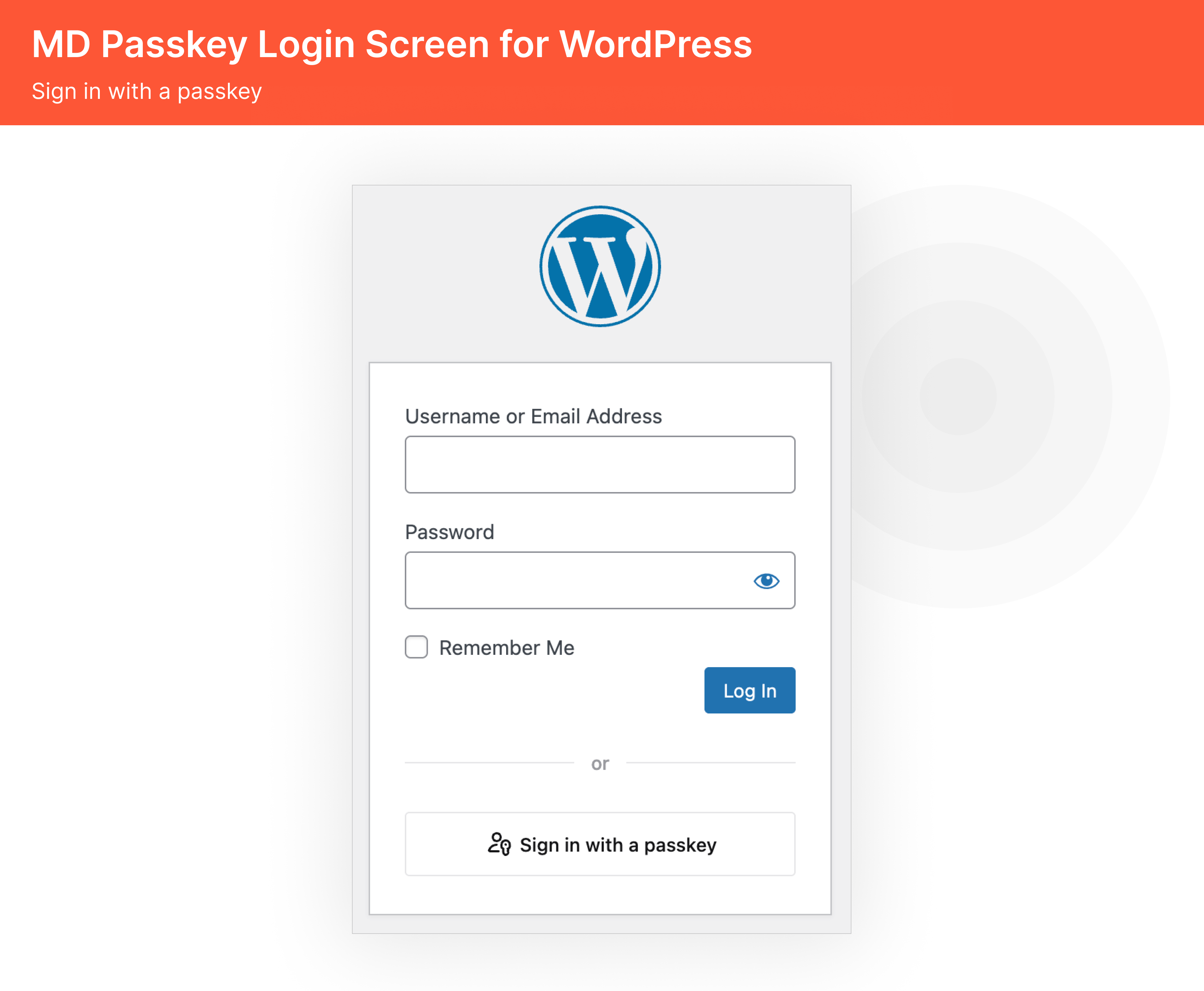
Passkey Login Screen
1. Secure and Seamless Passwordless Login
The core feature of the plugin is passwordless authentication using passkeys. Once enabled, users can log in using:
- Face ID or Touch ID on supported devices.
- Windows Hello authentication.
- Hardware security keys.
- Device PINs, where supported.
This removes the need to use passwords for login and significantly reduces risks from phishing, credential theft, and brute-force attacks.
2. Easy Passkey Registration for Users
Users can register a passkey directly from their profile without friction. The plugin supports:
- Registering passkeys for existing WordPress users.
- Creating new users with passkey registration.
- Managing multiple passkeys per account if needed.
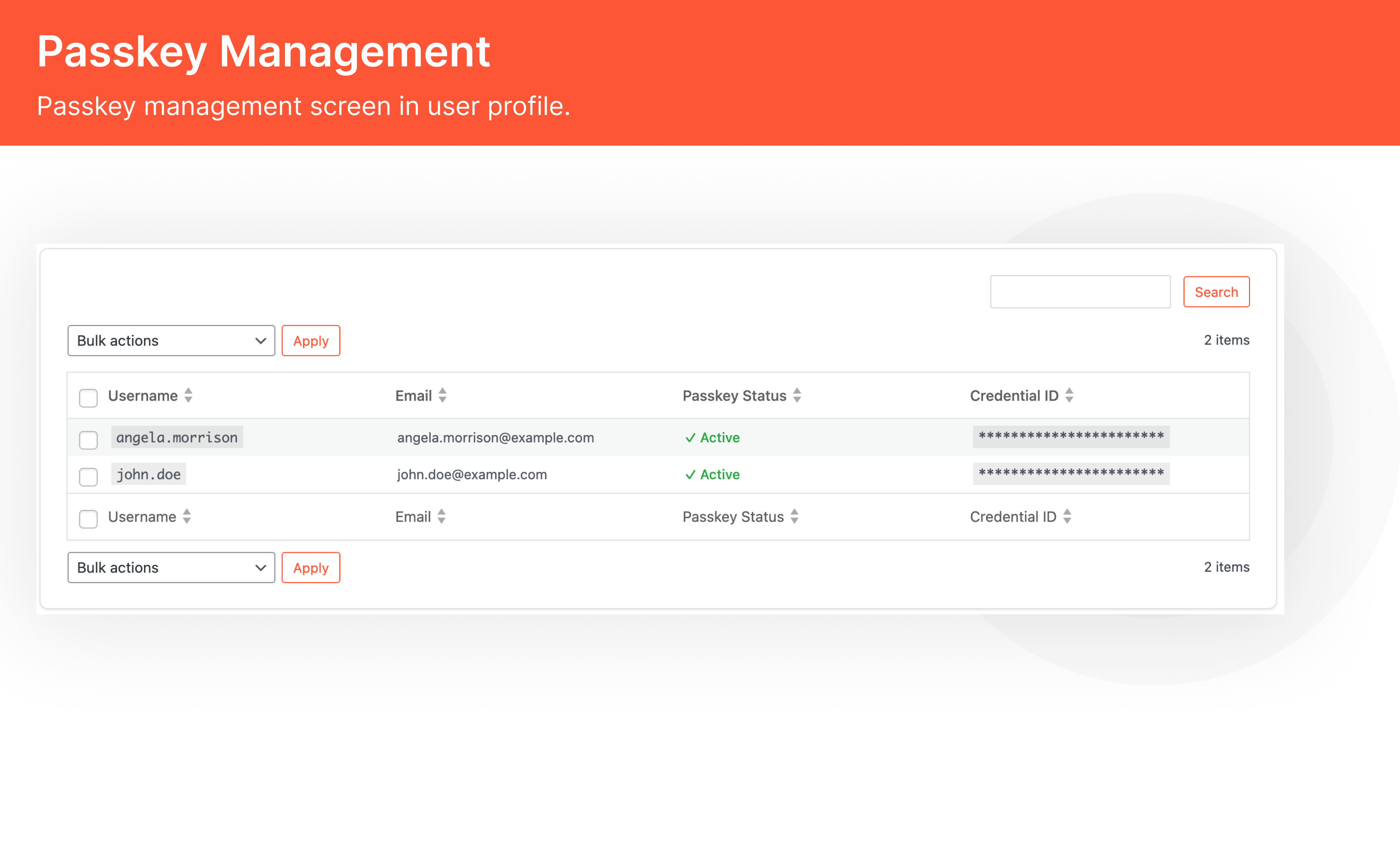
Passkey Management
Once a passkey is registered, users can log in instantly without remembering or typing passwords.
3. Flexible Admin Settings and Controls
Multidots Passkey Login gives administrators full control over how authentication works.
From the settings panel, you can:
- Enable or disable passkey login with one click.
- Require HTTPS for secure authentication.
- Set session timeout values for added security.
- Limit the number of passkeys per user.
- Supports multiple passkey authentication flows depending on the user’s device, browser, and operating system capabilities.
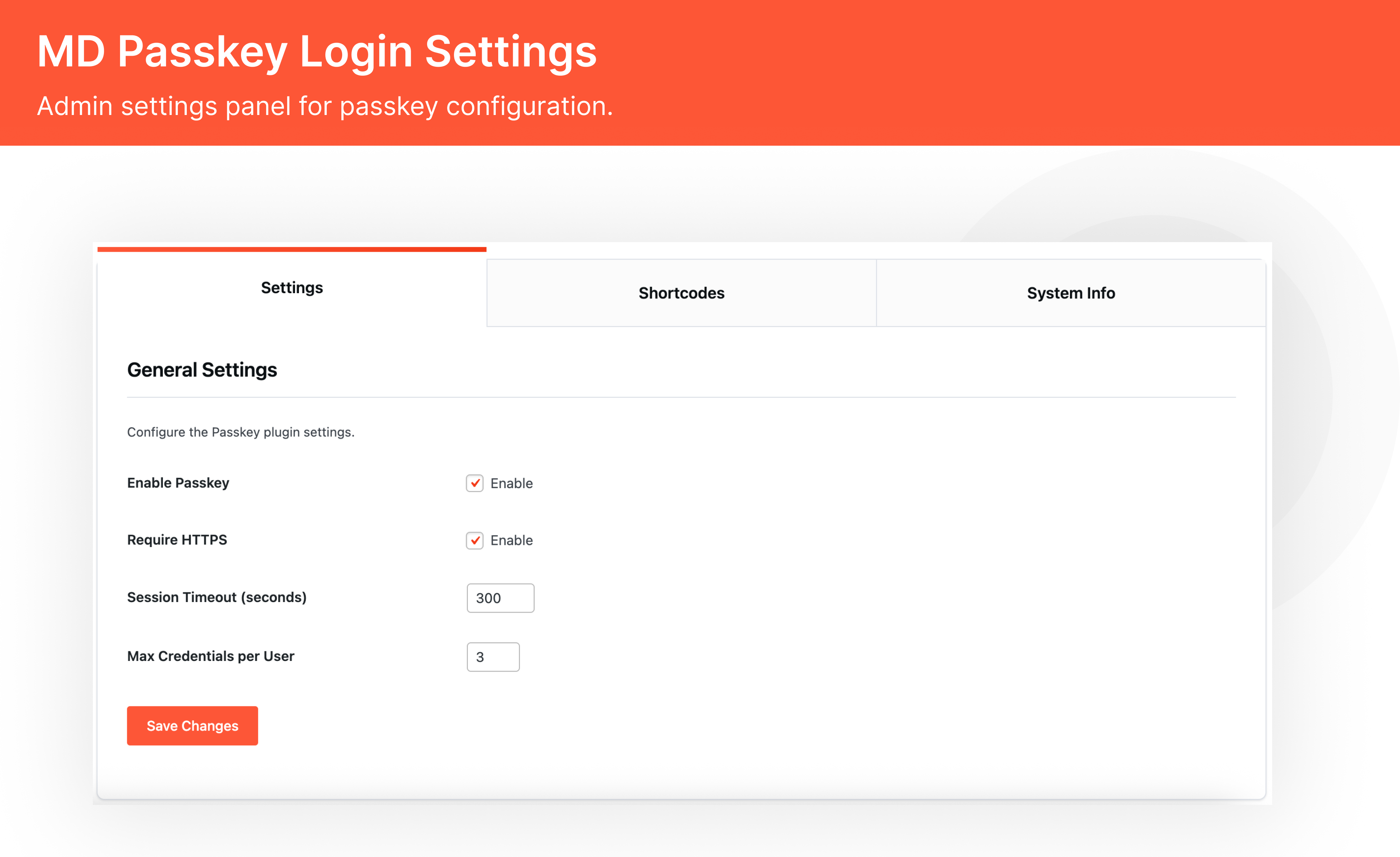
Passkey Login Settings
These options allow you to balance usability and security based on your site’s needs.
4. Frontend Integration with Shortcodes
The plugin includes built-in shortcodes to integrate passkey functionality anywhere on your site.
You can use:
[mdlogin_passkey_login]
Displays a Login with Passkey button on the frontend.
[mdlogin_passkey_register]
Displays a Passkey Registration form for users.
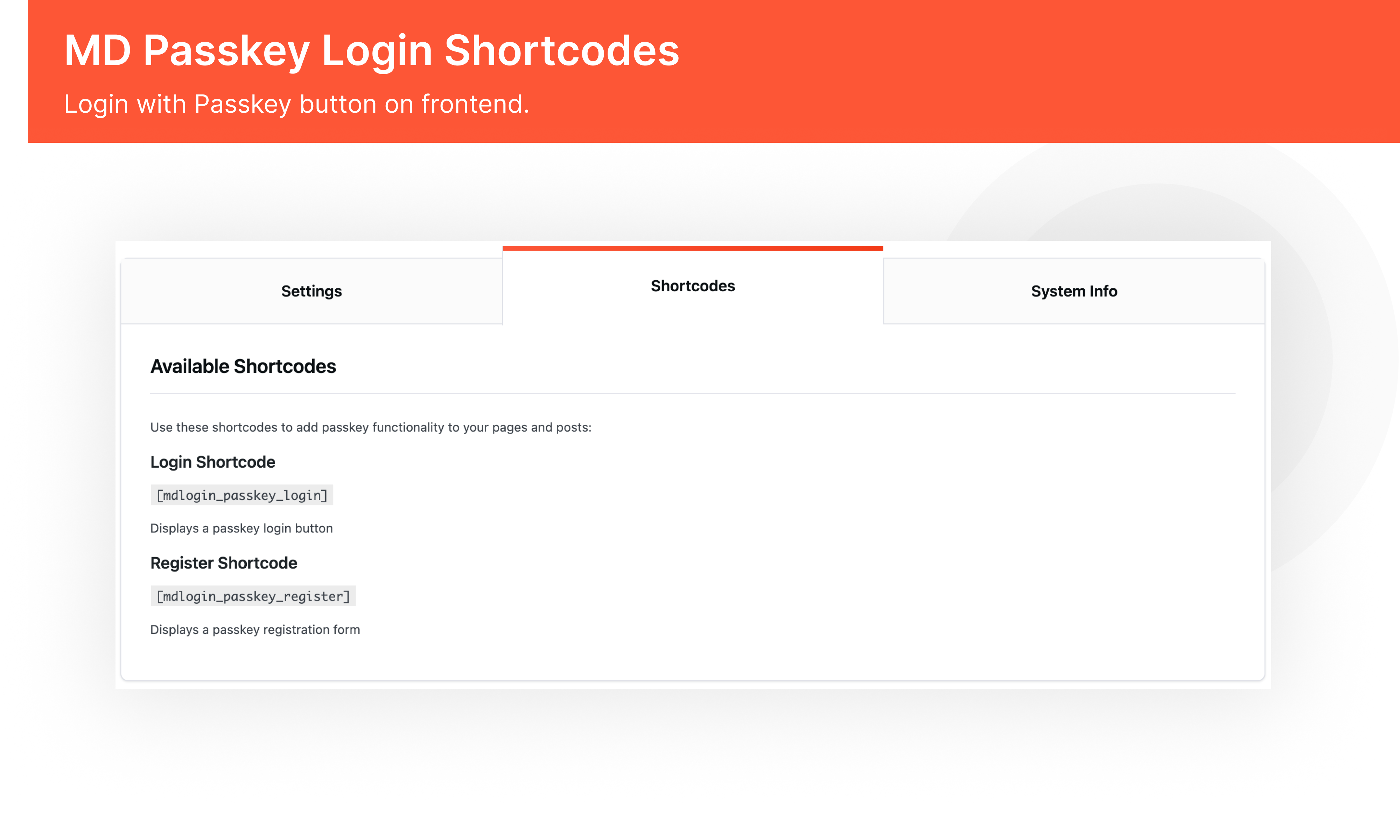
Passkey Login Shortcodes
This makes it easy to add passwordless login to custom login pages, membership areas, or onboarding flows.
5. Built on Trusted Security Standards
Multidots Passkey Login is built on the FIDO2 and WebAuthn standards trusted by Apple, Google, and Microsoft.
Key security requirements include:
- HTTPS is mandatory for secure operation.
- Authentication happens at the device level.
- No passwords are stored or transmitted.
- Strong protection against phishing attacks.

Passkey Login System Information
The plugin does not replace WordPress authentication. It enhances it with modern security practices.
How It Works
The authentication flow is simple and reliable:
- Activate the plugin and enable passkey login from settings.
- Users register a passkey from their profile or during registration.
- Users log in using Face ID, Touch ID, Windows Hello, or a security key.
- Administrators manage session policies and authentication rules.
Installation and Setup
Getting started with Multidots Passkey Login is straightforward:
- Download and upload the plugin to the
/wp-content/plugins/directory or install it from the WordPress admin. - Activate the plugin from the Plugins menu.
- Go to Passkey Login settings in the admin dashboard.
- Enable passkey login and configure session and security options.
Most sites can start using passkeys immediately after activation.
Summary
Multidots Passkey Login brings modern, passwordless authentication to WordPress in a practical and secure way.
It replaces traditional passwords with passkeys, improves login security, and delivers a faster user experience across devices.
With simple admin controls, frontend shortcodes, and enterprise-grade security standards, it is a strong fit for publishers, WooCommerce stores, agencies, and security-focused websites.
If you want to future-proof WordPress authentication, Multidots Passkey Login is a solid step forward. Check out the plugin live preview now.
FAQs
-
It is a WordPress plugin that enables passwordless login using passkeys, allowing users to sign in with biometric or device authentication.
-
No. Passkey registration and login are handled by the device and browser. Users simply authenticate using Face ID, Touch ID, or a similar method.
-
It allows passwordless login but does not remove WordPress authentication. You can still keep traditional login methods if needed.
-
Yes. HTTPS is mandatory for secure passkey authentication.
-
Yes. Administrators can set a maximum number of passkeys per user.
-
Yes. It works well for any site that requires secure user authentication.
Schedule a consultation call and discuss your migration requirements.
Contact Us