
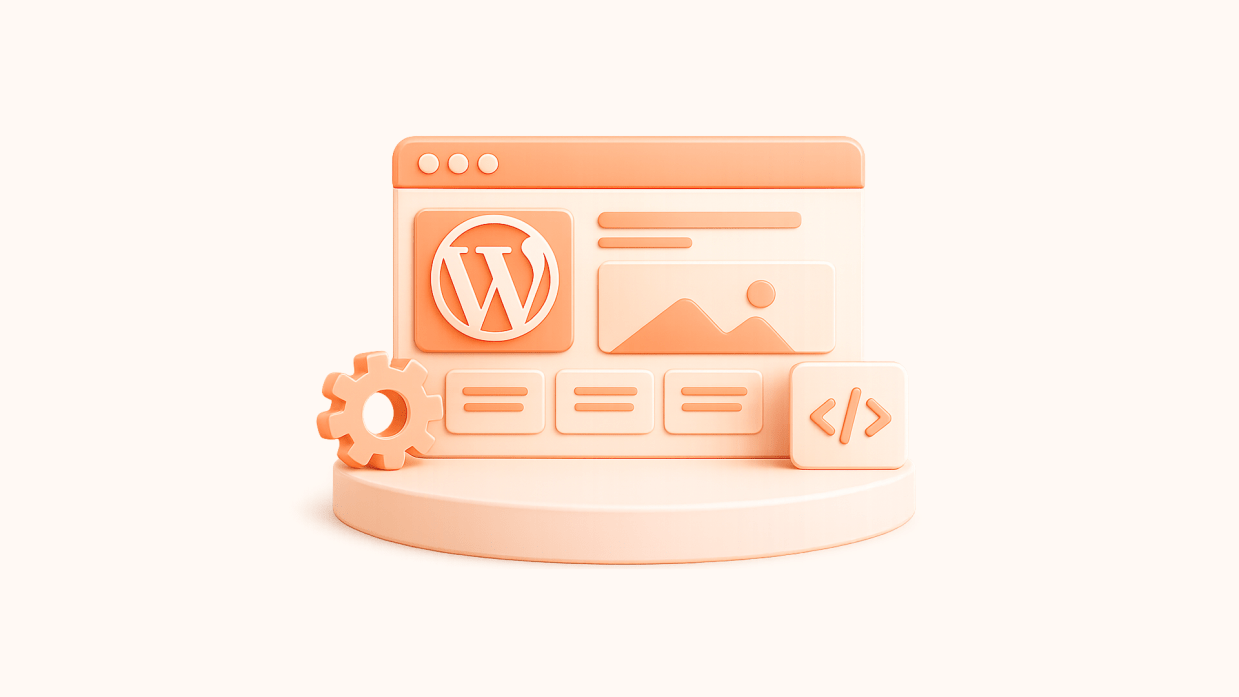
WordPress is the most popular Content Management System (CMS) in the world. According to W3Techs, it runs 39.4% of all websites and 58.1% of websites whose CMS is known, thanks to its open-source license, user-friendly interface, and flexibility in functionality and design. It’s a mature platform, first released in 2003, with a large ecosystem: the WordPress.org directories list thousands of free plugins and more than 8,800 free themes.
WordPress is also the most popular CMS choice for the web’s top million, 100K, 10K, and 1K sites, as ranked by their traffic. Custom WordPress development is common and recommended at this level. TIME runs on WordPress VIP, and TechCrunch runs WordPress with its own custom theme.
This guide covers what custom WordPress development is, how it compares with the other ways to build a site, what it costs, and when it is the right choice for an enterprise.
What Is Custom WordPress Development?
Custom WordPress development is building a WordPress site around your own design, content model and features, instead of starting from an off-the-shelf theme. Developers write a custom theme, custom blocks and plugins, and integrations with your other systems, while WordPress core handles content editing, users and updates. The result is a site that fits how your business works and stays easy for your team to edit.
Enterprise companies seek out a bespoke or custom-built WordPress site for many reasons. They often have specific hosting, design, and functionality requirements or industry-specific compliance needs for data privacy, accessibility, and commerce.
A custom website offers its owner and users more flexibility and creativity than sites using a default WordPress install and off-the-shelf themes. Custom sites can also be “headless”, an architectural choice that may benefit larger organizations looking to push content to multiple web applications for omnichannel commerce and publishing.
Expert designers, developers, and web agencies commonly build custom WordPress sites with unique Gutenberg block themes. They add or engineer bespoke plugins and other custom code to create the specialized functionality their clients need.
How Does Custom WordPress Compare to a Pre-Built Theme or a Custom-Coded Site?
The table below sums up how the three approaches compare. The sections after it list the pros and cons of each one.
| Factor | Pre-built theme | Custom WordPress | Custom-coded site (no WordPress) |
|---|---|---|---|
| Design control | Limited to the theme’s layouts and settings | Full control over design and features | Full control over design and features |
| Cost | Lowest up front | Higher than a theme, lower than a fully custom build | Highest, both to build and to run |
| Time to launch | Fastest | Longer than a theme; depends on scope | Slowest, since everything is built from scratch |
| Maintenance | Theme vendor controls updates | WordPress core updates plus your own custom code | Your team maintains all the code |
| Scalability | Fine for small sites; not suited to high traffic or complex needs | Scales with clean code and enterprise hosting | Scales, but every change needs developers |
| Editing for non-technical staff | Easy | Easy, with custom editorial workflows | Needs a custom admin, or developers make changes |
Using a Pre-Built Theme
| Pros | Cons |
|---|---|
| Fast to build, catering to quick deployment needs. | Limited uniqueness, with the risk of a generic look similar to other businesses using the same theme. |
| Many pre-built themes have setup wizards and configuration options designed for non-technical users. | Too many features and options that aren’t needed may diminish performance, while some desired functionality and design features may be missing. |
| Small businesses and individuals with simple needs may find an adequate, low-budget solution. | Not suitable for high-traffic sites or organizations with complex requirements and legal compliance needs. |
| Default themes packaged with WordPress core will be well-maintained and updated along with the core CMS, increasing security and reducing maintenance costs. | Millions of other sites will also use these highly recognizable themes. |
| Third-party theme vendors provide their own updates following their own development roadmap and product lifecycle. Commercial support license subscriptions may be required to receive updates. | You are dependent on the theme vendor for updates, support, and compatibility with the other software (e.g., plugins) you’re using. Merging theme updates and modifications you make to the theme code may become a complex maintenance task, increasing the cost of ownership. |
Building a Custom WordPress Site
| Pros | Cons |
|---|---|
| Use established front-end (JavaScript and HTML/CSS) frameworks (e.g., React, Angular, and Next.js) that meet your business and technical requirements. Tailored solutions address the unique requirements of your business, which suits large eCommerce and publishing enterprises that need advanced features and scale. | Custom WordPress development will cost more than an off-the-shelf theme, but it will be quicker and cost less to develop and maintain than a fully bespoke website not built on WordPress. |
| Using WordPress as a foundation, your site will remain up-to-date with the latest software enhancements, security patches, and feature releases. WordPress core ships regular major releases, and maintenance or security releases are issued as needed. Kept current, your website stays secure and optimized for performance. | |
| Using the Gutenberg Block Editor in WordPress core allows for flexible layout options, creative content arrangements, and intuitive customization, so the design can match your brand. Your web team will also have an intuitive content authoring experience with custom editorial workflows that require no technical knowledge to use and administer. |
Building a Custom-Coded Site Without WordPress
| Pros | Cons |
|---|---|
| Flexible enough for the most complex requirements. | Time-consuming development with a great deal of custom code that must be maintained over time, even if a commonly maintained open-source framework (e.g., Symfony, Laravel, Django, Ruby on Rails) is used as a base. This increases the Total Cost of Ownership (TCO) dramatically. |
| Every modification to functionality or design requires skilled developers to change, test, update, and maintain the custom codebase. | |
| Unless a custom back-end interface is developed for non-technical users, it may be accessible only to developers with knowledge of the front-end frameworks and back-end server stacks you use. | |
| Demands a dedicated team for ongoing maintenance and security, increasing the cost of ownership year over year. |
When Should You Choose Custom WordPress Development?
Pre-designed themes undoubtedly serve a purpose, but they often come with limitations, particularly for businesses with unique design and user experience (UX) requirements.
A custom WordPress site fills that gap, especially for fast-growing businesses. A custom build on WordPress can be planned to handle traffic spikes as your content and features grow, and its design sets your brand apart from competitors.
Custom WordPress development is particularly great for businesses that require tailored solutions beyond the capabilities of standard themes and plugins. It offers distinct advantages over wholly custom-coded websites, especially for large enterprises.
With a custom WordPress site, multiple team members can easily upload media assets and create content, enhancing efficiency and reducing reliance on IT departments and developers for routine tasks. WordPress’s content management experience helps businesses delegate tasks and reduce costs. Using WordPress, your marketing team and other content-responsible staff will maintain their agility and adaptability online independently of your engineering teams and developers.
What Are the Build Options for a Custom WordPress Site?
Most custom WordPress builds follow one of three paths. The right one depends on your content, your channels and your team.
- Custom block theme: Block themes are built entirely out of blocks and use HTML block templates. Editors can change templates in the Site Editor (often called full site editing), and the theme’s theme.json file sets global styles such as colors, fonts and spacing. This suits most marketing and content sites.
- Custom classic theme: Classic themes use PHP templates, which WordPress still supports. Many older large sites with a lot of custom PHP run this way.
- Headless WordPress: WordPress stays the content back end, and a separate front end (often built in React or Next.js) pulls content through the WordPress REST API as JSON. This suits teams that publish to apps, several sites or other channels. It costs more to build and run because there are two codebases.
What Should You Plan Before Building a Custom WordPress Website?
Appearance and Functionality
Plan the user experience (UX) and user interface (UI) before any code is written, so every part of the build serves visitors and editors.
Look past the visual design to the features and design patterns your users need.
Thorough Planning for Enhanced UX/UI
A successful custom WordPress site build hinges on thoughtful consideration of UX/UI elements. For instance, incorporating intuitive navigation menus, strategically placed call-to-action (CTA) buttons, and visually appealing layouts will significantly enhance the overall user experience.
Test across devices and browsers so every visitor gets the same experience. Mobile-first, content-based design is an effective approach that uses WordPress’s core strengths.
Functionality
Businesses must pinpoint and prioritize the essential software and interface features that align directly with their goals. For instance, an eCommerce website will greatly benefit from strong product filtering options, personalized product customization features, streamlined checkout processes, and support for multiple payment gateways.
A university website, on the other hand, might require customizable landing pages tailored to different degree programs and a user-friendly admissions portal.
For media and publishing websites, key functionality features may include:
- Dynamic Content Management: A CMS tailored for media/publishing allows for effective creation, organization, and publication of articles, multimedia content, and breaking news updates.
- Multimedia Integration: Integration with multimedia formats such as videos, podcasts, and interactive graphics keeps audiences engaged.
- Social Media Integration: Integration with social media platforms facilitates content sharing, expands audience reach, and fosters community engagement.
- Advanced Search and Navigation: Sophisticated search functionality and intuitive navigation tools help users find relevant content quickly.
- Subscription and Membership Management: Features for managing subscriptions, memberships, and paywalls let you earn from content and control who can access it.
- Advertisement Management: Advertisement management capabilities allow targeted ad placements, revenue optimization, and integration with ad networks.
- Content Personalization: Personalization features based on user preferences, browsing history, and demographics deliver tailored content recommendations.
Optimized Performance
A custom build loads only the code your site needs. Developers can cut the extra scripts and features that pre-built themes ship with, which makes pages load faster and respond more smoothly.
SEO Impact
Beyond UX enhancements, optimized site performance is important in search engine optimization (SEO).
Google’s Core Web Vitals measure loading, responsiveness and visual stability, and Google says good page experience aligns with what its core ranking systems reward. Clean code and a clear page structure also make the site easier for search engines to crawl and index.
How Much Does Custom WordPress Development Cost?
Cost depends on scope: the number of sites, integrations, content volume, any migration, and hosting. For enterprise projects, our enterprise WordPress cost breakdown gives these ranges:
- Design and build: $200K to $500K for a standard enterprise site, and $800K to $1.2M+ for a complex global multi-site build.
- Hosting: WordPress VIP starts at about $25K a year.
- Ongoing agency and development support: $100K to $250K+ a year.
- Plugin and tool licenses: $10K to $50K+ a year in renewals.
Over three years, the total cost of an enterprise WordPress site comes to $600K or more. Plan the budget on that three-year view, since running costs add up after launch.
Timelines also depend on scope. As one example, we migrated the NAB Show website from Drupal to WordPress in 12 weeks.
How Do You Choose the Right Custom WordPress Development Team?
A successful custom WordPress website depends on the expertise of the team you choose to help you build and maintain it. Here at Multidots, we are proud to be a leading WordPress development agency with an impressive portfolio that speaks for itself. We excel at:
- User-Centered Designs: Create visually appealing UI/UX designs for a unique WordPress website in your industry.
- Custom Integration: Enhance WordPress websites with new functionalities by integrating them with various third-party platforms and services.
- Custom Theme Design: Tailor-made WordPress themes based on your designs or create engaging designs in multiple formats.
- Migration: Efficiently migrate existing websites to WordPress, minimizing downtime to ensure business continuity and productivity.
- Code Review and Security: Adhere to industry coding rules and conduct thorough code reviews to meet testing and quality standards and ensure precision and security.
- Performance and Optimization: Multidots prioritizes website performance, optimizing code, databases, images, and more for an efficient and high-performing website!
With 17+ years of WordPress work and 300+ platform migrations, Multidots is a proven partner for businesses with complex requirements.
Multidots Case Study: The NAB Show

The NAB Show is an event hosted by the National Association of Broadcasters (NAB) for content professionals. Whether you’re creating content, or distributing it, there will be something for you at this international conference for the broadcast media industry. Multidots moved the NAB Show website from Drupal to WordPress to meet the needs of its diverse audiences.
The NAB Show presented unique challenges requiring a flexible digital solution to meet its diverse needs. Among the challenges we faced were:
- A Fixed Deadline: The NAB Show draws over 100,000 industry professionals, and the new site had to be fully working in time for the April 2020 conference in Las Vegas.
- Search Rankings and Workflows: The site had to keep its existing search rankings through the move. The team also wanted redundant workflows removed and new ones automated.
Our multidisciplinary team of developers, designers, and project managers adopted a strategic approach, drawing upon our extensive experience in WordPress development to address these challenges effectively. We devised a tailored solution that surpassed expectations by collaborating closely with the client and gaining a deep understanding of their objectives.
Our NAB Show case study offers an insight into our methods. We documented the existing workflows first, split the work into milestones with demo reviews, built custom plugins for specific workflows, ran acceptance testing before launch, and moved the site to WordPress VIP hosting.
We finished the migration in 12 weeks, ahead of schedule. Average page load time improved by 77.51%, and the site kept its search rankings.
Take the Next Step Toward a Distinctive Online Presence
A custom WordPress website is a smart move towards standing out online. The advantages of personalized solutions, unmatched flexibility, and excellent performance are the foundations of a successful website.
When starting this journey, trust our experienced professionals at Multidots. As a WordPress VIP Premier Partner with SOC 2 Type II compliance, we keep your project in capable hands.
Are you ready to enhance your online presence? Get in touch with Multidots today to plan your custom WordPress website.