Key Takeaways
- Enterprises can retain Salesforce CRM while moving content to a dedicated CMS with stronger editorial, SEO, and cost control.
- Salesforce CMS best supports gated, CRM-connected experiences, but its seat-based economics limit public, content-led growth.
- WordPress offers the strongest balance of editorial autonomy, Salesforce integration, SEO capability, and lower enterprise TCO.
- Sanity favors developer flexibility, while Contentful provides broader integrations and marketer-friendly headless workflows.
- Migration success depends on content modeling, Salesforce integration mapping, SEO preservation, redirects, and front-end planning.
Most teams did not choose Salesforce CMS the way they would choose a content platform. They inherited it. The organization was already on Salesforce for CRM, commerce, or service, and the CMS came bundled into that world. It made sense to keep content close to customer data, so the marketing site, the portal, and the campaign content all landed inside the Salesforce platform.
Then the gaps started to show. The editorial experience is thin compared to a real CMS, content modeling hits caps on standard orgs, SEO and publishing tooling lag behind dedicated platforms, and the licensing is seat-based, so cost climbs with every member, partner, and portal user you add. None of this means Salesforce is the wrong CRM. It means Salesforce CMS is rarely the right content platform.
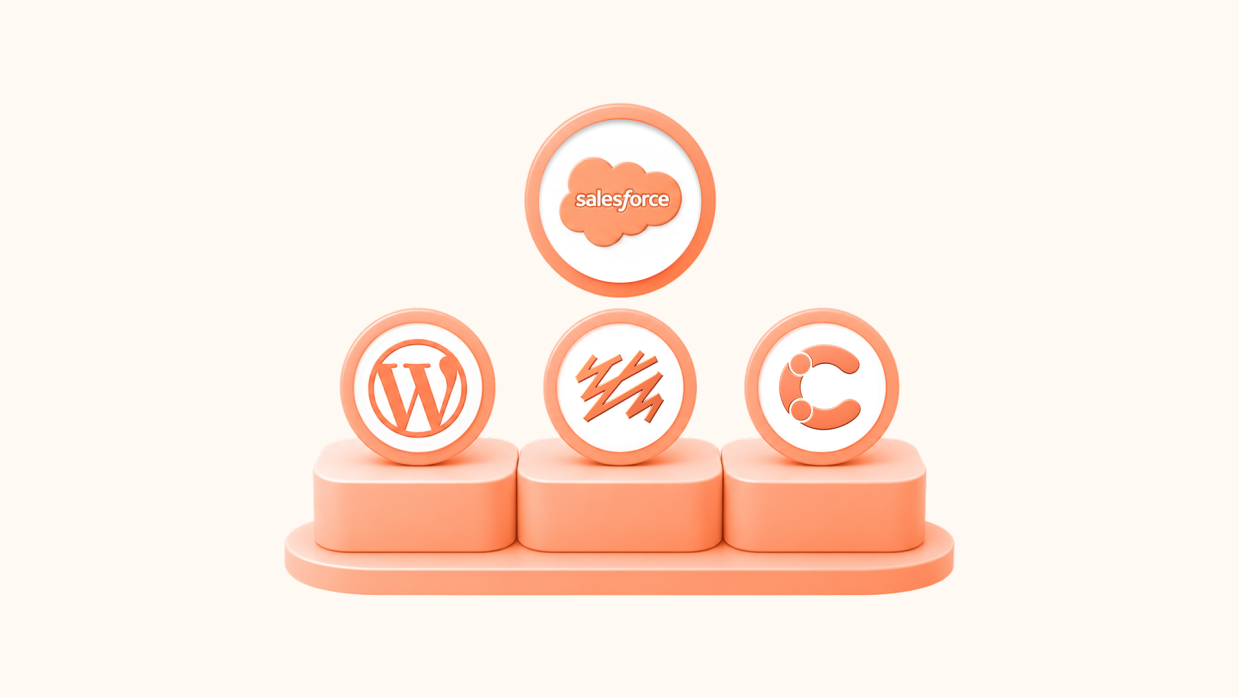
The good news is that this is not an all-or-nothing decision. You can keep Salesforce for what it does well and move content onto a platform built for content, connected back to your CRM. This guide breaks down three enterprise-grade alternatives, WordPress, Sanity, and Contentful, covering real costs, features, migration complexity, and where each one fits, so you can decide with the full picture.
What Salesforce CMS Offers (And Why Companies Are Looking Elsewhere)
Salesforce CMS is a hybrid CMS built into the Salesforce platform. It lets teams author content once and syndicate it to channels built on Salesforce, an Experience Cloud site, a Commerce Cloud storefront, Marketing Cloud email, or a Lightning app, as well as to external sites through headless APIs. Its defining idea is proximity to customer data: you can take a CRM record and turn it into rich, visual content like a banner, a tile menu, or a promotional CTA.
Core features
Salesforce CMS’s strengths come from living inside the Salesforce ecosystem.
- Native Salesforce delivery: Pre-built integrations syndicate content to Experience Cloud, Commerce Cloud, and Marketing Cloud without custom plumbing.
- CRM-connected content: Content can draw directly on Salesforce customer data for personalization and dynamic experiences.
- Hybrid model: Coupled delivery for Salesforce channels plus headless API delivery to external front ends.
- Centralized authoring: A single place to manage content that feeds multiple Salesforce-powered touchpoints.
- Collections and content types: Structured content organized for reuse across channels.
Pricing and costs
Salesforce CMS itself is part of the platform, so there is no separate CMS line item. The real cost lives in Salesforce licensing. Delivering content through Experience Cloud is licensed on a per-login or per-member basis, which means the bill scales with the size of your audience, every community member, partner, or portal user adds to it, in a way a flat content-platform subscription does not. Standard orgs also cap CMS content records and custom content types, with the higher limits reserved for paid tiers. The result is a content platform whose total cost is bound to Salesforce seat economics rather than to your content needs, and that grows precisely as your audience does. You can review the structure on the Experience Cloud pricing page.
Where Salesforce CMS falls short
Salesforce CMS’s challenges are less about quality and more about fit, cost model, and lock-in.
- It is a CRM feature, not a content platform. The editorial experience, content modeling, and publishing tools are thinner than what a dedicated CMS offers, because content is not the product, the platform is.
- Seat-based cost that scales with your audience. Per-login and per-member licensing ties your content cost to how many people touch it, which gets expensive for public-facing, high-traffic sites.
- Content and type limits. Standard orgs cap content records and custom content types, constraining how far you can model content without moving up tiers.
- Ecosystem lock-in. Content lives inside Salesforce. Leaving means untangling content from CRM, and staying deepens dependence on a single vendor’s roadmap and pricing.
- Weaker for content-led growth. SEO, organic publishing, and marketing-site workflows are not where Salesforce CMS is strongest, which matters if content is a growth channel rather than a CRM extension.
- Specialized, costly talent. Changes often route through Salesforce admins and developers, a narrower and pricier talent pool than mainstream CMS development.
When staying on Salesforce CMS still makes sense
Salesforce CMS earns its place when content is tightly fused to CRM-driven experiences and the audience is gated rather than public. If your primary use is logged-in portals, partner communities, or commerce experiences where content must react to customer data in real time, and you are already deep in the Salesforce ecosystem, the native integration is a genuine advantage. The mismatch appears when teams use it for public, content-led marketing sites, where a dedicated CMS does the job better and cheaper.
Why Enterprises Are Migrating from Salesforce CMS
Here are the core reasons teams move content off Salesforce CMS, each grounded in how the platform actually works.
1. Content Cost Should Not Scale With Audience
The seat-based model is the most common trigger. When your content reaches a large or growing public audience, per-login and per-member licensing turns success into a rising bill. A flat content-platform cost decouples what you pay from how many people read your content, which is the economics most marketing sites want. Teams frequently discover that moving public content to a dedicated CMS, while keeping Salesforce for gated, CRM-connected experiences, cuts cost without giving up the integration that mattered.
2. Content Teams Want a Real Editorial Platform
Salesforce CMS was built around the CRM, and editorial depth reflects that. Content teams used to a modern block editor, flexible content modeling, and strong publishing workflows often find the experience constraining. For organizations where marketing and editorial velocity matter, a platform built for content, with autonomy to publish and iterate without admin or developer involvement, removes friction that Salesforce CMS creates by design.
3. SEO and Content-Led Growth Need a Content-First Tool
If organic search and content marketing drive your growth, you need a platform engineered for it. Salesforce CMS is optimized for CRM-connected delivery, not for the SEO tooling, content structures, and publishing speed that content-led strategies depend on. Moving to a content-first platform unlocks the SEO capabilities and editorial workflows that public, discoverable content requires.
4. Keep Salesforce, Lose the Lock-In
Migrating content off Salesforce CMS does not mean leaving Salesforce. The strongest pattern is separation of concerns: Salesforce stays the system of record for customer data, and a dedicated CMS owns content, connected back through integrations. This breaks the lock-in that comes from content living inside the CRM, while preserving the customer-data backbone. Open platforms make this clean, and WordPress, which powers 41.5% of all websites and holds a 59.3% share of the known-CMS market per W3Techs, integrates with Salesforce CRM while keeping content portable and vendor-neutral.
The 3 Enterprise Alternatives to Salesforce CMS
Here are the three platforms teams most often evaluate when moving content off Salesforce CMS.
1. WordPress
The world’s most widely adopted CMS now runs enterprise publishers, Fortune 500 brands, and global marketing sites through platforms like WordPress VIP. Its block editor (Gutenberg) gives content teams a modern, autonomous editing experience, and its plugin ecosystem includes mature Salesforce CRM integrations, so you keep customer data flowing while content lives on a platform built for it. WordPress can also run headless via REST and GraphQL when you need API-driven delivery.
2. Sanity
Sanity is a headless CMS built around structured content and omnichannel delivery. Content lives as structured data in a real-time, globally distributed Content Lake, making it portable across websites, apps, and connected experiences, and easy to feed into Salesforce or any other system through APIs. For teams that want a composable architecture with content cleanly separated from CRM, Sanity is a strong fit.
3. Contentful
Contentful is a cloud-native headless CMS trusted by thousands of enterprise customers. It pairs structured content modeling with a marketer-friendly editing experience and a deep integration marketplace that connects to commerce, martech, and Salesforce. For enterprises that want to stay composable and integration-heavy while giving content teams more autonomy, Contentful fits well.
The critical difference
These three separate content from CRM in different ways.
- WordPress is a full, self-contained CMS that gives content teams the most autonomy and integrates back to Salesforce through plugins.
- Sanity and Contentful are headless content backends that keep a composable, API-first architecture, with Sanity favoring deep developer flexibility and Contentful favoring a polished editor and a broad integration marketplace.
Your choice depends on whether you want a complete content platform or a headless backend that plugs into a wider stack.
Alternative 1: WordPress (Recommended for Most Enterprises)
WordPress addresses the core Salesforce CMS frustrations directly: it gives content teams a real editorial platform, decouples content cost from audience size, and integrates back to Salesforce so you keep the customer-data backbone.
Cost Comparison
Salesforce CMS cost is tied to seat-based Salesforce licensing. WordPress changes the model entirely.
Year 1 Total Cost: WordPress draws on an open, competitive market for development and hosting, and a flat cost structure means what you pay does not rise with every additional reader or portal user.
- Licensing: WordPress core is free and open source, against Salesforce CMS content delivery tied to per-login and per-member Experience Cloud licensing.
- Audience scaling: WordPress cost is independent of traffic and audience size, while Salesforce seat economics grow with your community.
- Development: WordPress taps the largest global talent pool of any CMS, with senior salaries of $100,000 to $150,000 and deep freelance and agency markets, broader and more affordable than specialized Salesforce development.
- Hosting: Open market, with WordPress VIP available for enterprise-grade needs.
Average savings: Teams moving public, content-led sites from Salesforce CMS to WordPress typically see meaningful TCO reduction, driven by removing seat-based scaling and tapping a competitive development market.
Key Features for Enterprise Teams
WordPress gives content teams the editorial platform Salesforce CMS lacks, while staying connected to your CRM.
- Block editor (Gutenberg): A visual, component-based editor that lets content teams build and publish pages without admin or developer involvement.
- Salesforce CRM integration: Mature plugins and connectors keep leads, forms, and customer data flowing between WordPress and Salesforce.
- Flexible content modeling: Custom post types, fields, and taxonomies without the record and type caps of standard Salesforce orgs.
- Headless when you want it: Full REST API and GraphQL support for decoupled delivery to apps and other channels.
- Massive plugin ecosystem: 59,000+ plugins covering SEO, multilingual, integrations, and security.
- Built-in SEO and marketing tooling: Deep SEO and marketing integrations native to the platform, built for content-led growth.
- Enterprise hosting and governance: WordPress VIP provides enterprise-grade hosting, security scanning, code review, and granular roles.
When WordPress Makes Sense
WordPress is the strongest Salesforce CMS alternative when:
- Your content is public and content-led, not gated behind CRM login
- Content and marketing teams need autonomy to publish without developer tickets
- You want content cost independent of audience and traffic
- SEO and organic traffic are primary growth channels
- You want to keep Salesforce as your CRM and integrate it with a real CMS
- You want the largest talent pool and plugin ecosystem in the industry
Migration Complexity: Low to Moderate
Salesforce CMS to WordPress is a well-understood move, and because Salesforce CMS stores content as structured data accessible through APIs, the content itself maps cleanly into WordPress structures.
Timeline: 8 to 16 weeks for most enterprise migrations.
Risk level: Low to moderate, owing to mature tooling and a large talent pool. The core work involves migrating content from Salesforce CMS APIs into WordPress content types and blocks, rebuilding the front end as a WordPress theme, setting up Salesforce CRM integration, URL mapping and 301 redirects, SEO implementation, and team training on the block editor.
Important Consideration: The key to a clean migration is preserving the Salesforce integration points your business depends on, lead capture, customer-data sync, personalization where it matters, while moving content and SEO onto WordPress. Handled well, content teams gain autonomy immediately and the CRM connection stays intact.
As a WordPress VIP Gold Partner with 1000+ migrations completed, Multidots brings proven enterprise platform migration methodology to transitions like this. You can see examples of our work in our case studies.
WordPress for Enterprises: Learn the Secret Sauce of Big Enterprise WordPress Websites
An In-Depth Look at the Engineering and Design Behind Billion-Dollar Enterprises’ WordPress Websites


Alternative 2: Sanity (Best for Composable, API-First Teams)
Sanity is a content operating system built API-first for the modern web. It stores content as structured data in a real-time, globally distributed Content Lake, making it portable across websites, mobile apps, and connected experiences.
For teams that want to separate content from CRM but keep a composable, API-first architecture, Sanity is the natural fit. Content stays cleanly modeled and can feed Salesforce and any other system through APIs.
Key Features for Enterprise Teams
Sanity’s feature set is built around content portability and developer flexibility, with every capability designed API-first.
- Real-time collaborative editing: Sanity Studio supports simultaneous editing with presence indicators and conflict resolution.
- Structured content modeling: Content is stored as structured data, not bound to page layouts, making it truly portable across channels.
- GROQ query language: A precise, developer-friendly query language for fetching exactly the content each surface needs.
- Fully customizable Studio: Sanity Studio is built in React and can be tailored to your editorial workflow with custom components and validation.
- Content Lake: A hosted backend that handles scaling, CDN distribution, and API delivery without infrastructure management.
- Portable Text: A specification for rich text stored as structured data, enabling consistent rendering on any front end.
When Sanity Makes Sense
Sanity is the strongest Salesforce CMS alternative when:
- You want a composable architecture with content cleanly separated from CRM
- Your content needs to reach three or more channels with true portability
- Your team has strong React, Next.js, or modern JavaScript capability
- Deep structured-content modeling and a customizable editing environment are priorities
- You are comfortable owning the front end in exchange for flexibility
Migration Complexity: Low to Moderate
Because Salesforce CMS already exposes structured content through APIs, mapping that content into Sanity’s document model is familiar work, and the front end can be built in your framework of choice.
Timeline: 10 to 18 weeks for enterprise migrations.
Risk level: Low to moderate, with the main effort in the front-end build and content remodeling rather than the content extraction. The core work involves redesigning content into Sanity document schemas, scripted content migration from Salesforce CMS, a front-end build in a JavaScript framework, API integration with Salesforce where needed, URL preservation, SEO implementation in the front-end layer, and team training on Sanity Studio.
Important Consideration: Sanity is a content backend, so you will need a separate front end, hosting for it, and developers comfortable with modern JavaScript. Pricing is transparent: Free at $0, Growth at $15 per seat per month, and custom Enterprise contracts. Choose Sanity when a composable, API-first architecture is genuinely what you want.
Alternative 3: Contentful (Best for Integration-Heavy Enterprise Headless)
Contentful is a cloud-native headless CMS trusted by thousands of enterprise customers. For teams migrating off Salesforce CMS, it offers a composable, API-first model with a marketer-friendly editor and a deep integration marketplace that connects to commerce, martech, and Salesforce, keeping the integrations that mattered while giving content teams more room to move.
Key Features for Enterprise Teams
Contentful combines structured content modeling with a polished editing experience accessible to both developers and content strategists.
- Structured content model: Content types, fields, and relationships defined in a visual interface, accessible to non-developers.
- Compose and Launch: Page-building and orchestration on top of the headless architecture, plus scheduled releases.
- GraphQL and REST APIs: Both API formats supported natively, giving front-end teams flexibility.
- App Marketplace: A broad marketplace of integrations across commerce, martech, and Salesforce.
- Environments and Releases: Built-in content staging with environment branching and scheduled releases.
- Localization: Native multi-locale support with per-field localization.
- Enterprise security and compliance: SOC 2 Type II certification and enterprise-grade controls.
When Contentful Makes Sense
Contentful is the strongest Salesforce CMS alternative when:
- You want to stay composable and integration-heavy while improving the editor experience
- Content delivery across web, mobile, and other channels via APIs is a core requirement
- You need a deep marketplace of connectors to commerce, martech, and Salesforce
- Your development team works in JavaScript/React and wants a managed SaaS platform
- Robust localization and structured content modeling at enterprise scale matter
Migration Complexity: Low to Moderate
Migrating from Salesforce CMS to Contentful keeps a headless architecture, and Contentful’s familiar content-type model and import tooling ease the content move.
Timeline: 12 to 20 weeks for enterprise migrations.
Risk level: Low to moderate. The core work involves redesigning content into Contentful content types, content migration via Contentful’s import APIs, a front-end build, Salesforce and other integrations through the marketplace, localization and workflow configuration, SEO implementation in the front-end layer, and team training on Contentful’s editor.
Important Consideration: Contentful is a content backend, so you still own a separate front end and front-end-level SEO. The gains are a polished editor, a deep integration marketplace, and enterprise maturity. Pricing is Free at $0, Lite at $300 per month, and custom Premium contracts per the Contentful pricing page, which scale with usage, so model your needs before committing.
Final Comparison: Salesforce CMS vs WordPress vs Sanity vs Contentful
Here is how the alternatives compare across the factors that matter most when leaving Salesforce CMS.
| Dimension | Salesforce CMS | WordPress | Sanity | Contentful |
|---|---|---|---|---|
| Best For | CRM-connected, gated experiences | Public, content-led sites with marketing autonomy | Composable, API-first teams | Integration-heavy enterprise headless |
| Architecture | Hybrid (in Salesforce) | Full CMS, optional headless | Headless (backend only) | Headless (backend only) |
| Implementation Time | — | 8 to 16 weeks | 10 to 18 weeks | 12 to 20 weeks |
| Editorial Experience | CRM-led, thinner | Intuitive block editor, full autonomy | Customizable, developer-configured | Polished, marketer-friendly |
| Cost Model | Seat-based, scales with audience | Open source + hosting/dev, flat | Per-seat + usage, transparent | Usage-based, scales with growth |
| Salesforce Integration | Native | Via plugins/connectors | Via APIs | Via marketplace and APIs |
| SEO & Marketing | Limited | Excellent (native tooling) | Depends on front-end build | Depends on front-end build |
| Vendor Lock-in | High (CRM-bound) | Low (open source, portable) | Moderate (Content Lake) | Moderate (cloud-hosted) |
| Talent Pool | Salesforce specialists | Largest of any CMS | Modern JS developers | Modern JS developers |
| Ecosystem | Salesforce AppExchange | 59,000+ plugins | App ecosystem | App marketplace |
Making Your Decision: Which Alternative Is Right for You?
After working with hundreds of enterprise teams over 17 years, I have noticed clear patterns in which alternatives work best for which scenarios.
Choose WordPress if:
- Your content is public and content-led rather than gated behind CRM login
- Content and marketing teams need autonomy to publish without developer tickets
- You want content cost independent of audience size and traffic
- SEO, organic traffic, and a large ecosystem matter to your long-term plan
- You want to keep Salesforce as your CRM and integrate it with a real CMS
Choose Sanity if:
- You want a composable, API-first architecture with content separated from CRM
- Your team has strong React/JavaScript capability and wants deep flexibility
- Structured-content modeling and a customizable Studio are priorities
- Real-time collaborative editing and content portability are core requirements
Choose Contentful if:
- You want to stay composable while improving the editorial experience
- You need a deep marketplace of connectors to commerce, martech, and Salesforce
- Content delivery across multiple channels via APIs is a core requirement
- Your team works in JavaScript/React and wants a managed SaaS platform
For most teams leaving Salesforce CMS, WordPress delivers the strongest combination of editorial autonomy, cost efficiency, SEO strength, and Salesforce integration, letting you keep the CRM while content moves to a platform built for it. Sanity and Contentful are excellent when a composable, API-first architecture is the goal, Sanity for developer depth, Contentful for integration breadth.
Ready to Explore Your Options?
If your team is rethinking Salesforce CMS, the first step is understanding exactly what a move involves: content audit, Salesforce integration mapping, SEO and redirect planning, and a realistic timeline. From there, you can weigh a clear, costed plan that keeps your CRM intact while content moves to the right platform.
Multidots is a WordPress VIP Premier Partner with 17+ years of enterprise WordPress experience and 1000+ successful migrations, including transitions from proprietary and ecosystem-bound platforms. Our methodology preserves your SEO equity, maps your content architecture precisely, and rebuilds your Salesforce integrations on the new platform.
Get in touch with our team for a free migration assessment. We will review your current Salesforce CMS setup, identify risks and opportunities, and send back a written recommendation with timeline and cost estimates.