Choosing a content management system is a decision your organization lives with for the better part of a decade. It shapes how fast your team can publish, how much you spend on development, who you can hire to maintain the platform, and how easily you can adapt when the business changes direction.
TYPO3 and WordPress make this a genuinely interesting comparison, because both are free, open-source, and built on PHP. The real differences have nothing to do with licensing fees. They come down to complexity, ecosystem size, and the pool of people who can actually run each platform. TYPO3 is an enterprise-first CMS engineered for governance, permissions, and large multi-site estates, and it is heavily concentrated in German-speaking Europe. WordPress is the most widely used CMS in the world, powering around 43% of all websites, and it favors flexibility, speed, and a vast ecosystem.
This guide breaks down TYPO3 and WordPress across every dimension that matters to a business decision-maker, from ease of use and security to total cost of ownership and long-term viability.

What is TYPO3?
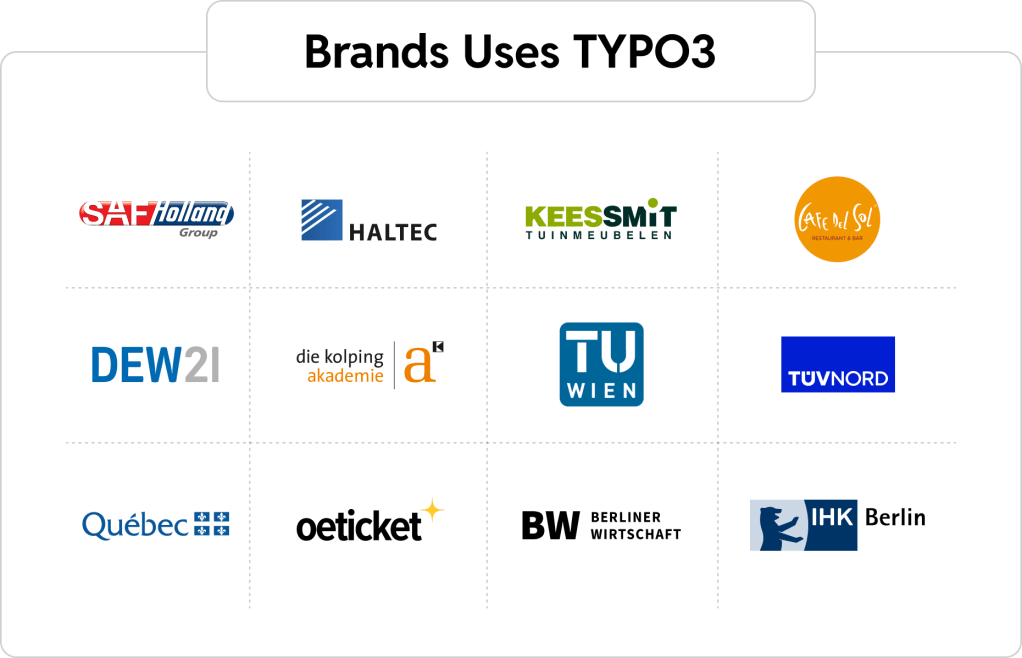
TYPO3 is an open-source enterprise CMS first created by Kasper Skårhøj in 1998 and licensed under the GNU General Public License, so the software itself is free to use. It is built on modern PHP and Symfony components and uses its own configuration language, TypoScript, to control templating and behavior.
Its defining strength is enterprise governance out of the box. A single installation can manage many websites, domains, and languages, with granular editorial permissions that let large teams work under strict access controls. The current release, TYPO3 v13 LTS, follows a long-term support model that appeals to organizations planning multi-year roadmaps. TYPO3 is especially popular with governments, universities, and enterprises across German-speaking Europe.

What is WordPress?
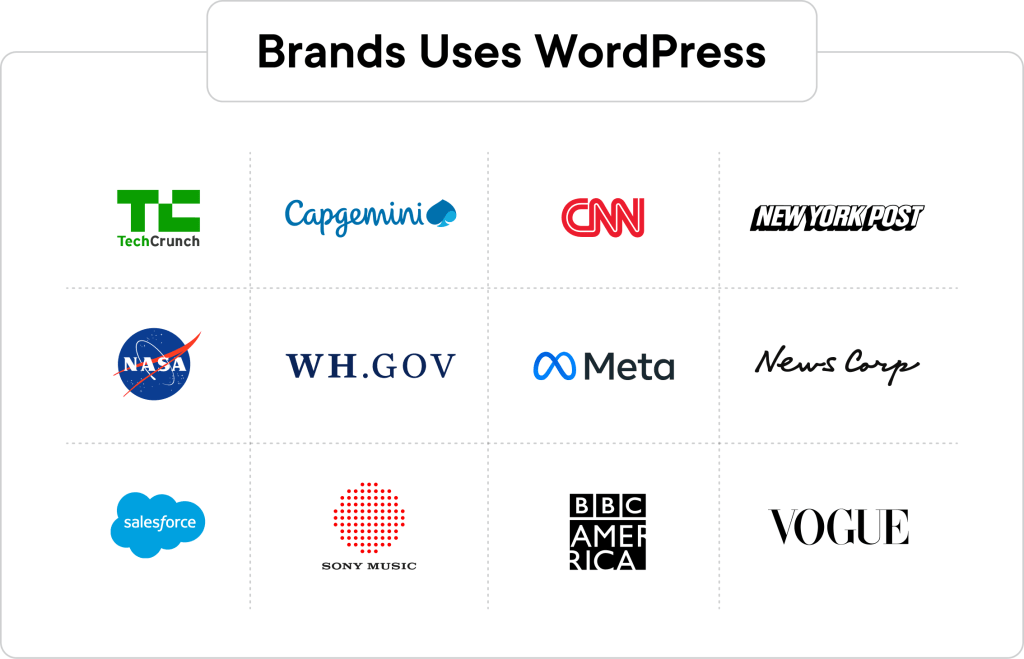
WordPress is an open-source CMS, also released under the GPL, that has grown from a blogging tool into the platform behind a large share of the modern web. It combines a gentle learning curve with near-limitless extensibility through an enormous library of free plugins and themes.
WordPress scales from a single small-business site to enterprise publishing operations serving billions of monthly page views. Through WordPress VIP, it supports mission-critical, high-traffic platforms with enterprise-grade security, compliance, and managed hosting. It can also run as a headless CMS, feeding content to apps and front ends through APIs. That mix of accessibility, ecosystem depth, and a global talent pool is what makes WordPress the pragmatic default for most organizations.
TYPO3 vs WordPress: Understanding the Differences
Because both platforms are free, open-source, and PHP-based, the honest way to frame this comparison is around philosophy rather than price.
TYPO3 was designed from the start for enterprise and public-sector complexity. It assumes you have professional developers, a formal governance structure, and multi-site, multi-language requirements. That focus gives it real power for the organizations it targets, but it also means a steeper setup, a specialized configuration language, and a smaller circle of people who know it well.
WordPress takes the opposite path. It optimizes for accessibility first and lets complexity be added through plugins, custom development, and enterprise hosting when needed. A marketing team can manage day-to-day content without touching code, while developers extend the platform as far as the business requires. The trade-off is that enterprise governance features which ship in the TYPO3 core are often assembled in WordPress through configuration and plugins.
In short, TYPO3 front-loads enterprise structure, and WordPress front-loads ease and ecosystem. For most teams evaluating the two today, that single distinction shapes how the rest of the comparison plays out.
The Qualities of an Ideal Enterprise CMS Solution
Before comparing the two directly, it helps to define what a strong enterprise CMS should deliver:
- Flexibility and customization to model any content structure and integrate with existing systems
- A large, accessible talent pool so you are never dependent on a handful of specialists
- Security and compliance suitable for regulated industries and public-sector requirements
- Performance and scalability to handle traffic spikes without degrading the editorial experience
- A healthy ecosystem of extensions, integrations, and ongoing core development
- Reasonable total cost of ownership, measured across licensing, build, talent, and maintenance
- Long-term viability, backed by an active community and a clear release roadmap
These criteria frame the detailed comparison below.
Quick Comparison of TYPO3 vs WordPress
Here is a high-level view before we go deeper into each dimension.
| Feature | TYPO3 | WordPress |
|---|---|---|
| Type of CMS | Enterprise open-source CMS | General-purpose open-source CMS |
| Licensing | Free (GNU GPL) | Free (GNU GPL) |
| Built on | PHP, Symfony, TypoScript | PHP, MySQL |
| Target audience | Enterprises, government, large multi-site orgs | SMBs to enterprises across every industry |
| Ease of use | Steeper; developer-oriented | Approachable for non-technical editors |
| Customization | Powerful, code-driven | Vast via plugins and custom development |
| Performance and scalability | Strong with expert setup | Strong, scales to enterprise via VIP |
| Security | Granular permissions, enterprise governance | Hardened via VIP, plugins, and best practices |
| Developer experience | Specialized, requires TypoScript | Widely known, low barrier to entry |
| Headless | Available via extensions | Native REST API and headless-ready |
| E-commerce | Via extensions | WooCommerce and full commerce ecosystem |
| Talent pool | Small, concentrated in DACH | Very large and global |
| Ideal for | Complex enterprise and public-sector estates | Almost any content-driven website |
TYPO3 vs WordPress: Full Comparison
Here is how TYPO3 and WordPress compare across the nine dimensions that most influence an enterprise CMS decision.
1. Ease of Use and Setup Process
WordPress is known for getting a site live quickly. Installation is simple, the admin dashboard is intuitive, and content editors can publish, format, and manage media without developer help. The block editor makes building layouts approachable for non-technical teams.
TYPO3 is more demanding. Setup typically requires Composer, server configuration, and a developer comfortable with TypoScript. The backend is powerful but dense, and editors usually need training before they are productive. That complexity buys structure and control, which enterprises value, but it slows initial rollout and raises the barrier for smaller teams.
Verdict: WordPress wins decisively on ease of use and speed to launch. TYPO3 rewards complexity with control, but only after a steeper investment.
2. Customization and Flexibility
Both platforms are highly customizable, but they get there differently. TYPO3 offers deep, code-driven flexibility through TypoScript and its extension architecture, which suits teams building tightly governed, bespoke systems. Modeling complex content relationships is a core strength.
WordPress matches that flexibility through a combination of custom development, custom post types, and its enormous plugin library. For most requirements there is either an existing plugin or a well-trodden path to build one, and the talent to do so is easy to find. WordPress also adapts more readily to fast-changing marketing needs.
Verdict: A tie on raw capability. TYPO3 leans toward structured, developer-defined systems, while WordPress offers more paths to the same outcome and easier ongoing change.
3. Content Management and Editorial Experience
TYPO3 gives large editorial teams serious governance: workspaces, versioning, granular roles, and multi-language management built into the core. For organizations coordinating dozens of editors across many sites, that structure is a real asset.
WordPress delivers a cleaner day-to-day editing experience. The interface is faster to learn, and editorial workflow, real-time collaboration, and approval flows can be added with tools such as Multicollab. The block editor lets writers build rich, structured layouts without touching code, and custom roles keep larger teams organized as they scale. Non-technical contributors are productive almost immediately, which shortens content cycles.
Verdict: TYPO3 wins on built-in editorial governance for very large teams. WordPress wins on speed and everyday usability for most content operations.
4. Plugins, Extensions, and Integrations
This is one of the clearest gaps. WordPress offers more than 60,000 free plugins plus a large commercial market, covering SEO, forms, e-commerce, analytics, security, and virtually every integration a business needs. That breadth means faster delivery and lower custom-development cost.
TYPO3 has a respectable extension repository, but it is far smaller and more specialized. Many needs that a WordPress plugin solves instantly require custom TYPO3 development, which adds time and cost, particularly when the required extension is not actively maintained.
Verdict: WordPress wins decisively. The size and vitality of its ecosystem shorten timelines and reduce spend.
5. Security Features
Security is where TYPO3‘s enterprise heritage shows. Its granular permission system, strict backend access controls, and governance model are strong fits for regulated industries and public-sector data-sovereignty requirements. The core team maintains a disciplined security release process tied to its LTS schedule.
WordPress carries a reputation for vulnerabilities, but that risk lives mostly in poorly maintained plugins and cheap hosting rather than the core, which is actively hardened. On enterprise-grade infrastructure such as WordPress VIP, WordPress meets stringent security and compliance standards for global brands and is trusted by major publishers and enterprises.
Verdict: TYPO3 has a slight edge on out-of-the-box governance and permissions. WordPress closes the gap entirely with proper hosting, hardening, and maintenance.
6. Performance and Scalability
Both platforms can perform at scale when engineered well. TYPO3 handles large, complex sites efficiently and includes robust caching, though it is resource-intensive and benefits from experienced infrastructure management.
WordPress scales to some of the highest-traffic sites on the web when paired with caching, a CDN, and enterprise hosting. Our performance optimization work regularly takes WordPress platforms to sub-second load times under heavy load. The larger talent pool also makes performance tuning easier to resource.
Verdict: A tie on ceiling. Both scale to enterprise demands; WordPress makes the required expertise easier and cheaper to find.
7. Ownership Costs and Total Cost of Ownership
Because both platforms are free to license, total cost of ownership is driven by build complexity, hosting, and above all talent. TYPO3‘s specialized skill set and small talent pool, concentrated in the DACH region, tend to command higher rates and make hiring harder outside that market. The complexity of a TYPO3 build also adds to development effort, and major version upgrades are planned projects that require dedicated developer time. WordPress, by contrast, follows an incremental update model that keeps ongoing maintenance lighter and more predictable.
WordPress benefits from a deep, global talent pool that keeps development and maintenance competitive, and a vast plugin ecosystem that reduces custom work. For organizations outside German-speaking Europe, that difference in talent availability is usually the single biggest factor in long-term cost.
Verdict: WordPress wins on total cost of ownership for most organizations, largely because talent is abundant and affordable. TYPO3 can be cost-effective within the DACH market where its specialists are concentrated.
8. SEO and Marketing Capabilities
TYPO3 supports solid technical SEO, including clean URLs, metadata control, and multilingual handling, but marketers often depend on developers to configure and adjust it.
WordPress gives marketing teams more direct control. Mature SEO plugins, landing-page tools, analytics integrations, and a rich martech ecosystem let marketers move without a developer in the loop. Combined with our growth services, that self-sufficiency translates into faster campaign execution and iteration.
Verdict: WordPress wins. Its marketing ecosystem and editor independence make it the stronger platform for growth-focused teams.
9. Support and Community
TYPO3 has a dedicated, professional community, strong certification programs, and reliable LTS support, though the ecosystem is smaller and heavily centered on German-speaking Europe. Finding help outside that region can be harder.
WordPress has the largest CMS community in the world: extensive documentation, forums, events, and a global network of agencies and freelancers. Whatever the challenge, someone has likely solved it and published the answer, and enterprise support is available through specialized partners.
Verdict: WordPress wins on the sheer scale and global reach of its community and support options.
TYPO3 vs WordPress: Which CMS is Right for Your Business?
The right platform depends on your governance needs, your team, your region, and your budget.
Choose TYPO3 if:
- You operate in the DACH region where TYPO3 talent and agency support are concentrated
- You run a large multi-site, multi-language estate that needs strict, built-in governance
- Public-sector or regulated requirements demand granular permissions and data sovereignty
- You have professional developers comfortable with TypoScript and long-term maintenance
- Enterprise structure out of the box matters more than speed and ecosystem breadth
Choose WordPress if:
- You want a fast, accessible platform your marketing team can run independently
- You need a vast ecosystem of plugins, integrations, and ready-made solutions
- You want to hire from a deep, global, affordable talent pool
- You value lower total cost of ownership and faster time to market
- You need flexibility to grow, including headless architecture and e-commerce
- You want the largest community and the most mature enterprise hosting options
For the majority of organizations, WordPress is the more practical, cost-effective, and versatile choice, especially outside the DACH region where TYPO3 expertise is scarce.
Why Companies Migrate from TYPO3 to WordPress
Organizations that move from TYPO3 to WordPress usually do so for a consistent set of reasons.
- Talent availability. Hiring and retaining TYPO3 specialists is difficult outside German-speaking Europe. WordPress talent is everywhere, which reduces hiring risk and dependency on a small pool of experts.
- Lower cost of ownership. With both platforms free to license, the savings come from cheaper, more available development and maintenance, plus a plugin ecosystem that reduces custom work.
- Faster time to market. Marketing and editorial teams publish and iterate on WordPress without waiting on developers, shortening campaign and content cycles.
- Broader ecosystem and integrations. The scale of the WordPress plugin and integration landscape means fewer bespoke builds and easier connections to the wider martech stack.
- Flexibility and future-proofing. WordPress adapts easily to new needs, from headless architecture to WooCommerce e-commerce, without locking teams into a specialized skill set.
- Modern martech and AI readiness. The WordPress ecosystem connects easily with current marketing, analytics, and AI tools, so teams can adopt new capabilities quickly instead of commissioning custom TYPO3 development for each integration.
Migrating from a complex enterprise CMS is a serious project, but it is well understood. With the right partner, content structures, URLs, and SEO equity are preserved throughout the move.
How Multidots Can Help?
Multidots is an enterprise WordPress agency and a WordPress VIP Premier Partner, with 17+ years in WordPress, 1000+ platform migrations, and 500+ websites delivered for brands and publishers worldwide. We are also the fifth-largest global contributor to WordPress and hold SOC 2 Type II compliance.
If you are weighing TYPO3 against WordPress, or planning a migration, we can assess your current platform, map a migration path that protects your content and search rankings, and build an enterprise WordPress solution around your governance and performance needs. We also provide staff augmentation and managed services to support your team long after launch.
Ready to explore whether WordPress is the right move for your organization? Get in touch with our team for a free consultation and migration assessment.
TYPO3 vs WordPress: FAQs
Both can power large, complex sites. TYPO3 ships with strong governance and permissions that suit public-sector and enterprise structures, especially in the DACH region. WordPress matches enterprise requirements through WordPress VIP and a mature ecosystem, while offering easier hiring and lower ownership costs, which makes it the better fit for most organizations globally.
Yes. WordPress Multisite manages many sites from one installation, and multilingual plugins handle complex translation workflows. Enterprise implementations routinely run large, multi-brand, multi-language estates on WordPress with centralized governance.
The main risks are content mapping, URL structure, and preserving SEO equity. These are well-understood challenges that an experienced migration partner manages with proper planning, redirect strategies, and testing, so traffic and rankings are protected through the transition.
Yes. Most WordPress security issues stem from poor plugins or hosting, not the core. On enterprise infrastructure with proper hardening and maintenance, WordPress meets strict security and compliance standards and is trusted by major global brands and publishers.
TYPO3 originated in Europe and built deep roots in the DACH region, where its governance features and data-sovereignty focus fit public-sector and enterprise needs. That concentration means strong local talent and agency support, but a much smaller ecosystem and talent pool elsewhere.